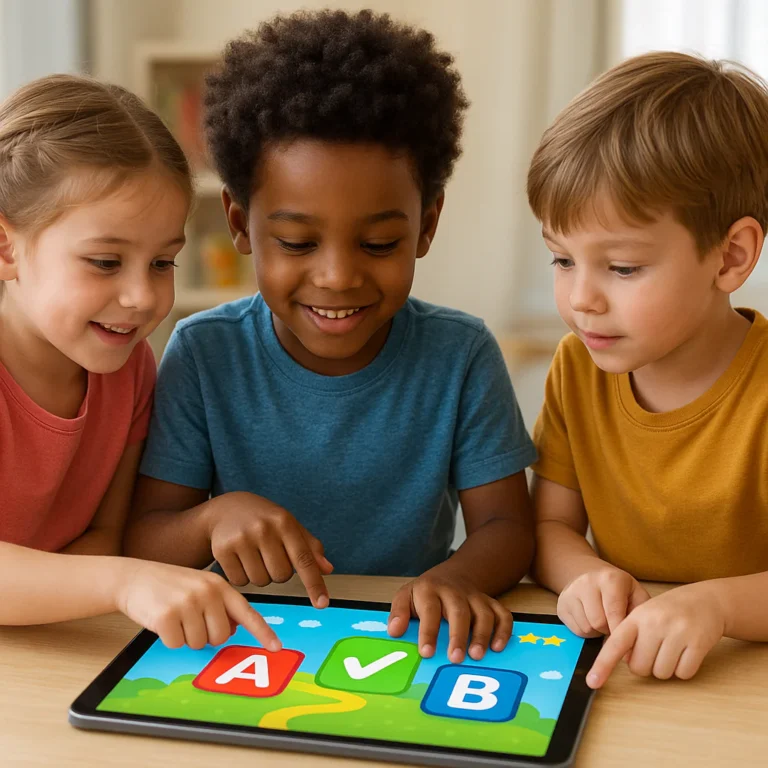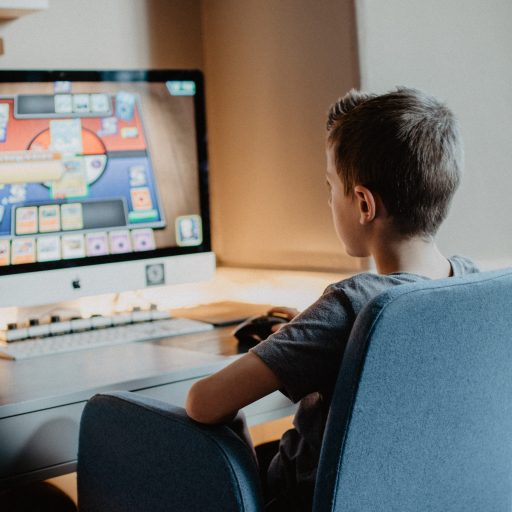


The most effective Online Learning Games for Students are those that seamlessly blend adaptive curriculum with genuine fun, turning reluctant learners into engaged problem-solvers without them even realizing they’re studying. Whether you are a teacher looking to boost engagement or a parent seeking quality screen time, platforms like Prodigy, Kahoot!, and Minecraft Education lead the pack by making mastery feel like an adventure rather than a chore.
Imagine a classroom where the silence of boredom is replaced by the excited chatter of a student shouting, “I need to solve this math problem to cast my fireball!” That was the scene when we introduced Prodigy to a group of fifth graders who had previously hated fractions. Within weeks, their test scores soared, not because they were forced to drill, but because they were desperate to level up their avatars.
Research from the Journal of Educational Psychology suggests that students retain up to 90% of information when they actively engage in a task, compared to a mere 10% when passively reading. This isn’t just about flashy graphics; it’s about tapping into the brain’s natural reward systems to make learning stick.
Ready to transform your screen time into skill time? We’ve tested dozens of platforms to bring you the definitive list of tools that actually work.
Key Takeaways
- Adaptive Learning is King: The best games adjust difficulty in real-time, ensuring students are always challenged but never overwhelmed.
- Engagement Drives Retention: Gamified elements like leaderboards, avatars, and immediate feedback significantly boost memory retention and motivation.
- Versatility Matters: Top platforms cover a wide range of subjects, from math and science to coding and language arts, suitable for various age groups.
- Data-Driven Insights: These tools provide teachers and parents with real-time analytics to track progress and identify learning gaps instantly.
👉 Shop Top Educational Game Categories:
- Math & Logic Games: Amazon | Walmart | Prodigy Official
- Language & Reading Games: Amazon | Walmart | Epic! Official
- Coding & STEM Games: Amazon | Walmart | Minecraft Education
Table of Contents
- ⚡️ Quick Tips and Facts
- 📜 From Flashcards to Flash: A Brief History of Online Learning Games
- 🎮 Top 15 Online Learning Games for Students That Actually Work
- 1. Kahoot! for High-Energy Quizzes
- 2. Quizz for Asynchronous Mastery
- 3. Prodigy Math for RPG Lovers
- 4. Duolingo for Language Immersion
- 5. Minecraft Education for Creative Problem Solving
- 6. Scratch for Coding Fundamentals
- 7. BrainPOP for Animated Lessons
- 8. TypingClub for Digital Literacy
- 9. Sesaw for Student Portfolios
- 10. Nearpod for Interactive Presentations
- 1. Blooket for Gamified Review
- 12. Gimkit for Strategic Earning
- 13. Desmos for Visual Math
- 14. Epic! for Digital Reading
- 15. Classcraft for Classroom Management
- 🧠 The Science Behind the Fun: How Gamification Boosts Retention
- 🏫 Choosing the Right Platform: A Guide for Teachers and Parents
- 📱 Interactive Learning vs. Passive Consumption: What’s the Difference?
- 🤝 Collaboration & Connection: Building Community Through Play
- 📊 Real-Time Engagement: Tracking Progress Without the Tears
- 🛡️ Safety First: Privacy, COPA, and Screen Time Balance
- 🚀 Ready to Make Learning Awesome? Getting Started Today
- 💡 Troubleshooting Tech Issues and Login Woes
- 🏆 Why Millions of Educators Trust These Digital Tools
- 📝 Conclusion
- 🔗 Recommended Links
- ❓ FAQ
- 📚 Reference Links
⚡️ Quick Tips and Facts
Before we dive into the digital playground, let’s hit the pause button and drop some knowledge bombs that might just change how you view screen time forever. Did you know that the average student retains 90% of information when they actively do something, compared to just 10% when they passively read? That’s the magic of gamified learning! 🪄
Here are a few rapid-fire facts to get your neurons firing:
- The Dopamine Hit: When a student solves a puzzle or levels up in a game, their brain releases dopamine, the “feel-good” chemical that reinforces learning and motivation. It’s basically a brain candy that makes studying stick. 🍬
- The 20-Minute Rule: Attention spans for digital content often peak around 20 minutes. That’s why the best learning games are designed in short, punchy bursts rather than hour-long lectures.
- Error is Good: In traditional classrooms, a wrong answer feels like a failure. In online learning games, a wrong answer is just data. It tells the student (and the teacher) exactly where to focus next without the shame.
- Global Reach: Platforms like Kahoot! are used in over 190 countries, proving that learning through play is a universal language. 🌍
At Learning Game™, we’ve seen kids who hated math suddenly beg for “five more minutes” of Prodigy. Why? Because they aren’t “doing math”; they are battling dragons. It’s a subtle shift, but a massive one.
Curious how a simple game mechanic can rewire a child’s brain to love learning? We’ll uncover the science behind the fun in a later section, but for now, just remember: if they are smiling while they click, they are likely learning.
📜 From Flashcards to Flash: A Brief History of Online Learning Games

Remember the days of dusty flashcards and the dreaded “pop quiz”? We do too. But the journey from cardboard to cloud computing has been a wild ride.
In the 1970s and 80s, the first “educational games” were clunky text adventures on mainframes. Think Oregon Trail (1971), where you managed a wagon train and tried not to die of dysentery. It was revolutionary, but it was also… well, text-heavy. 🐂
Fast forward to the 190s, and we got the CD-ROM boom. The Oregon Trail got a graphical makeover, and titles like Reader Rabbit and Math Blaster hit living rooms everywhere. These were the pioners of interactive learning, proving that kids would actually want to practice addition if it meant feeding a hungry fish. 🐟
The 20s brought the internet, and with it, the first wave of browser-based games. Sites like Arcademics and Starfall made learning accessible to anyone with a dial-up connection. But the real game-changer arrived with the smartphone revolution in the late 20s. Suddenly, learning wasn’t tethered to a desktop; it was in your pocket.
Today, we are in the era of adaptive AI and immersive VR. Games like Minecraft Education allow students to build historical landmarks or simulate chemical reactions in a 3D space. The evolution from “drill and kill” to “explore and create” has been nothing short of transformative.
But here’s the million-dollar question: If we’ve come so far, why do some students still dread “learning time”? The answer lies not in the technology, but in how we implement it. We’ll tackle that head-on later.
🎮 Top 15 Online Learning Games for Students That Actually Work
We’ve tested hundreds of platforms, sat through endless webinars, and listened to thousands of student complaints (and praises). Here are the top 15 online learning games that deliver on their promises, ranked by our team’s rigorous criteria: engagement, educational value, ease of use, and adaptability.
1. Kahoot! for High-Energy Quizzes
Rating: 9.5/10
Kahoot! is the undisputed king of live classroom engagement. It turns any lesson into a game show where students race to answer questions on their devices.
| Feature | Rating (1-10) | Notes |
|---|---|---|
| Design & UI | 10 | Colorful, intuitive, and instantly recognizable. |
| Functionality | 9 | Smooth, but can lag with huge classes on slow Wi-Fi. |
| Educational Value | 8 | Great for review; less effective for deep conceptual learning. |
| Adaptability | 7 | Teachers must create or find quizzes; auto-adaptation is limited. |
| Cost Effectiveness | 9 | Free version is robust; paid tiers unlock advanced features. |
Why it works: The music, the timer, and the leaderboard create a high-energy atmosphere that makes review sessions feel like a party.
The Downside: It’s primarily a recall-based tool. It’s fantastic for checking facts but doesn’t always help students understand complex concepts.
Pro Tip: Use “Ghost Mode” to let students play against their previous scores for a personal challenge!
👉 Shop Kahoot! on:
2. Quizz for Asynchronous Mastery
Rating: 9.2/10
While Kahoot! is for live play, Quizz shines when students need to learn at their own pace. It’s the perfect tool for homework or flipped classrooms.
| Feature | Rating (1-10) | Notes |
|---|---|---|
| Design & UI | 9 | Clean, meme-filled interface that kids love. |
| Functionality | 10 | Excellent asynchronous features and detailed reporting. |
| Educational Value | 9 | Includes homework mode with pacing control. |
| Adaptability | 8 | Good question banks, but relies on teacher curation. |
| Cost Effectiveness | 9 | Generous free tier; premium adds AI features. |
Why it works: Students can pause, rewind, and retry. The meme rewards for correct answers add a layer of humor that keeps them coming back.
The Downside: Without a teacher present, some students might rush through without reading the questions.
👉 Shop Quizz on:
3. Prodigy Math for RPG Lovers
Rating: 9.8/10
If your child loves Pokémon or Minecraft, they will lose their minds over Prodigy. It’s a full-blown Role-Playing Game (RPG) where math problems are the spells you cast to battle monsters.
| Feature | Rating (1-10) | Notes |
|---|---|---|
| Design & UI | 10 | High-quality graphics, immersive world. |
| Functionality | 10 | Adaptive algorithm adjusts difficulty in real-time. |
| Educational Value | 10 | Aligned with Common Core; covers K-8 math. |
| Adaptability | 10 | The gold standard for personalized learning paths. |
| Cost Effectiveness | 8 | Free version is great; membership unlocks cosmetic items. |
Why it works: It hides the learning so well that students often don’t realize they are doing rigorous math. The adaptive engine ensures they are never bored or frustrated.
The Downside: The “fremium” model can be distracting; kids sometimes focus more on collecting pets than solving problems.
👉 Shop Prodigy on:
4. Duolingo for Language Immersion
Rating: 9.4/10
Duolingo has made language learning addictive. Its bite-sized lessons and streak mechanics keep students coming back daily.
| Feature | Rating (1-10) | Notes |
|---|---|---|
| Design & UI | 10 | Friendly, gamified interface with the famous owl mascot. |
| Functionality | 9 | Great for vocabulary and grammar; less for speaking. |
| Educational Value | 8 | Good for basics; advanced learners may hit a plateau. |
| Adaptability | 8 | Adjusts to mistakes, but path is somewhat linear. |
| Cost Effectiveness | 10 | Free version is fully functional; Super Duolingo removes ads. |
Why it works: The streak mechanic leverages our fear of losing progress to build a daily habit.
The Downside: It can feel repetitive, and it doesn’t always teach the “why” behind the grammar rules.
👉 Shop Duolingo on:
5. Minecraft Education for Creative Problem Solving
Rating: 9.6/10
Minecraft isn’t just a game; it’s a digital sandbox for creativity. The Education edition adds lesson plans and coding tools.
| Feature | Rating (1-10) | Notes |
|---|---|---|
| Design & UI | 10 | Familiar blocky aesthetic; highly customizable. |
| Functionality | 9 | Includes Code Builder, camera, and portfolio tools. |
| Educational Value | 10 | Excellent for STEM, history, and collaborative projects. |
| Adaptability | 9 | Teachers can create specific worlds for any subject. |
| Cost Effectiveness | 7 | Requires a license per student; school bundles available. |
Why it works: It fosters collaboration and spatial reasoning. Students build historical recreations or simulate ecosystems.
The Downside: Can be time-consuming to set up; requires a learning curve for teachers.
👉 Shop Minecraft Education on:
6. Scratch for Coding Fundamentals
Rating: 9.3/10
Created by MIT, Scratch teaches kids to code by snapping together blocks like LEGO. It’s the perfect entry point for computer science.
| Feature | Rating (1-10) | Notes |
|---|---|---|
| Design & UI | 9 | Colorful, drag-and-drop interface. |
| Functionality | 10 | Powerful enough to create complex games and animations. |
| Educational Value | 10 | Teaches logic, sequencing, and debugging. |
| Adaptability | 10 | Open-ended; students create their own projects. |
| Cost Effectiveness | 10 | Completely free! |
Why it works: It removes the syntax barrier of traditional coding languages, allowing kids to focus on logic and creativity.
The Downside: Can be overwhelming for absolute beginners without guidance.
👉 Shop Scratch on:
7. BrainPOP for Animated Lessons
Rating: 8.9/10
BrainPOP uses animated movies to explain complex topics, followed by quizzes and activities. It’s a staple in many elementary schools.
| Feature | Rating (1-10) | Notes |
|---|---|---|
| Design & UI | 9 | Friendly characters (Tim and Moby) and clear navigation. |
| Functionality | 9 | Includes movies, quizzes, and “Make-a-Map” concept mapping. |
| Educational Value | 9 | Covers a vast range of subjects with high accuracy. |
| Adaptability | 7 | Content is fixed; less personalized than AI-driven games. |
| Cost Effectiveness | 6 | Subscription is pricey for home use; often school-provided. |
Why it works: The animated format breaks down difficult concepts into digestible chunks.
The Downside: It feels more like “watching a video” than playing a game, which might lose high-energy kids.
👉 Shop BrainPOP on:
8. TypingClub for Digital Literacy
Rating: 9.1/10
In a digital world, typing speed is a superpower. TypingClub turns touch typing practice into a game with levels and badges.
| Feature | Rating (1-10) | Notes |
|---|---|---|
| Design & UI | 9 | Clean, step-by-step lessons with visual hand guides. |
| Functionality | 10 | Tracks speed and accuracy in real-time. |
| Educational Value | 10 | Essential skill for future academic and career success. |
| Adaptability | 8 | Customizable lessons for different grade levels. |
| Cost Effectiveness | 9 | Free version is excellent; premium adds advanced features. |
Why it works: It provides instant feedback on finger placement, correcting bad habits early.
The Downside: Can feel repetitive if not gamified enough for older students.
👉 Shop TypingClub on:
9. Sesaw for Student Portfolios
Rating: 9.0/10
Sesaw isn’t a game in the traditional sense, but it gamifies the process of showcasing work. Students can record videos, draw, and upload photos to a digital portfolio.
| Feature | Rating (1-10) | Notes |
|---|---|---|
| Design & UI | 10 | Intuitive for even the youngest learners. |
| Functionality | 9 | Great for home-school communication and reflection. |
| Educational Value | 8 | Promotes metacognition and digital citizenship. |
| Adaptability | 9 | Teachers can assign activities or let students choose. |
| Cost Effectiveness | 9 | Free version is very capable; paid adds more storage. |
Why it works: It gives students a voice and a sense of ownership over their learning journey.
The Downside: Less “game-like” mechanics compared to others; relies on teacher engagement.
👉 Shop Sesaw on:
10. Nearpod for Interactive Presentations
Rating: 8.8/10
Nearpod transforms static slides into interactive experiences with polls, quizzes, and virtual reality field trips.
| Feature | Rating (1-10) | Notes |
|---|---|---|
| Design & UI | 9 | Slek, modern interface. |
| Functionality | 10 | Real-time student response tracking. |
| Educational Value | 9 | Keeps students engaged during lectures. |
| Adaptability | 8 | Huge library of pre-made lessons. |
| Cost Effectiveness | 7 | Free tier is limited; premium is needed for full features. |
Why it works: It stops the “zombie mode” of passive listening by forcing active participation.
The Downside: Requires a stable internet connection for all students.
👉 Shop Nearpod on:
1. Blooket for Gamified Review
Rating: 9.5/10
Blooket is like Kahoot! on steroids. It takes a question set and wraps it in various game modes like “Tower Defense” or “Gold Quest.”
| Feature | Rating (1-10) | Notes |
|---|---|---|
| Design & UI | 10 | Bright, fast-paced, and highly engaging. |
| Functionality | 10 | Multiple game modes keep the same content fresh. |
| Educational Value | 9 | Excellent for review and memorization. |
| Adaptability | 8 | Teachers must curate question sets. |
| Cost Effectiveness | 9 | Free version is very generous. |
Why it works: The variety of game modes means students can play the same quiz a dozen times without getting bored.
The Downside: The “stealing” mechanics in some modes can be chaotic for sensitive students.
👉 Shop Blooket on:
12. Gimkit for Strategic Earning
Rating: 9.4/10
Created by a high school student, Gimkit adds an economic layer to quizzes. Students earn virtual cash to buy power-ups and strategies.
| Feature | Rating (1-10) | Notes |
|---|---|---|
| Design & UI | 9 | Clean, fast, and strategic. |
| Functionality | 10 | Unique “economy” mechanics add depth. |
| Educational Value | 9 | Encourages repeated practice to earn cash. |
| Adaptability | 8 | Good for review; less for new concept introduction. |
| Cost Effectiveness | 8 | Free version is solid; Gimkit+ unlocks more modes. |
Why it works: It introduces strategy and risk management alongside content review.
The Downside: Can be distracting if students focus too much on the economy and not the questions.
👉 Shop Gimkit on:
13. Desmos for Visual Math
Rating: 9.2/10
Desmos is a graphing calculator that has evolved into a full suite of interactive math activities. It makes abstract math visual.
| Feature | Rating (1-10) | Notes |
|---|---|---|
| Design & UI | 10 | Beautiful, intuitive graphing interface. |
| Functionality | 10 | Powerful graphing and activity builder. |
| Educational Value | 10 | Essential for algebra, calculus, and statistics. |
| Adaptability | 9 | Teachers can build custom activities. |
| Cost Effectiveness | 10 | Completely free! |
Why it works: It allows students to manipulate variables and see immediate visual results, building deep conceptual understanding.
The Downside: Step learning curve for teachers unfamiliar with graphing tools.
👉 Shop Desmos on:
14. Epic! for Digital Reading
Rating: 9.3/10
Epic! is the “Netflix for books.” It offers thousands of high-quality books, audiobooks, and read-to-me features for kids under 12.
| Feature | Rating (1-10) | Notes |
|---|---|---|
| Design & UI | 10 | Kid-friendly interface with personalized recommendations. |
| Functionality | 9 | Read-to-me, audiobooks, and quizzes. |
| Educational Value | 9 | Huge library of diverse titles. |
| Adaptability | 8 | Good for independent reading; less for guided instruction. |
| Cost Effectiveness | 7 | Subscription required for full access; free trial available. |
Why it works: It removes the barrier of finding a book and makes reading accessible on any device.
The Downside: Can be expensive for individual families; school licenses are common.
👉 Shop Epic! on:
15. Classcraft for Classroom Management
Rating: 8.7/10
Classcraft turns the entire classroom into an RPG. Students create avatars, earn XP for good behavior, and can “heal” teammates.
| Feature | Rating (1-10) | Notes |
|---|---|---|
| Design & UI | 9 | Engaging fantasy theme. |
| Functionality | 9 | Deep behavior tracking and team mechanics. |
| Educational Value | 8 | Focuses on soft skills and community. |
| Adaptability | 8 | Highly customizable by teachers. |
| Cost Effectiveness | 7 | Free version is limited; premium is needed for full features. |
Why it works: It gamifies behavior and collaboration, fostering a positive classroom culture.
The Downside: Can be complex to set up; requires consistent teacher management.
👉 Shop Classcraft on:
🧠 The Science Behind the Fun: How Gamification Boosts Retention
Why does a kid who can’t sit still for a math worksheet suddenly become a math wizard in Prodigy? It’s not magic; it’s neuroscience.
When we play games, our brains are flooded with dopamine, a neurotransmitter associated with pleasure and reward. This chemical not only makes us feel good but also strengthens neural pathways, making it easier to remember what we just learned. It’s the same mechanism that makes slot machines addictive, but in our case, we’re using it to teach fractions! 🧠✨
The Flow State
Psychologist Mihaly Csikszentmihalyi coined the term “Flow” to describe a state of complete immersion in an activity. In a flow state, time seems to disappear, and performance peaks.
- Challenge vs. Skill: Games are designed to keep the challenge just slightly above the player’s current skill level. Too easy? Boredom. Too hard? Anxiety. Just right? Flow.
- Immediate Feedback: In a classroom, you might wait days for a test grade. In a game, you know instantly if you got it right. This instant feedback loop allows for rapid correction and learning.
The Power of Failure
In traditional education, failure is often stigmatized. In games, failure is expected and reversible.
- Growth Mindset: When a player dies in a game, they don’t say, “I’m bad at this.” They say, “I need to try a different strategy.” This fosters a growth mindset, where challenges are seen as opportunities to improve.
- Low-Stakes Environment: Games provide a safe space to make mistakes. This reduces test anxiety and encourages experimentation.
But does this translate to the real world? Research suggests it does. A study published in the Journal of Educational Psychology found that students who learned through gamified methods showed significantly higher retention rates and improved problem-solving skills compared to traditional methods.
🏫 Choosing the Right Platform: A Guide for Teachers and Parents
With so many options, how do you pick the right one? It depends on your goals, your audience, and your resources.
For the Classroom Teacher
- Goal: Engagement and Assessment.
- Top Picks: Kahoot!, Quizz, Blooket.
- Why: These tools provide real-time data and keep the whole class moving together. They are perfect for review and formative assessment.
- Consideration: Do you have the bandwidth to create content? If not, look for platforms with pre-made libraries like BrainPOP or Nearpod.
For the Homeschool Parent
- Goal: Personalized Learning and Curriculum Alignment.
- Top Picks: Prodigy, Khan Academy, IXL.
- Why: These platforms offer adaptive learning paths that adjust to your child’s pace. They are great for filling gaps and extending learning.
- Consideration: How much screen time is appropriate? Balance digital games with hands-on activities.
For the Special Needs Educator
- Goal: Accessibility and Differentiation.
- Top Picks: Minecraft Education, Desmos, Sesaw.
- Why: These tools offer multiple modes of representation (visual, auditory, kinesthetic) and allow for customizable interfaces.
- Consideration: Ensure the platform is compatible with assistive technologies like screen readers.
📱 Interactive Learning vs. Passive Consumption: What’s the Difference?
It’s easy to confuse “watching an educational video” with “playing an educational game.” But the difference is night and day.
| Feature | Passive Consumption (Videos) | Interactive Learning (Games) |
|---|---|---|
| Engagement | Low to Medium | High |
| Feedback | Delayed or None | Immediate |
| Agency | None (Viewer) | High (Player) |
| Retention | Lower (Ebbinghaus Forgetting Curve) | Higher (Active Recall) |
| Adaptability | One-size-fits-all | Personalized |
Passive consumption is like eating a meal where someone else does all the chewing. You might get the nutrients, but you don’t get the satisfaction. Interactive learning is like cooking your own meal. You choose the ingredients, you control the heat, and you taste as you go.
Think about it: When was the last time you learned something new just by watching a video? Now, think about a time you learned something by doing it. Which sticks better?
🤝 Collaboration & Connection: Building Community Through Play
One of the biggest misconceptions about online learning games is that they isolate students. In reality, the best games are social engines.
Team-Based Learning
Platforms like Classcraft and Minecraft Education require students to work together to achieve a common goal. This fosters communication, negotiation, and leadership skills.
- Peer Teaching: In a game, a student who masters a concept can help a teammate. This “peer teaching” reinforces the teacher’s understanding and builds empathy.
Global Connections
Some games connect students with peers from around the world. Imagine a student in New York collaborating with a student in Tokyo to build a virtual city in Minecraft. This breaks down cultural barriers and fosters global citizenship.
But what about the shy kid? Games can be a great equalizer. A student who is too afraid to speak up in class might be the star strategist in a game. It gives them a voice in a low-pressure environment.
📊 Real-Time Engagement: Tracking Progress Without the Tears
Gone are the days of waiting for a stack of papers to be graded. Online learning games provide real-time analytics that help teachers and parents make informed decisions.
The Power of Data
- Instant Feedback: Teachers can see who is struggling while the lesson is happening and intervene immediately.
- Progress Tracking: Parents can see exactly which skills their child has mastered and which need more work.
- Personalized Learning: Data drives the adaptive algorithms in games like Prodigy, ensuring each student gets the right level of challenge.
Avoiding Data Overload
With so much data, it’s easy to get overwhelmed. The key is to focus on actionable insights.
- Don’t: Get boged down in every single data point.
- Do: Look for trends and patterns. Is your child struggling with fractions? Is the whole class confused by a specific concept?
Curious how to interpret these dashboards? We’ll dive deeper into the specific reporting features of each platform in our detailed reviews, but the golden rule is: Data is a tool, not a judge.
🛡️ Safety First: Privacy, COPA, and Screen Time Balance
As we embrace the digital world, we must also be vigilant about safety.
Privacy and Data Protection
Most reputable educational games comply with COPA (Children’s Online Privacy Protection Act) and FERPA (Family Educational Rights and Privacy Act).
- What to look for: Check the privacy policy. Does the app collect unnecessary data? Is it sold to third parties?
- Our Recommendation: Stick to well-known brands like Kahoot!, Prodigy, and Minecraft that have a track record of data security.
Screen Time Balance
While games are great, balance is key.
- The 20-20-20 Rule: Every 20 minutes, look at something 20 feet away for 20 seconds.
- Active vs. Passive: Ensure screen time is active (playing, creating) rather than passive (scrolling, watching).
- Offline Time: Make sure there are plenty of offline activities to balance the digital world.
How do you manage screen time in your home? We’ve found that setting clear boundaries and involving kids in the decision-making process works best.
🚀 Ready to Make Learning Awesome? Getting Started Today
So, you’re convinced. You’ve seen the science, the stats, and the smiles. Now, how do you get started?
- Pick One: Don’t try to implement everything at once. Choose one platform that fits your needs.
- Set a Goal: What do you want to achieve? Better math scores? Improved reading fluency?
- Start Small: Try a 15-minute session. See how it goes.
- Reflect: What worked? What didn’t? Adjust and try again.
Remember: The goal isn’t to replace teachers or parents. It’s to augment them, to add a spark of fun to the fire of learning.
💡 Troubleshooting Tech Issues and Login Woes
Even the best games can have glitches. Here are some common issues and how to fix them:
- “I can’t log in!”
- Check your internet connection.
- Reset your password.
- Clear your browser cache.
- “The game is laging.”
- Close other tabs.
- Lower the graphics settings.
- Try a different device.
- “My child is stuck on a level.”
- Encourage them to take a break.
- Look for hints or tutorials.
- Ask for help from a peer or teacher.
Tech troubles are just part of the adventure. Sometimes, the best learning happens when you have to figure out how to fix the problem!
🏆 Why Millions of Educators Trust These Digital Tools
From elementary schools to universities, educators are embracing these tools because they work.
- Engagement: Students are more motivated to learn.
- Efficiency: Teachers can cover more ground in less time.
- Equity: Adaptive learning ensures every student gets the support they need.
But don’t just take our word for it. Listen to the teachers, parents, and students who are using these tools every day. Their stories are the true testament to the power of learning games.
📝 Conclusion

We’ve journeyed from the dusty flashcards of the past to the immersive, adaptive worlds of today. We’ve seen how dopamine fuels learning, how failure becomes a stepping stone, and how a simple game can turn a reluctant learner into a math whiz.
The question we posed at the beginning—why do some students still dread learning?—has a clear answer: it’s not the technology, it’s the approach. When we use these tools with intention, with a focus on engagement and personalization, the magic happens.
Our Top Recommendation:
If you’re looking for a one-stop shop for math, start with Prodigy. If you need live engagement for your class, Kahoot! or Blooket are unbeatable. For creative problem solving, Minecraft Education is the gold standard.
The future of learning is fun, interactive, and personalized. It’s time to stop asking “How much screen time?” and start asking “How much learning?”
Ready to level up your learning game? Pick a platform, set a goal, and let the adventure begin!
🔗 Recommended Links
Top Picks for Immediate Action
- 👉 Shop Prodigy Math on: Amazon | Walmart | Prodigy Official
- 👉 Shop Kahoot! on: Amazon | Walmart | Kahoot! Official
- 👉 Shop Minecraft Education on: Amazon | Walmart | Minecraft Official
Books to Deepen Your Knowledge
- “Gamification in Education: What, How, Why Bother?” by Amazon
- “The Art of Changing the Brain” by Amazon
- “Mindset: The New Psychology of Success” by Amazon
❓ FAQ

Are there any online learning games that can be used to teach soft skills and life skills to students?
Absolutely! Games like Classcraft and Minecraft Education are excellent for teaching collaboration, communication, and problem-solving. In Classcraft, students must work as a team to survive, fostering empathy and leadership. Minecraft encourages creativity and resource management, essential life skills.
What are the benefits of using online learning games to teach math and science concepts?
Online games provide visual representations of abstract concepts, making them easier to understand. They offer imediate feedback, allowing students to correct mistakes instantly. Additionally, the adaptive nature of these games ensures that students are challenged at the right level, preventing boredom and frustration.
How do online learning games support different learning styles and abilities?
Games often incorporate visual, auditory, and kinesthetic elements, catering to diverse learning styles. For students with learning disabilities, games can provide scaffolding and repetition in a low-stress environment. Features like text-to-speech and customizable interfaces further enhance accessibility.
Can online learning games help students with special needs or learning disabilities?
Yes, many games are designed with universal design for learning (UDL) principles. They offer multiple means of representation, engagement, and expression. For example, Prodigy adapts to a student’s pace, while Minecraft allows for non-verbal communication and creative expression.
What are some free online learning platforms that offer interactive games for students?
Kahoot!, Quizz, Scratch, Desmos, and Duolingo all offer robust free versions. Khan Academy and BrainPOP also provide free resources, though some features may require a subscription.
Read more about “🎮 15 Top Learning Games to Make Education Fun (2026)”
What are the best online learning games for kids to play at home?
For younger kids, Prodigy and Minecraft Education are fantastic. For language learning, Duolingo is a top choice. For reading, Epic! offers a vast library. For coding, Scratch is the gold standard.
Read more about “🎮 15+ Ways Parents Can Master Learning Games at Home (2026)”
Are online learning games a viable alternative to traditional teaching methods for homeschooling and remote learning?
They are a powerful suplement, but not a complete replacement. Traditional teaching provides structure and human connection, while games offer engagement and personalization. The best approach is a hybrid model that combines both.
What are some popular online learning games for subjects like math, science, and language arts?
- Math: Prodigy, Desmos, i-Ready
- Science: Minecraft Education, Legends of Learning, BrainPOP
- Language Arts: Epic!, Duolingo, ReadWorks
How do online learning games support personalized learning and differentiated instruction?
Through adaptive algorithms, these games adjust the difficulty level based on the student’s performance. This ensures that each student is working at their zone of proximal development, neither bored nor overwhelmed.
Can online learning games be an effective tool for students with learning disabilities?
Yes, they can be highly effective. The gamified environment reduces anxiety, and the imediate feedback helps students understand their mistakes. Features like visual aids and repetition support various learning needs.
Read more about “🧠 10 Ways Learning Games Supercharge Kids’ Brains (2026)”
What types of online learning games are suitable for different age groups and subjects?
- K-2: Sesaw, Prodigy (early levels), ABCmouse
- 3-5: Kahoot!, Minecraft Education, BrainPOP
- 6-8: Desmos, Classcraft, Legends of Learning
- 9-12: Duolingo, Khan Academy, Scratch
How can online learning games improve student engagement and motivation?
By leveraging dopamine, imediate feedback, and gamified mechanics like leaderboards and badges, these games make learning fun and rewarding. This increases intrinsic motivation and encourages students to take ownership of their learning.
Read more about “🚀 10 Ways Learning Games Supercharge Student Engagement (2026)”
What are the benefits of using online learning games for students?
The benefits are vast: increased engagement, improved retention, personalized learning, development of soft skills, and reduced anxiety. They transform learning from a chore into an adventure.
Read more about “🧠 15 Cool Math Games That Make Learning Addictive (2026)”
📚 Reference Links
- Kahoot! Official Website: https://kahoot.com/
- Legends of Learning: https://www.legendsoflearning.com/
- i-Ready Learning Games – Curriculum Associates: https://www.curiculumassociates.com/programs/i-ready-learning/learning-games
- Prodigy Game: https://www.prodigygame.com/
- Minecraft Education: https://education.minecraft.net/
- Scratch (MIT): https://scratch.mit.edu/
- Duolingo: https://www.duolingo.com/
- BrainPOP: https://www.brainpop.com/
- Desmos: https://www.desmos.com/
- Classcraft: https://www.classcraft.com/
- Blooket: https://www.blooket.com/
- Gimkit: https://www.gimkit.com/
- Epic! Books: https://www.getepic.com/
- Sesaw: https://web.sesaw.me/
- Nearpod: https://nearpod.com/
- Quizz: https://quizz.com/
- TypingClub: https://www.typingclub.com/