
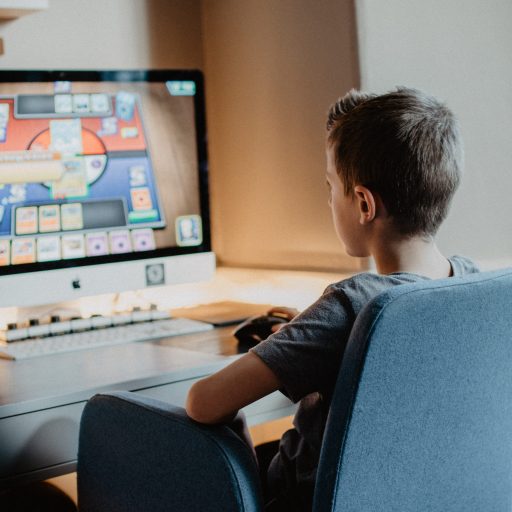

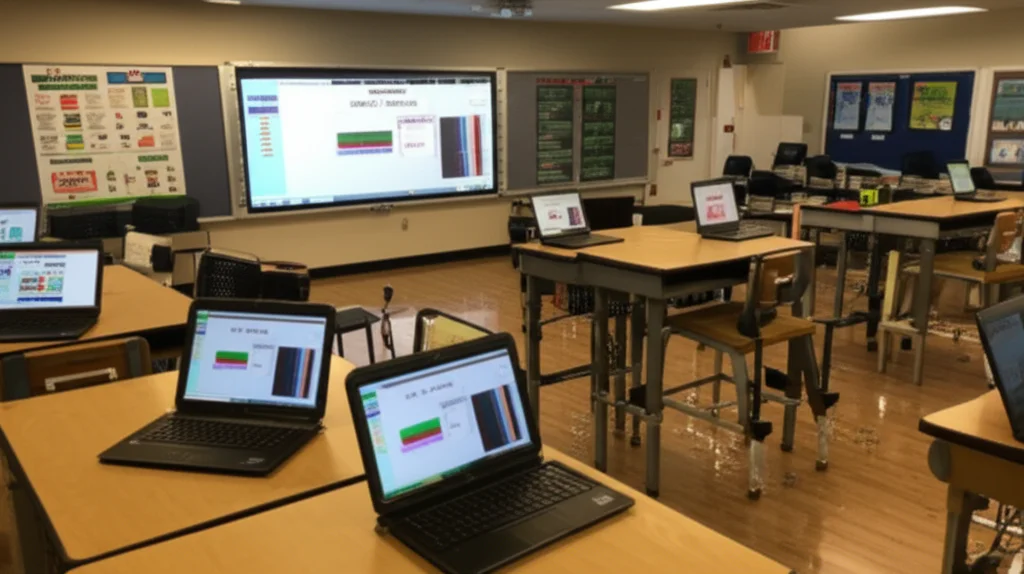
Minecraft can enhance student learning outcomes by making lessons active, visual, collaborative, and memorable, especially when teachers connect gameplay to clear curriculum goals. The answer to “What are the benefits of using Minecraft in education to enhance student learning outcomes?” is not simply “because it’s fun”; its real strength lies in helping students build, test, explain, revise, and learn together.
A student designing a flood-resistant neighborhood may be practicing environmental science, geometry, communication, civic planning, and teamwork in one project. The blocks are colorful, but the thinking is substantial.
Research from Ireland’s Future is MINE project found that 93.7% to 100% of participating students agreed Minecraft helped them be creative, while 87.5% to 96.3% agreed it helped them work with classmates. Enjoyment scores also ranged from 4.49 to 4.69 out of 5, although the study wisely showed that problem-solving benefits depend on thoughtful lesson design rather than appearing automatically.
At Learning Game™, we have seen the same pattern: children become wonderfully persistent when a failed design feels like a puzzle instead of a mark on a worksheet. The teacher’s job is to turn that persistence into measurable learning.
Key Takeaways
- Minecraft Education supports engagement: Students are more likely to participate, experiment, and persist when lessons feel interactive and purposeful.
- Collaboration becomes visible: Shared worlds encourage communication, role assignment, negotiation, and teamwork.
- Creativity gets a practical outlet: Students can express ideas through 3D models, stories, simulations, code, and presentations.
- STEM learning becomes tangible: Minecraft can teach geometry, measurement, coding, engineering, ecosystems, sustainability, and systems thinking.
- Critical thinking requires structure: Students develop stronger problem-solving skills when activities include constraints, testing, revision, and evidence-based explanations.
- Assessment should measure learning, not decoration: Use rubrics, portfolios, reflections, presentations, screenshots, and demonstrations alongside the finished build.
- Accessibility needs planning: Flexible roles, assistive settings, partner work, and offline alternatives help more students participate meaningfully.
- The best recommendation is conditional: Use Minecraft as a learning tool, not as the learning objective. Start with the curriculum goal, then decide whether a block-based world adds genuine value.
Table of Contents
- ⚡ Quick Tips and Facts
- 🎮 What Is Minecraft Education and Why Does It Matter for Learning?
- Minecraft Education vs. Commercial Minecraft: Key Differences
- How Game-Based Learning and Digital Game-Based Learning Work
- 🧭 Background: The Evolution of Minecraft in Classrooms
- From Creative Play to Structured Project-Based Learning
- The Rise of Immersive Learning, Simulation, and Virtual Worlds
- 📚 15 Benefits of Using Minecraft in Education to Enhance Student Learning Outcomes
- 1. Increased Student Engagement and Motivation
- 2. Stronger Collaboration and Teamwork Skills
- 3. Improved Creativity, Imagination, and Self-Expression
- 4. Deper Critical Thinking and Problem-Solving
- 5. Enhanced Communication and Digital Literacy
- 6. Practical STEM Learning and Computational Thinking
- 7. Richer Mathematics Learning Through Virtual Modeling
- 8. More Memorable Science and Environmental Education
- 9. Stronger Literacy, Storytelling, and Language Skills
- 10. Authentic History, Geography, and Social Studies Experiences
- 11. Greater Student Agency, Choice, and Ownership
- 12. Safe Failure, Iteration, and Growth Mindset Development
- 13. Inclusive Learning and Differentiated Instruction
- 14. Social-Emotional Learning and Transformative Competencies
- 15. Career Readiness and Future-Focused Skills
- 📊 How Minecraft Education Influences Student Learning Outcomes
- Academic Achievement and Knowledge Retention
- Engagement, Attendance, and Classroom Participation
- Transferable Skills Beyond the Game
- What the Research Says About Minecraft-Based Learning
- 🧠 Learning Theories That Explain Minecraft’s Educational Value
- Constructivism and Constructionist Learning
- Experiential and Inquiry-Based Learning
- Project-Based Learning and Authentic Assessment
- Social Learning and Collaborative Knowledge Building
- Bloom’s Taxonomy in Minecraft Lessons
- 🛠️ 12 Effective Ways to Use Minecraft in the Classroom
- 1. Build Historical Sites and Civilizations
- 2. Model Ecosystems, Cells, and Scientific Systems
- 3. Explore Scale, Area, Volume, and Geometry
- 4. Design Sustainable Cities and Communities
- 5. Recreate Literature Settings and Story Worlds
- 6. Develop Coding and Computational Thinking
- 7. Practice Financial Literacy and Resource Management
- 8. Create Digital Portfolios and Virtual Exhibitions
- 9. Conduct Engineering Design Challenges
- 10. Teach Climate Change and Environmental Stewardship
- 11. Build Cultural Heritage and Community Projects
- 12. Host Simulations, Debates, and Problem-Based Missions
- 🧑 🏫 Minecraft Lesson Planning: From Learning Objectives to Student Assessment
- Define Curriculum Standards and Measurable Outcomes
- Choose the Right Minecraft Education World or Activity
- Design a Clear Challenge, Role, or Driving Question
- Sequence the Lesson Before, During, and After Gameplay
- Connect In-Game Building to Offline Learning
- 📝 Assessing Learning in Minecraft Education
- Rubrics for Content Knowledge and Building Quality
- Assessing Collaboration, Creativity, and Communication
- Formative Assessment, Reflection, and Student Self-Evaluation
- Digital Portfolios, Presentations, and Project Evidence
- 💻 Technology Integration and Classroom Implementation
- Devices, Accounts, Licensing, and Classroom Setup
- Internet, Multiplayer, and Technical Support Requirements
- Accessibility Features and Assistive Technology
- Teacher Training and Professional Development
- Managing Screen Time and Digital Well-Being
- 👩 🎓 Minecraft for Different Ages, Subjects, and Learning Needs
- Early Childhood and Primary Education
- Middle School and Secondary Education
- Higher Education, Teacher Education, and Vocational Learning
- Special Education and Neurodiverse Learners
- English Language Learners and Multilingual Classrooms
- 🌍 Minecraft, Global Citizenship, and 21st-Century Competencies
- Creativity, Collaboration, Communication, and Critical Thinking
- Agency, Adaptability, Empathy, and Ethical Decision-Making
- Sustainability, Civic Participation, and Community Problem-Solving
- 🤝 Collaboration, Classroom Culture, and Student Voice
- Assigning Roles for Productive Multiplayer Learning
- Building Psychological Safety and Respectful Online Behavior
- Using Student Choice Without Losing Learning Focus
- ⚠️ Challenges, Risks, and Limitations of Minecraft in Education
- Distraction, Off-Task Behavior, and Cognitive Overload
- Unequal Access and the Digital Divide
- Learning Curve for Teachers and Students
- Cost, Hardware, Connectivity, and IT Constraints
- Cybersecurity, Privacy, and Online Safety
- Avoiding Rewards Without Meaningful Learning
- ✅ Best Practices for Effective and Equitable Minecraft Lessons
- Use Minecraft as a Learning Tool, Not the Learning Objective
- Start Small With Guided Activities
- Pair Gameplay With Discussion, Writing, and Reflection
- Plan for Accessibility, Inclusion, and Multiple Ways to Participate
- Gather Feedback and Improve Each Lesson
- 🏫 Case Studies and Classroom Examples
- Project-Based Learning With Minecraft Education
- Virtual Field Trips and Reconstructed Places
- Sustainable City Design Challenges
- Cross-Curricular Collaborative Projects
- Lessons From Teachers, Students, and Families
- 🔬 Research Methods for Evaluating Minecraft-Based Learning
- Learning Outcome Measures and Performance Data
- Student Surveys, Interviews, and Focus Groups
- Classroom Observation and Learning Analytics
- Qualitative Themes and Quantitative Evidence
- Research Limitations and Priorities for Future Studies
- 👨 👩 👧 How Parents Can Support Minecraft Learning at Home
- Encourage Creative Play With Purpose
- Ask Questions That Extend Thinking
- Set Healthy Boundaries for Gaming and Screen Time
- Keep Online Play Safe and Socialy Positive
- 🧰 Recommended Minecraft Education Resources and Tools
- Official Minecraft Education Lessons and Tutorials
- Coding With MakeCode and Python
- Teacher Communities, Templates, and Professional Learning
- Related Classroom Technology and Digital Learning Platforms
- ❓ Frequently Asked Questions About Minecraft in Education
- Is Minecraft Education Effective for Student Learning?
- What Subjects Can Students Learn Through Minecraft?
- Does Minecraft Improve Problem-Solving and Creativity?
- Can Minecraft Support Students With Additional Learning Needs?
- How Much Screen Time Should a Minecraft Lesson Include?
- What Are the Main Disadvantages of Minecraft in Education?
- How Can Teachers Measure Learning Outcomes?
- 🎯 Conclusion
- 🔗 Recommended Links
- 📖 Reference Links
Quick Tips and Facts
If you’re wondering what are the benefits of using Minecraft in education to enhance student learning outcomes, start here: Minecraft can make learning more active, visual, collaborative, creative, and memorable, but only when the activity has a clear academic purpose. Our Minecraft Education guide explores the platform from the classroom, family, and student perspectives.
Quick verdict from Learning Game™ 🎮
| Learning goal | Minecraft’s potential | What makes the difference |
|---|---|---|
| Engagement and motivation | ✅ Very strong | A meaningful challenge, not free play alone |
| Creativity and self-expression | ✅ Excellent | Open-ended building and multiple valid solutions |
| Collaboration | ✅ Very strong | Assigned roles, shared goals, and teacher facilitation |
| Problem-solving | ✅ Strong | Students must plan, test, revise, and explain |
| STEM learning | ✅ Strong | Modeling, coding, engineering, measurement, and systems |
| Literacy and communication | ✅ Strong | Research, storytelling, documentation, and presentations |
| Assessment | ✅ Good | Rubrics, portfolios, reflections, and demonstrations |
| Accessibility | ⚠️ Variable | Device settings, alternatives, and inclusive design |
| Curriculum alignment | ⚠️ Depends on planning | Learning objectives must lead; gameplay follows |
| Screen-time balance | ⚠️ Requires boundaries | Combine digital building with discussion and offline work |
Five practical rules ✅
- Begin with the curriculum objective, not the Minecraft feature.
- Use a short tutorial world before asking students to complete a major project.
- Give every learner a role, including researcher, builder, tester, narrator, or project manager.
- Require evidence of thinking, such as a written explanation, video tour, journal, or presentation.
- Assess the learning, not the fanciest castle. A magnificent tower with no mathematical reasoning is still just a magnificent tower.
Fast facts worth remembering
- Minecraft Education is a sandbox learning platform in which students can build, explore, collaborate, code, and document projects.
- In an Irish mixed-methods study of 173 students aged 8–13, enjoyment, ease of use, perceived usefulness, and learning opportunities all scored above the neutral midpoint.
- Enjoyment averages ranged from 4.49 to 4.69 out of 5, while ease-of-use averages exceeded 4 out of 5 across all participating class groups.
- Between 87.5% and 96.3% of students agreed or strongly agreed that Minecraft helped them work with other students.
- Between 93.7% and 100% agreed or strongly agreed that Minecraft helped them be creative.
- Problem-solving results were less consistent, with agreement ranging from roughly 33% to 69%, suggesting that teachers must deliberately design problem-solving tasks rather than assume they will happen automatically.
- Students also reported practical digital-literacy gains, including improved keyboard, mouse, and computer skills.
These findings come from the peer-reviewed study of Ireland’s Future is MINE, available through the National Library of Medicine. The study measured student perceptions, not a controlled improvement in test scores, so we should celebrate the evidence without turning it into educational fairy dust.
What Is Minecraft Education and Why Does It Matter for Learning?
Minecraft Education is Microsoft’s classroom-focused version of Minecraft. It keeps the familiar block-building world but adds features designed for teaching, collaboration, coding, assessment, classroom management, and digital citizenship.
Students might:
- Build a sustainable neighborhood.
- Reconstruct a historical site.
- Model fractions, area, volume, or scale.
- Program an agent with MakeCode.
- Write a story set in a digital landscape.
- Design a solution to a water, energy, transport, or accessibility problem.
- Record a video tour explaining the reasoning behind a project.
This matters because students are not merely receiving information. They are making decisions inside a system, seeing consequences, revising ideas, and explaining their work.
Minecraft Education vs. commercial Minecraft: key differences
| Feature | Minecraft Education | Commercial Minecraft |
|---|---|---|
| Primary purpose | Curriculum-supported teaching and learning | Entertainment, creative play, and multiplayer gaming |
| Lesson library | Structured lessons and subject-based activities | Community-created content varies widely |
| Coding tools | Built-in Code Builder, MakeCode, and Python options | Coding usually requires separate tools or modifications |
| Assessment support | Camera, Portfolio, Book & Quill, NPC instructions, teacher tools | Limited classroom assessment features |
| Classroom controls | Education-specific settings and managed environments | Depends on edition, server, and parental settings |
| Collaboration | Designed for supervised class projects | Multiplayer options vary by platform and account |
| Teacher role | Curriculum designer, facilitator, assessor | Usually player, host, or parent |
| Best use | Purposeful project-based learning | Creative play, exploration, and informal learning |
The commercial version can still support learning, particularly when families build together or teachers use it creatively. However, Minecraft Education is easier to align with formal learning outcomes because its tools are designed for educational workflows.
Minecraft Education features that support learning
Code Builder and computational thinking
Students can use block-based coding or text-based programming to control agents and automate tasks. They can practice:
- Sequencing.
- Lops.
- Conditional logic.
- Debuging.
- Algorithms.
- Decomposition.
- Pattern recognition.
A child who says, “The agent didn’t do what I wanted,” has just encountered a beautifully concrete invitation to debug. No worksheet needed. The mistake is visible, editable, and slightly cheeky.
Camera and Portfolio
The Minecraft Education camera and portfolio tools allow students to capture evidence of progress. A learner can document:
- The original problem.
- The first design.
- A failed attempt.
- The revised solution.
- A final explanation.
That sequence turns gameplay into a learning record, not just a finished build.
Book & Quill
Students can write instructions, field notes, design explanations, research summaries, reflection journals, and visitor guides. This makes Minecraft useful for literacy because the digital world becomes a setting for authentic writing.
NPCs and guided instructions
Non-player characters can provide prompts, clues, instructions, or challenge information. Teachers can create an in-world sequence so students know what to do without repeatedly asking, “What’s next?”
Classroom collaboration
Students can work in shared worlds, divide responsibilities, negotiate decisions, and produce a common artifact. In the Ireland study, one student said, “It helps everyone work together.” Another described learning to listen to classmates’ opinions after seeing that their ideas could work well.
How Game-Based Learning and Digital Game-Based Learning Work
Minecraft belongs primarily to game-based learning, while a teacher may add gamification around it.
| Approach | Meaning | Minecraft example |
|---|---|---|
| Game-based learning | A game environment is used to achieve learning objectives | Students design and test a flood-resistant settlement |
| Gamification | Game elements are added to a non-game learning task | Students earn badges for research, modeling, and reflection |
| Play-based learning | Learners explore through play, often with flexible outcomes | Younger children experiment with building materials |
| Simulation learning | A model represents a real or imagined system | Students manage water, energy, transport, and housing |
| Project-based learning | Students investigate a meaningful question and create a product | Teams design a sustainable community and present it |
This distinction helps resolve a common disagreement. Some educators praise Minecraft as immersive and motivating; others warn that points, badges, and competition can distract from learning. Both can be right.
The Peterson’s overview of gamification in education explains that game mechanics may support engagement, feedback, and progress tracking, but excessive rewards can shift attention away from mastery. Minecraft works best when the game is the environment and the learning goal is the destination.
The learning loop inside a well-designed Minecraft activity
A strong activity often follows this cycle:
-
Encounter a problem
“How can we design a community that remains safe during heavy rainfall?” -
Research the problem
Students investigate drainage, building materials, elevation, transport, and local geography. -
Plan a solution
Teams sketch, debate, calculate, and assign roles. -
Build a first version
Students convert ideas into a 3D model. -
Test and inspect
They identify weaknesses, compare designs, or simulate a challenge. -
Revise
Students alter structures, systems, or explanations. -
Communicate
They record a tour, write a report, or present to classmates. -
Reflect
They explain what worked, what failed, and what they would improve.
That final step is often the difference between playing Minecraft and learning through Minecraft.
Background: The Evolution of Minecraft in Classrooms

Minecraft began as a creative sandbox, but educators quickly noticed that its core actions resemble the way people learn through making: gather resources, experiment, construct, encounter constraints, collaborate, and revise.
Schools began using Minecraft for:
- Virtual field trips.
- Historical reconstruction.
- Architecture and design.
- Mathematics modeling.
- Environmental projects.
- Coding.
- Storytelling.
- Team-building.
- Digital citizenship.
The launch of Minecraft Education formalized many of these practices by adding lesson content, classroom tools, coding features, and teacher guidance. Microsoft reports that Minecraft Education is used by educators and learners around the world; usage figures should be read as licensing or participation figures, however, not as proof that every classroom achieves improved test scores.
From creative play to structured project-based learning
A child may begin by building a house. A teacher can extend that instinct into a design brief:
“Build a home for a family living in a flood-prone area. Explain your material choices, calculate the floor area, and show how the design reduces risk.”
The block world remains playful, but the task now includes:
- Environmental science.
- Mathematics.
- Design technology.
- Written communication.
- Civic responsibility.
- Collaborative decision-making.
That blend is why Minecraft is particularly useful for interdisciplinary learning. Students can encounter one challenge through several subject lenses instead of treating each subject as an island with a moat.
The rise of immersive learning, simulation, and virtual worlds
Minecraft is not a perfect replica of reality. Its physics, materials, and scale are simplified. Yet simplification can make complex systems visible.
Students can see:
- How roads connect neighborhoods.
- How a river changes a settlement.
- How a redstone mechanism responds to an input.
- How repeated geometric patterns create a structure.
- How resource choices affect construction.
- How a shared project depends on communication.
The OECD Learning Compass 2030 emphasizes student agency, creating new value, reconciling tensions and dilemas, and taking responsibility. These ideas fit Minecraft projects especially well when learners must make decisions with consequences rather than merely decorate a pre-built world.
15 Benefits of Using Minecraft in Education to Enhance Student Learning Outcomes
Minecraft’s educational value is broad, but not magical. The strongest benefits appear when teachers connect building, exploration, and collaboration to explicit outcomes.
1. Increased Student Engagement and Motivation
Minecraft gives students an immediate reason to act. They are not simply answering, “What is sustainable drainage?” They are trying to stop a virtual neighborhood from flooding.
In the Ireland study, enjoyment scores ranged from 4.49 to 4.69 out of 5. Students described Minecraft as fun, interesting, exciting, and less like conventional schoolwork. Enjoyment also correlated with perceived usefulness and learning opportunities.
That relationship matters. Enjoyment alone is not achievement, but enjoyment can help students:
- Begin a difficult task.
- Persist through setbacks.
- Ask peers for help.
- Revisit a problem.
- Spend longer explaining their thinking.
- Participate when a worksheet might produce silence.
A student at Learning Game™ once told us, “I don’t mind fixing it if I made it.” That sentence captures the power of a visible, low-stakes mistake.
Why engagement can improve learning
Minecraft combines several motivational ingredients:
- Choice: students can decide how to approach a challenge.
- Visible progress: a structure grows in front of them.
- Immediate feedback: the world responds to actions.
- Social purpose: teammates depend one another.
- Challenge: the task can be adjusted in complexity.
- Identity: an avatar and shared world create a sense of participation.
The National Education Association’s discussion of game-based learning similarly emphasizes active participation and motivation, while cautioning that games should support rather than replace strong teaching.
The caveat: fun is not the same as learning
A student can be deeply engaged while building an enormous pixel-art dragon and learning absolutely nothing about the assigned objective. Teachers should ask:
- What knowledge does this activity require?
- What decision must students justify?
- What evidence will demonstrate understanding?
- What will students do after building?
Recommendation: Treat engagement as the doorway, not the destination.
2. Stronger Collaboration and Teamwork Skills
Minecraft multiplayer projects create a genuine shared task. Students must coordinate space, materials, time, decisions, and responsibilities.
In the Irish study, 87.5%–96.3% of students agreed or strongly agreed that Minecraft allowed them to work with other students. Focus-group comments described:
- Role assignment.
- Knowledge sharing.
- Joint planning.
- Collective decisions.
- Solution explanations.
- Respectful disagreement.
- Conflict resolution.
One child explained that Minecraft made them listen to other people’s opinions and discover that those ideas worked well. That is not a decorative side effect. It is social learning in action.
A useful collaboration structure
| Role | Responsibilities | Evidence of learning |
|---|---|---|
| Researcher | Finds reliable information and summarizes it | Notes, sources, design requirements |
| Planner | Creates sketches, maps, or task sequences | Annotated plan |
| Builder | Constructs agreed features | Build milestones |
| Tester | Checks function, accuracy, accessibility, or safety | Test log |
| Communicator | Explains the project to others | Presentation or video |
| Project manager | Coordinates time and resolves overlaps | Team checklist and reflection |
Rotate roles so the fastest builder does not become the permanent builder while everyone else becomes decorative furniture.
How Minecraft teaches collaboration rather than mere proximity
Teachers can require students to:
- Agree on a shared design brief.
- Record individual responsibilities.
- Use a team planning board.
- Hold short design meetings.
- Explain disagreements respectfully.
- Provide peer feedback.
- Submit an individual reflection alongside the group product.
This prevents “multiplayer” from becoming four students working alone in the same world.
For broader ideas on safe online cooperation, see Learning Game™’s Digital Citizenship category.
3. Improved Creativity, Imagination, and Self-Expression
Minecraft offers an unusually flexible canvas. Students can communicate ideas spatialy, visually, verbally, and computationaly.
In the Ireland project, 93.7%–100% of students agreed or strongly agreed that Minecraft helped them be creative. Students valued:
- Open-ended construction.
- Choice.
- Abundant digital materials.
- Multiple valid answers.
- The ability to make and test original ideas.
- Three-dimensional representation.
One student explained that if they could build something in Minecraft, they could see it in 3D. This is particularly valuable for learners who find drawing, handwriting, or physical modeling difficult.
Creativity through constraints
Unlimited freedom can overwhelm students. A design brief creates productive boundaries:
- Build a low-energy classroom using no more than five materials.
- Create a bridge that spans a fixed distance.
- Design a community accessible to wheelchair users.
- Reconstruct a historical building using evidence from two sources.
- Make a story setting that symbolizes a character’s emotional journey.
The creative question becomes more interesting when students cannot simply build “anything.”
A four-stage creativity routine
- Generate: list many possible ideas without judging them.
- Select: choose an idea using agreed criteria.
- Construct: create a first version.
- Revise: explain what changed and why.
Students learn that creativity is not only inspiration. It is also persistence, decision-making, and revision.
4. Deper Critical Thinking and Problem-Solving
Minecraft is excellent for problem-solving when students face a meaningful constraint. “Build a cool house” may encourage imagination; “design a house that uses less material, survives flooding, and remains accessible” demands reasoning.
Students can practice:
- Defining a problem.
- Identifying constraints.
- Comparing alternatives.
- Predicting consequences.
- Testing solutions.
- Debuging.
- Revising.
- Explaining decisions.
However, the Irish research offers an important caution: students’ perceptions of problem-solving opportunities were weaker and more variable than their perceptions of creativity and collaboration. Agreement for solving problems ranged from 37.0% to 69.2%, while discovering new ways to solve problems ranged from 33.3% to 65.4%.
That finding resolves a common misconception: Minecraft does not automatically teach critical thinking. The task must require it.
Turning building into reasoning
Instead of:
“Build a bridge.”
Try:
“Design two bridges across a 20-block river. One must minimize material use, and the other must support a specified load. Test both designs, compare them, and recommend one.”
Now students must:
- Identify requirements.
- Form a hypothesis.
- Choose materials.
- Construct alternatives.
- Test performance.
- Interpret results.
- Defend a recommendation.
The Smithsonian Science Education Center describes problem-solving, communication, collaboration, and critical thinking as connected competencies. Minecraft can provide a concrete environment in which those competencies become visible.
5. Enhanced Communication and Digital Literacy
Students communicate in several modes:
- Text chat.
- Signs and written books.
- Voice discussion.
- Diagrams.
- Video tours.
- Screenshots.
- Build demonstrations.
- Code.
- Oral presentations.
This makes Minecraft useful for multimodal literacy. Students can explain the same idea through a structure, a written description, and a recorded presentation.
Digital literacy skills practiced through Minecraft
| Skill | Classroom example |
|---|---|
| Navigation | Moving through a shared digital environment |
| File management | Saving, exporting, and organizing work |
| Online communication | Using respectful, purposeful chat |
| Media creation | Recording tours and capturing evidence |
| Information literacy | Researching materials and citing sources |
| Computational literacy | Writing or modifying code |
| Data interpretation | Comparing measurements and test results |
| Digital citizenship | Respecting shared spaces and permissions |
The International Society for Technology in Education frames digital learning around empowered learning, digital citizenship, knowledge construction, innovative design, and computational thinking. Minecraft can touch each area, provided students create and explain rather than simply consume.
6. Practical STEM Learning and Computational Thinking
Minecraft makes abstract STEM ideas manipulable. Students can build a model, change a variable, observe a result, and try again.
Science applications
- Food webs and ecosystems.
- Water cycles.
- Renewable energy.
- Geology and materials.
- Human body systems.
- Habitat design.
- Climate adaptation.
- Space exploration concepts.
Technology and engineering applications
- Automated farms.
- Redstone circuits.
- Structural engineering.
- Transportation systems.
- Assistive design.
- Coding agents.
- Resource-efficient construction.
Mathematics applications
- Area and perimeter.
- Volume and surface area.
- Fractions and ratios.
- Scale drawings.
- Coordinates.
- Symetry and transformations.
- Probability through controlled experiments.
- Budgeting and resource allocation.
Computational thinking with Code Builder
A simple coding challenge might ask students to program an agent to:
- Move to a starting point.
- Build a rectangular foundation.
- Repeat the process for multiple floors.
- Stop when a height condition is reached.
- Report or correct an error.
Students experience code as a tool that changes the world, not as mysterious punctuation in a textbook.
Explore more ideas through Microsoft MakeCode for Minecraft, which supports block-based and JavaScript coding.
7. Richer Mathematics Learning Through Virtual Modeling
Minecraft’s grid offers an intuitive way to explore spatial mathematics. Students can count blocks, compare dimensions, measure structures, and test formulas against visible models.
Example: area, volume, and scale
A teacher might ask students to design a classroom:
- Length: 12 blocks.
- Width: 8 blocks.
- Height: 4 blocks.
Students calculate:
- Floor area: (12 \times 8 = 96) square blocks.
- Internal volume: (12 \times 8 \times 4 = 384) cubic blocks.
- Wall area, excluding openings.
- Material requirements.
- Ratio of windows to wall space.
Then the teacher can change one variable. What happens if the room must hold 25% more students? What if the ceiling height doubles? Suddenly, formulas have somewhere to live.
Minecraft mathematics project
Challenge: Design a small public library on a 30-by-30 block plot.
Students must:
- Allocate space for reading, storage, toilets, and accessibility.
- Calculate the area of each zone.
- Represent the plan with coordinates.
- Use a scale key.
- Explain why the layout is practical.
- Compare their design with another team’s proposal.
The build becomes a mathematical argument, not merely a model.
8. More Memorable Science and Environmental Education
Environmental science can feel distant when presented only through definitions. Minecraft lets students build systems that make relationships visible.
Students can model:
- A wetland that reduces flooding.
- A coral reef and surrounding food web.
- A renewable-energy microgrid.
- A drought-resistant settlement.
- A forest ecosystem.
- Waste-management pathways.
- A sustainable farm.
- Coastal defenses.
Sustainability city challenge
Students design a community that must include:
- Renewable energy.
- Public transport.
- Green space.
- Affordable housing.
- Accessible routes.
- Water management.
- Waste reduction.
- Biodiversity.
- A plan for extreme weather.
They then present trade-offs. Solar panels may require space. Roads may improve access but fragment habitats. Dense housing may preserve land but require careful planning.
This is where Minecraft supports what the OECD calls reconciling tensions and dilemas. There is no single magical block that solves every civic problem.
The United Nations Sustainable Development Goals, particularly Goal 11 on sustainable cities and communities, provide a credible framework for these projects.
9. Stronger Literacy, Storytelling, and Language Skills
Minecraft worlds are natural story settings. Students can write:
- Character diaries.
- Tourist guides.
- Historical accounts.
- Survival narratives.
- Newspaper reports.
- Instructions.
- Persuasive proposals.
- Dialogue between characters.
- Explanations of scientific processes.
A literature activity
After reading a novel, students build an important setting. They must:
- Identify details from the text.
- Select evidence that influences the design.
- Build the setting.
- Add signs or written descriptions.
- Record a guided tour.
- Explain what the setting reveals about characters or themes.
This activity moves beyond “make a pretty version of the book.” Students must connect textual evidence to design choices.
English-language learning
For multilingual learners, Minecraft can create a shared visual context. Students can practice:
- Directional language.
- Spatial prepositions.
- Instructional verbs.
- Descriptive adjectives.
- Collaborative conversation.
- Oral presentation.
- Vocabulary tied to real actions.
A student who struggles to explain “behind,” “beside,” or “across from” on a worksheet may demonstrate the meaning immediately while guiding a classmate through a build.
10. Authentic History, Geography, and Social Studies Experiences
Minecraft can help students reconstruct places, compare environments, and explore how geography influences human decisions.
Possible projects include:
- Ancient settlements.
- Medieval towns.
- Industrial-era cities.
- Indigenous architecture, handled with respectful research.
- Migration routes.
- Trade networks.
- A local landmark.
- A map of changing land use.
- A model of a community before and after a natural disaster.
Historical accuracy checklist
Students should not assume that a block build is historically accurate simply because it looks impressive. Require them to:
- Use at least two reputable sources.
- Identify which features are evidence-based.
- Label uncertain or interpretive features.
- Explain material and architectural choices.
- Avoid stereotypes and cultural caricatures.
- Cite sources in a guidebook or presentation.
The Smithsonian Learning Lab and National Archives education resources can support research before construction begins.
11. Greater Student Agency, Choice, and Ownership
Agency means students have meaningful influence over what they do, how they do it, and how they demonstrate understanding.
Minecraft can offer choices in:
- Topic.
- Role.
- Materials.
- Layout.
- Problem-solving strategy.
- Communication format.
- Level of challenge.
- Revision pathway.
The student is no longer waiting for every next instruction. They are making design decisions and taking responsibility for consequences.
Choice with guardrails
Too little choice creates compliance. Too much choice creates fog. A useful structure is:
- Non-negotiable: the curriculum outcome.
- Choice: the design, role, or format.
- Constraint: materials, time, scale, or performance requirement.
- Evidence: explanation, test, or reflection.
For example:
Non-negotiable: demonstrate understanding of renewable energy.
Choice: design a home, school, farm, or transport system.
Constraint: use at least two renewable sources.
Evidence: annotated build and oral defense.
This gives students ownership without handing them an empty plot and wishing everyone luck.
12. Safe Failure, Iteration, and Growth Mindset Development
Minecraft makes revision visible and relatively low-risk. Students can remove blocks, rebuild, duplicate worlds, test alternatives, and learn from errors.
A failed design can become evidence:
- The bridge collapsed because support spacing was too wide.
- The automated system stopped because the sequence was wrong.
- The settlement flooded because the drainage plan ignored elevation.
- The historical reconstruction used materials unsupported by evidence.
- The story setting failed to communicate mood.
The Education Endowment Foundation emphasizes metacognitive strategies such as planning, monitoring, and evaluating. Minecraft projects can make these steps concrete.
Reflection prompts
- What did you intend to happen?
- What actually happened?
- Which evidence helped you identify the problem?
- What did you change?
- Why did the change improve the design?
- What would you test next?
A child at Learning Game™ once demolished half a build after discovering that its entrance was inaccessible. They were disappointed for approximately 18 seconds, then announced, “Now we know where the problem is.” That is a small but powerful shift from failure as judgment to failure as information.
13. Inclusive Learning and Differentiated Instruction
Minecraft can support different strengths because students can show understanding through multiple formats. A learner may contribute as:
- A designer.
- A researcher.
- A builder.
- A coder.
- A narrator.
- A tester.
- A mapmaker.
- A presenter.
- A project organizer.
This flexibility can help students who struggle with traditional writing-heavy tasks, but inclusion is not automatic.
Inclusive design checklist ✅
- Provide keyboard and mouse practice before complex tasks.
- Offer written, visual, and verbal instructions.
- Use adjustable difficulty.
- Allow solo, paired, or small-group participation.
- Provide alternatives for students who cannot use the platform.
- Consider sensory needs, motion, sound, and screen brightness.
- Use captions and written scripts for video work.
- Grade reasoning and contribution, not speed.
- Avoid public leaderboards.
- Give extra time for navigation and login.
The CAST Universal Design for Learning Guidelines recommend offering multiple means of engagement, representation, and action or expression. Minecraft fits this framework best when teachers deliberately create those options.
A necessary caution
Some students may find a 3D environment overwhelming, controls difficult, or multiplayer interaction stressful. A student who dislikes Minecraft is not “unmotivated.” They may need:
- A different role.
- A quieter workspace.
- A partner.
- A pre-built environment.
- An offline equivalent.
- A different way to demonstrate the same objective.
Good educational design offers a bridge, not a forced march.
14. Social-Emotional Learning and Transformative Competencies
Minecraft projects can require learners to listen, negotiate, manage frustration, ask for help, and consider how design decisions affect others.
Students can practice:
- Self-management.
- Empathy.
- Perspective-taking.
- Conflict resolution.
- Responsible decision-making.
- Patience.
- Shared leadership.
- Respectful feedback.
A sustainable-city task can also ask:
Who benefits from this design? Who might be excluded? What should change?
That moves the lesson beyond technical competence toward ethical and civic thinking.
The CASEL framework identifies self-awareness, self-management, social awareness, relationship skills, and responsible decision-making as core social-emotional learning competencies. Minecraft cannot teach these by itself, but collaborative design gives teachers authentic situations in which to practice them.
15. Career Readiness and Future-Focused Skills
Minecraft projects resemble real work in miniature. Students may plan a project, interpret requirements, share responsibilities, test prototypes, communicate with an audience, and revise based on feedback.
These experiences connect with skills used in:
- Architecture.
- Engineering.
- Urban planning.
- Environmental science.
- Coding.
- Project management.
- Media production.
- Education.
- Design.
- Construction.
- Research.
- Public communication.
The World Economic Forum’s Future of Jobs resources consistently highlight analytical thinking, creative thinking, resilience, flexibility, leadership, and collaboration as valuable workplace capabilities. A Minecraft lesson will not turn a 10-year-old into an urban planner by Thursday, but it can offer meaningful practice with the habits those fields require.
How Minecraft Education Influences Student Learning Outcomes
The phrase “learning outcomes” can mean several different things. We should separate them rather than bundle every positive feeling into one heroic claim.
| Outcome type | Example measure | Minecraft evidence |
|---|---|---|
| Academic knowledge | Quiz, explanation, accurate model | Requires deliberate curriculum alignment |
| Skill performance | Coding, measuring, designing, presenting | Strong potential through authentic tasks |
| Engagement | Participation, persistence, attendance | Frequently reported as a strength |
| Collaboration | Role-sharing, communication, conflict resolution | Strong student-reported evidence |
| Creativity | Original ideas, iteration, flexible solutions | Very strong student-reported evidence |
| Digital literacy | Navigation, coding, media creation | Strong practical opportunity |
| Metacognition | Planning, monitoring, reflection | Requires prompts and assessment |
| Transfer | Applying learning outside Minecraft | Must be explicitly discussed and demonstrated |
Academic achievement and knowledge retention
Interactive learning may support retention because students connect concepts to action and consequence. For example, calculating the volume of a structure is more meaningful when an incorrect calculation leaves insufficient space for the design.
However, educators should not assume that enjoyment guarantees higher test scores. The Ireland study did not use a randomized control group or a pre-test/post-test design. It shows that students perceived Minecraft as useful, enjoyable, easy to use, and rich in learning opportunities. That is valuable evidence, but it is not the same as proving a causal increase in standardized achievement.
This distinction aligns with the broader Education Endowment Foundation evidence resources, which emphasize careful interpretation of educational interventions.
Engagement, attendance, and classroom participation
Minecraft may invite participation from students who are quiet, hesitant, or disengaged during conventional instruction. The combination of visual context, practical action, and peer dependence can make participation feel less risky.
Teachers may observe:
- More student questions.
- More peer-to-peer explanations.
- Longer task persistence.
- Greater willingness to revise.
- Increased interest in subjects that previously felt abstract.
But engagement should be measured thoughtfully. Time spent clicking is not automatically time spent learning. Consider tracking:
- On-task behavior.
- Quality of discussion.
- Use of subject vocabulary.
- Design decisions.
- Revision quality.
- Reflection depth.
- Transfer to new problems.
Transferable skills beyond the game
The real test is what students can do outside Minecraft. Can they:
- Plan a physical model?
- Explain a mathematical relationship?
- Work through disagreement?
- Apply coding logic elsewhere?
- Present evidence?
- Think about accessibility?
- Revise a written argument?
Teachers can support transfer by ending every project with a bridge question:
“Where else would this way of thinking be useful?”
Examples:
- Debuging a code agent → debugging a spreadsheet formula.
- Planning a settlement → planning a community garden.
- Comparing bridge designs → evaluating real engineering choices.
- Writing an in-game guide → writing instructions for a real audience.
What the research says about Minecraft-based learning
The strongest available evidence in the supplied research summary comes from the Irish study:
- 173 students participated in the broader questionnaire.
- 30 sixth-class students joined eight focus groups.
- Learning opportunities, usefulness, ease of use, and enjoyment all exceeded the neutral midpoint.
- Enjoyment correlated with perceived usefulness at r = 0.640, p < .001.
- Usefulness correlated with perceived learning opportunities at r = 0.686, p < .001.
- Collaboration and creativity received especially strong support.
- Problem-solving benefits were less consistent.
- Infrastructure problems sometimes consumed 20–30 minutes of class time.
These results support a confident but balanced claim: Minecraft Education is a promising environment for engagement, creativity, collaboration, and applied learning, while academic impact depends on instructional design and implementation quality.
Learning Theories That Explain Minecraft’s Educational Value
Constructivism and constructionist learning
Constructivist learning emphasizes that learners build understanding through active interaction with ideas and environments. Constructionism extends this by emphasizing the value of creating a public, shareable artifact.
Minecraft is naturally constructionist:
- Students make something.
- The object embodies their thinking.
- Others can inspect it.
- The creator can explain and revise it.
- The artifact becomes a conversation starter.
A model of an ecosystem may reveal misconceptions more clearly than a multiple-choice answer. If a student places a predator with no food source, the teacher has a concrete opening for inquiry.
The MIT Media Lab’s discussion of constructionism provides background on learning through making, while UNESCO’s digital learning resources offer broader context for technology-supported education.
Experiential and inquiry-based learning
Minecraft enables a cycle of:
- Experience.
- Observation.
- Explanation.
- Experimentation.
- Revision.
Students can ask questions inside a world and receive visible feedback. Why did the water flow there? Why did the code repeat incorrectly? Why does the design lack space? Why does the settlement feel inaccessible?
Inquiry is strongest when teachers resist the urge to provide every answer immediately.
Project-based learning and authentic assessment
Project-based learning typically involves:
- A meaningful question or problem.
- Sustained inquiry.
- Student voice and choice.
- Collaboration.
- Creation of a public product.
- Reflection and revision.
The PBLWorks Gold Standard Project Based Learning model emphasizes challenging problems, sustained inquiry, authenticity, student voice, critique and revision, and public products.
Minecraft can provide the product, but the teacher must provide the intellectual architecture.
Social learning and collaborative knowledge building
Students learn from one another when they explain processes, watch demonstrations, compare designs, and negotiate decisions. Minecraft makes peer expertise visible. One child may know building techniques; another may understand the science; another may be comfortable presenting.
That distributed expertise can strengthen classroom identity, provided the teacher prevents one student from controlling all tools.
Bloom’s Taxonomy in Minecraft lessons
| Cognitive level | Minecraft task |
|---|---|
| Remember | Identify materials, terms, historical features, or coding commands |
| Understand | Explain how a system or structure works |
| Apply | Use a formula, code pattern, or design principle |
| Analyze | Compare two designs and identify strengths and weaknesses |
| Evaluate | Defend the best solution using evidence |
| Create | Build, code, document, and present an original solution |
A strong lesson moves beyond remembering block names. The exciting part begins when students must evaluate and create.
12 Effective Ways to Use Minecraft in the Classroom
1. Build Historical Sites and Civilizations
Students can reconstruct a site using research evidence, then explain what the architecture reveals about resources, beliefs, geography, technology, or social organization.
Teacher steps:
- Select a site connected to the curriculum.
- Provide reliable source material.
- Define required features.
- Ask students to mark evidence-based and interpretive elements.
- Require a written or recorded tour.
- Assess historical reasoning, not visual glamour.
2. Model Ecosystems, Cells, and Scientific Systems
Minecraft can represent interacting parts of a system. Students build a model and explain relationships.
Possible prompts:
- Where does energy enter the ecosystem?
- What happens if one species disappears?
- Which blocks represent structures inside a cell?
- How does water move through the environment?
- Which design choices reduce environmental harm?
3. Explore Scale, Area, Volume, and Geometry
Use building constraints to make mathematics visible.
Example: Students design a sports center with a fixed floor area, calculate volume, identify symmetry, and use coordinates to create a map.
4. Design Sustainable Cities and Communities
Connect building to the United Nations Goal 11.
Require students to consider:
- Housing.
- Transport.
- Green space.
- Energy.
- Water.
- Waste.
- Accessibility.
- Safety.
- Community needs.
5. Recreate Literature Settings and Story Worlds
Students use textual evidence to build a setting, then explain how the environment supports mood, theme, or character development.
6. Develop Coding and Computational Thinking
Begin with:
- Movement sequences.
- Repetition.
- Patterns.
- Agent construction.
- Conditional decisions.
- Debuging challenges.
Use Minecraft MakeCode for accessible block-based programming.
7. Practice Financial Literacy and Resource Management
Create a simulated project budget:
- Set material limits.
- Allocate resources.
- Compare design choices.
- Track waste.
- Justify trade-offs.
- Reflect on needs versus wants.
Students can design a community facility while balancing limited resources. The point is not to turn Minecraft into a pretend bank; it is to make resource decisions visible.
8. Create Digital Portfolios and Virtual Exhibitions
Students curate builds around a theme and prepare captions, tours, and reflections.
This works well for:
- Art.
- Design technology.
- History.
- Science.
- Cross-curricular exhibitions.
- End-of-unit assessment.
9. Conduct Engineering Design Challenges
Use the engineering design process:
- Ask.
- Imagine.
- Plan.
- Create.
- Test.
- Improve.
- Communicate.
Bridge-building, water movement, transport, shelter, and accessibility challenges work particularly well.
10. Teach Climate Change and Environmental Stewardship
Students can compare:
- A community before and after climate adaptation.
- Renewable and non-renewable energy systems.
- Different land-use choices.
- Flood defenses.
- Water conservation strategies.
Require evidence and avoid presenting simplified game mechanics as complete scientific reality.
11. Build Cultural Heritage and Community Projects
Students can research local landmarks, oral histories, traditional buildings, or community spaces. Invite families and local experts to review projects where appropriate.
Cultural projects demand care:
- Use respectful sources.
- Avoid stereotypes.
- Credit contributors.
- Distinguish reconstruction from invention.
- Give communities a voice where possible.
12. Host Simulations, Debates, and Problem-Based Missions
Set a shared scenario:
“A new transport route is proposed through the community. Should it be built?”
Teams can represent residents, engineers, environmental groups, businesses, and local government. They build possible routes, research impacts, and debate recommendations.
This approach makes Minecraft the setting for civic reasoning, not merely construction.
Minecraft Lesson Planning: From Learning Objectives to Student Assessment
Define curriculum standards and measurable outcomes
Start with a sentence students can demonstrate:
- “Students will calculate area and justify a floor plan.”
- “Students will explain how design choices affect flood risk.”
- “Students will use loops and conditions to automate a task.”
- “Students will compare two historical sources and identify evidence.”
- “Students will collaborate using agreed roles and respectful feedback.”
Avoid objectives such as “Students will enjoy Minecraft.” Enjoyment is welcome; it is not enough.
Choose the right Minecraft Education world or activity
Use a prepared lesson when:
- The class is new to Minecraft.
- Time is limited.
- You need a reliable sequence.
- The topic benefits from a structured environment.
Create a custom world when:
- The local context matters.
- Students need substantial choice.
- You want to model a specific problem.
- The curriculum requires original research or design.
Browse the official Minecraft Education lessons for starting points.
Design a clear challenge, role, or driving question
A strong driving question is:
- Open enough to invite different answers.
- Specific enough to guide action.
- Connected to real life.
- Assessable.
- Difficult enough to require discussion.
Weak:
“Build a city.”
Stronger:
“How can we redesign our town so people can travel safely, access essential services, and reduce environmental impact?”
Sequence the lesson before, during, and after gameplay
| Phase | Teacher actions | Student actions |
|---|---|---|
| Before | Introduce context, vocabulary, criteria, and controls | Research, plan, ask questions |
| During | Confer, question, observe, troubleshoot | Build, test, collaborate, document |
| After | Lead discussion, assess evidence, connect to real life | Present, reflect, revise, transfer |
The post-game phase is essential. Without it, students may remember the build but forget the concept.
Connect in-game building to offline learning
Pair Minecraft with:
- Sketches.
- Physical models.
- Measuring tools.
- Research notes.
- Printed maps.
- Science experiments.
- Written arguments.
- Oral presentations.
- Peer critique.
The best classroom Minecraft experiences move between screen and world. Students build digitally, test ideas physically, and explain concepts verbally.
The first-video perspective: teachers do not need to be Minecraft experts
The featured video makes a valuable point: teachers are curriculum design experts, and they do not need to be the fastest builders in the room.
Its practical perspective is reassuring:
- Minecraft can support mathematics through recreated structures.
- Engineering challenges can use contraptions and constraints.
- Literacy can involve documentation and explanation.
- Cameras and portfolios can capture progress.
- Teachers can assess learning through evidence inside the game.
As the video puts it, “Teachers are curriculum design experts and have the knowledge to add educational value to Minecraft.” That is the right division of labor. Students may know how to build a spectacular staircase; teachers know why the staircase belongs in the lesson.
Assessing Learning in Minecraft Education
Rubrics for content knowledge and building quality
Do not grade only the appearance of a build. A useful rubric separates:
| Criterion | Beginning | Developing | Secure | Advanced |
|---|---|---|---|---|
| Content accuracy | Major inaccuracies | Some accurate elements | Mostly accurate and explained | Accurate, nuanced, and evidence-based |
| Problem-solving | Little evidence of testing | One attempt with limited revision | Tests and improves a solution | Compares alternatives and justifies decisions |
| Collaboration | Uneven participation | Roles exist but are inconsistent | Team communicates and shares work | Team resolves conflict and supports others |
| Creativity | Copies a model | Adds some original choices | Uses original, relevant ideas | Produces innovative solutions within constraints |
| Communication | Minimal explanation | Basic description | Clear explanation with evidence | Persuasive, precise, and audience-aware |
| Reflection | Lists activities | Describes what happened | Explains learning and changes | Evaluates decisions and proposes next steps |
Assessing collaboration, creativity, and communication
Use several sources of evidence:
- Teacher observation.
- Peer feedback.
- Individual reflection.
- Build history or milestones.
- Portfolio screenshots.
- Video explanation.
- Team planning documents.
- Oral questioning.
A group product should not erase individual learning. Ask each student to explain one design choice and one challenge they helped solve.
Formative assessment, reflection, and student self-evaluation
Use quick questions during the project:
- What are you trying to solve?
- What evidence supports your design?
- What have you changed?
- Who has contributed so far?
- What will you test next?
- What would make this more accessible?
- What assumption might be wrong?
A short exit ticket can reveal more than a final screenshot:
- One thing I understand better now.
- One decision my team made.
- One problem we solved.
- One question I still have.
Digital portfolios, presentations, and project evidence
The camera and Portfolio tools can help students show development rather than only the final result. A strong portfolio includes:
- Initial plan.
- Research evidence.
- First attempt.
- Feedback.
- Revision.
- Final artifact.
- Reflection.
This supports metacognition and gives families a clearer view of learning than, “We played Minecraft today.”
Technology Integration and Classroom Implementation
Devices, accounts, licensing, and classroom setup
Before the lesson, confirm:
- Devices meet the platform requirements.
- Students can sign in.
- Worlds open correctly.
- Multiplayer permissions work.
- The network is stable.
- Headphones or microphones are available if needed.
- Students know how to save and exit.
- You have a non-digital backup task.
Consult the official Minecraft Education technical requirements rather than relying on an old forum post from someone named “BlockMaster900.”
Internet, multiplayer, and technical support requirements
Technical delays are not minor annoyances. In the Irish study, students reported login and loading problems taking 20–30 minutes of class time.
Reduce risk by:
- Testing the world before class.
- Preloading devices where possible.
- Using simple login instructions.
- Pairing students strategically.
- Keeping a world backup.
- Limiting unnecessary add-ons.
- Having an offline planning activity ready.
- Setting a clear help routine.
Accessibility features and assistive technology
Check:
- Text size and contrast.
- Audio settings.
- Motion sensitivity.
- Keyboard remapping.
- Mouse alternatives.
- Captions and written instructions.
- Screen-reader compatibility where relevant.
- Physical access to devices.
- Alternative ways to submit evidence.
Some students may participate as researchers, narrators, designers, or project managers without spending the entire lesson inside the world.
Teacher training and professional development
Teacher confidence grows through small wins. A sensible progression is:
- Explore movement and inventory.
- Practice building a simple structure.
- Use a prepared lesson.
- Test collaboration settings.
- Add one assessment tool.
- Design a short custom challenge.
- Review student evidence.
- Expand only when the basics feel manageable.
The Minecraft Education Teacher Academy offers professional learning resources.
Managing screen time and digital well-being
Minecraft should sit inside a varied lesson, not swallow the school day.
Use:
- Short building intervals.
- Movement breaks.
- Printed plans.
- Physical models.
- Group discussion.
- Outdoor observation.
- Handwritten reflection.
- Screen-free presentations.
The American Academy of Pediatrics Family Media Plan provides broader guidance for balancing digital media with sleep, activity, relationships, and responsibilities.
Minecraft for Different Ages, Subjects, and Learning Needs
Early childhood and primary education
Younger learners benefit from short, highly structured tasks:
- Build a repeating pattern.
- Create a home for a story character.
- Find and describe shapes.
- Make a safe animal habitat.
- Follow directional instructions.
- Build a model of a local place.
Use small worlds, visual checklists, partner work, and plenty of time for controls.
Middle school and secondary education
Older students can manage:
- Longer projects.
- Complex constraints.
- Coding.
- Research.
- Data collection.
- Debate.
- Design portfolios.
- Cross-curricular presentations.
The challenge should increase intellectual complexity, not merely in the number of blocks.
Higher education, teacher education, and vocational learning
Minecraft can support:
- Teacher lesson design.
- Architecture.
- Urban planning.
- Environmental modeling.
- Digital pedagogy.
- Coding.
- Construction concepts.
- Community consultation simulations.
Teacher candidates can design, teach, assess, and critique a Minecraft lesson rather than simply play one.
Special education and neurodiverse learners
Potential benefits include:
- Predictable environments.
- Visual representation.
- Choice of contribution.
- Repeated practice.
- Concrete feedback.
- Interest-based engagement.
- Opportunities to communicate through building.
Potential barriers include:
- Sensory overload.
- Complex controls.
- Multiplayer anxiety.
- Unexpected changes.
- Screen fatigue.
- Difficulty transferring game skills to other settings.
Offer control, preview, quiet options, and alternatives. Consult the student rather than guessing what support they need.
English language learners and multilingual classrooms
Minecraft provides shared visual context and purposeful vocabulary. Teachers can supply:
- Word banks.
- Sentence stems.
- Labeled diagrams.
- Partner rehearsal.
- Demonstrations.
- Bilingual glossaries.
- Oral and written response choices.
Useful sentence stems include:
- “Our design includes ___ because ___.”
- “We changed ___ after we noticed ___.”
- “The evidence suggests ___.”
- “I agree with ___ because ___.”
- “One limitation of our model is ___.”
Minecraft, Global Citizenship, and 21st-Century Competencies
Creativity, collaboration, communication, and critical thinking
Minecraft projects can combine the four commonly cited competencies in one task:
- Creativity: generate a design.
- Critical thinking: compare options.
- Communication: explain decisions.
- Collaboration: coordinate the work.
That combination is more authentic than teaching each skill in isolation.
Agency, adaptability, empathy, and ethical decision-making
Students can ask:
- Who is included?
- Who is missing?
- What happens if resources are scarce?
- Which decision helps one group but harms another?
- What should be changed after feedback?
These questions transform a build into a small civic laboratory.
Sustainability, civic participation, and community problem-solving
A local community project can begin with observation:
- Map the area.
- Identify a challenge.
- Interview or survey community members.
- Research possible solutions.
- Model the proposal in Minecraft.
- Present benefits and trade-offs.
- Invite critique.
- Revise the proposal.
Students learn that citizenship involves evidence, listening, negotiation, and responsibility, not just shouting “My design is better!”
Collaboration, Classroom Culture, and Student Voice
Assigning roles for productive multiplayer learning
Use roles, but keep them flexible. Students should learn multiple parts of the process.
Rotate roles every session or milestone:
- Builder.
- Researcher.
- Tester.
- Documentarian.
- Presenter.
- Coordinator.
Create a simple team agreement:
- We ask before changing someone’s work.
- We explain decisions.
- We share tools and space.
- We invite quieter voices.
- We solve problems before reporting them.
- We restore or discuss accidental damage.
Building psychological safety and respectful online behavior
A shared world can magnify classroom culture. Teachers should model:
- Specific feedback.
- Calm disagreement.
- Repair after mistakes.
- Respect for digital property.
- Consent before editing another student’s work.
- Appropriate chat language.
- Responsible use of screenshots and recordings.
Link expectations to Common Sense Education’s digital citizenship resources, especially around privacy, communication, and online behavior.
Using student choice without losing learning focus
Offer bounded choices:
- Choose one of three project themes.
- Select a role and a communication format.
- Pick two materials from a restricted set.
- Design for one of several audiences.
- Choose the challenge level.
Then ask students to justify the choice. Choice becomes meaningful when it requires judgment.
Challenges, Risks, and Limitations of Minecraft in Education
Distraction, off-task behavior, and cognitive overload
Minecraft contains many possibilities. That is its charm and its classroom headache.
Students may:
- Wander.
- Fight mobs.
- Decorate unrelated areas.
- Spend too long choosing materials.
- Focus on technical tricks instead of concepts.
- Become overwhelmed by open-ended instructions.
Reduce distraction with:
- Clear boundaries.
- Visible objectives.
- Time-boxed stages.
- Restricted inventories where appropriate.
- Checkpoints.
- Team roles.
- Teacher questioning.
- Reflection requirements.
Unequal access and the digital divide
Not every student has:
- A suitable device.
- Reliable internet.
- A quiet workspace.
- A paid account.
- Prior gaming experience.
- Family support with technology.
Avoid making home Minecraft ownership a hidden prerequisite. Provide school access, paired roles, offline alternatives, and equitable assessment.
The UNICEF digital learning and inclusion resources highlight the need to consider access, connectivity, teacher capacity, and learner circumstances.
Learning curve for teachers and students
Controls can consume instructional time. Students accustomed to consoles may find keyboard and mouse controls unfamiliar. Teachers may feel that the class knows more than they do.
That is fine. The teacher does not need to win a building contest. Establish a culture in which students can be technical coaches while the teacher remains responsible for:
- Learning goals.
- Safety.
- Inclusion.
- Questioning.
- Assessment.
- Classroom culture.
Cost, hardware, connectivity, and IT constraints
Schools need to consider:
- Licensing.
- Device compatibility.
- Network capacity.
- Account management.
- Technical support.
- Staff training.
- Replacement or repair.
- Time for setup.
A technically impressive lesson that loses half its period to login problems is not a successful lesson. Test everything.
Cybersecurity, privacy, and online safety
Use managed accounts and approved school environments. Teach students:
- Never share passwords.
- Avoid personal information.
- Use appropriate usernames.
- Report harmful behavior.
- Respect recordings and screenshots.
- Do not invite unknown players.
- Follow school communication rules.
Review Microsoft’s privacy and security information and your school or district policies.
Avoiding rewards without meaningful learning
Badges and points can be useful for milestones, but they can also create a “collect the shiny thing” mentality.
Prefer feedback such as:
- “Your design meets the accessibility criteria because…”
- “Your code works for one case but fails when…”
- “Your historical claim needs stronger evidence.”
- “Your team revised the plan after testing.”
Mastery, explanation, and improvement should matter more than leaderboard position.
Best Practices for Effective and Equitable Minecraft Lessons
Use Minecraft as a learning tool, not the learning objective
Write the objective first. Then ask whether Minecraft adds value.
Minecraft is particularly useful when students need to:
- Visualize space.
- Build a model.
- Simulate a system.
- Collaborate on an artifact.
- Test a design.
- Explore a scenario.
- Explain a process.
It may be unnecessary when a short discussion, physical model, or direct experiment would do the job better.
Start small with guided activities
A first lesson might last 20–30 minutes:
- Enter a prepared world.
- Practice movement.
- Build a simple structure.
- Capture a screenshot.
- Explain one design choice.
- Exit and reflect.
Do not begin with a six-week megaproject unless you enjoy troubleshooting adventures with a heroic soundtrack.
Pair gameplay with discussion, writing, and reflection
Use a ratio that suits the age and objective, but ensure students spend time:
- Planning.
- Talking.
- Building.
- Testing.
- Writing.
- Presenting.
- Reflecting.
A finished world without student explanation is difficult to assess.
Plan for accessibility, inclusion, and multiple ways to participate
Before the lesson, ask:
- Can everyone access the device?
- Can everyone understand the instructions?
- Can everyone contribute meaningfully?
- Can everyone show learning in a suitable format?
- What is the backup option?
- What happens if multiplayer is stressful?
Inclusion is a design decision made before the first block is placed.
Gather feedback and improve each lesson
Ask students:
- What helped you learn?
- What confused you?
- Which tool did you use?
- Did everyone contribute?
- What should change next time?
- Did the activity feel like learning, play, or both?
The answer may reveal that the most popular part was not the most educational part. That is useful information, not a catastrophe.
Case Studies and Classroom Examples
Project-based learning with Minecraft Education
The Ireland’s Future is MINE project used Minecraft Education to engage primary students in sustainable community design. Students were introduced through educational episodes, including challenges such as building a Mars Rover, then worked toward a competition entry featuring a sustainable version of their local community and a video presentation.
The project combined:
- A real-world theme.
- A tangible product.
- Collaborative construction.
- Research.
- Digital production.
- Public communication.
Students reported strong enjoyment, creativity, collaboration, and digital learning. The project also illustrates the central condition for success: Minecraft was not used as a random reward. It was embedded in a purposeful project.
Virtual field trips and reconstructed places
Students can build or explore:
- A local museum.
- A historic settlement.
- A watershed.
- A national park.
- A literary setting.
- A future city.
Ask learners to create an interpretive guide. That requires research and audience awareness.
Sustainable city design challenges
Scenario: A town wants to reduce emissions and improve access.
Teams receive:
- A site map.
- Population information.
- Environmental constraints.
- Transport needs.
- A limited material list.
- A presentation rubric.
They must build, document, and defend their proposal.
Assessment should include:
- Environmental reasoning.
- Mathematical planning.
- Accessibility.
- Collaboration.
- Evidence.
- Communication.
Cross-curricular collaborative projects
A single project can involve:
- Science: energy and ecosystems.
- Mathematics: scale and measurement.
- English: persuasive explanation.
- History: local development.
- Art: visual design.
- Computing: automation.
- Civics: community decision-making.
This is where Minecraft can feel less like an app and more like a shared workshop.
Lessons from teachers, students, and families
Teachers often value flexibility but need planning time and technical support.
Students value choice, creativity, collaboration, and the feeling of being inside a project. Some also find controls, login, or slow devices frustrating.
Parents appreciate visible creativity and teamwork but may worry about screen time, gaming distractions, and unequal access.
A sensible family conversation asks:
- What was the learning goal?
- What did you build?
- What problem did you solve?
- What did you change?
- What did you learn from someone else?
That transforms “I played Minecraft” into a conversation about thinking.
Research Methods for Evaluating Minecraft-Based Learning
Learning outcome measures and performance data
Researchers and schools can examine:
- Pre- and post-assessment scores.
- Accuracy of models.
- Coding performance.
- Quality of written explanations.
- Transfer tasks.
- Retention after a delay.
- Attendance and participation.
- Revision quality.
A final build alone is not enough. Two students can create similar structures while understanding the underlying concept very differently.
Student surveys, interviews, and focus groups
Surveys can measure:
- Enjoyment.
- Usefulness.
- Ease of use.
- Perceived learning.
- Confidence.
- Belonging.
- Collaboration.
Focus groups reveal nuance. In the Irish study, student quotations helped explain why creativity and collaboration felt powerful and why technical problems damaged lesson time.
Classroom observation and learning analytics
Teachers can observe:
- Who initiates ideas.
- Who asks questions.
- Who supports peers.
- Who controls the keyboard.
- Who revises after feedback.
- Who becomes excluded.
- Which instructions create confusion.
Learning analytics may show activity, but data cannot fully explain the quality of thinking. A busy player is not automatically a thoughtful learner.
Qualitative themes and quantitative evidence
Quantitative results can show patterns, such as high enjoyment scores. Qualitative comments can explain those patterns, such as students feeling “inside” the project or learning from peers.
Use both:
- Numbers provide breadth.
- Interviews provide meaning.
- Work samples provide evidence.
- Observations provide context.
Research limitations and priorities for future studies
The Ireland study has important limitations:
- Convenience sampling.
- No control group.
- No pre-test/post-test comparison.
- Small numbers in some groups.
- Possible selection bias.
- No public data sharing because participants did not consent.
- Findings focused strongly on perceptions and experiences.
Future research should examine:
- Long-term retention.
- Transfer to non-digital tasks.
- Academic outcomes by subject.
- Accessibility and inclusion.
- Effects of teacher training.
- Differences between guided and open-ended activities.
- Screen-time balance.
- Cost-effectiveness.
- Student outcomes across socioeconomic contexts.
These limitations do not erase the findings. They tell us how confidently to interpret them.
How Parents Can Support Minecraft Learning at Home
Encourage creative play with purpose
You do not need to turn every building session into homework. Ask occasional questions:
- What are you making?
- Who is it for?
- What problem does it solve?
- What changed from your first idea?
- What would make it safer or easier to use?
Curiosity beats interrogation. Nobody wants a parental viva voce while placing stairs.
Ask questions that extend thinking
Try prompts such as:
- “Why did you choose that material?”
- “How did you decide the size?”
- “What happens if one part fails?”
- “Can you show me two possible solutions?”
- “How would someone with limited mobility use this?”
- “What real place does this remind you of?”
Set healthy boundaries for gaming and screen time
Use a family plan that protects:
- Sleep.
- Physical activity.
- Homework.
- Meals.
- Family time.
- Offline hobbies.
The American Academy of Pediatrics recommends looking at the quality and context of media use, not just counting minutes.
Keep online play safe and socially positive
Teach children to:
- Protect personal information.
- Use respectful language.
- Report harmful behavior.
- Ask before changing another person’s work.
- Take breaks.
- Leave unsafe spaces.
- Tell a trusted adult when something feels wrong.
For more family-friendly ideas, browse Learning Game™’s Educational Games, Educational Apps, and Edutainment categories.
Recommended Minecraft Education Resources and Tools
Official Minecraft Education lessons and tutorials
- Minecraft Education
- Explore Minecraft Education Lessons
- Minecraft Education Help Center
- Minecraft Education Teacher Academy
- Minecraft Education Support
Coding with MakeCode and Python
- Microsoft MakeCode for Minecraft
- Python 101 with Minecraft Education
- Microsoft Learn: Minecraft Education
Teacher communities, templates, and professional learning
- Minecraft Education Community
- Microsoft Education
- ISTE Standards for Students
- PBLWorks Project-Based Learning
- CAST Universal Design for Learning
Related classroom technology and digital learning platforms
Frequently Asked Questions About Minecraft in Education
How can teachers integrate Minecraft into their existing curriculum?
Teachers should begin with an existing curriculum objective and then select a Minecraft task that makes the objective more visible, practical, or collaborative.
A reliable integration process
- Identify the standard or concept.
- Write a measurable outcome.
- Decide what students must build, test, explain, or revise.
- Choose a prepared world or create a bounded environment.
- Plan assessment evidence.
- Add offline research and reflection.
- Review whether Minecraft genuinely improved the learning experience.
For example, a mathematics teacher might use Minecraft to explore volume, but students should still calculate, record, justify, and compare results. The blocks support the mathematics; they do not replace it.
What are some examples of successful lesson plans using Minecraft?
Strong examples include:
- Sustainable city design linked to the UN Sustainable Development Goals.
- Historical landmark reconstruction using primary and secondary sources.
- Bridge engineering with material and distance constraints.
- Ecosystem modeling with food webs and environmental change.
- Literature setting reconstruction with textual evidence.
- Coding an agent to complete a repeated construction task.
- Accessibility redesign of a public building.
- Local community mapping and improvement proposals.
A successful lesson has a clear problem, meaningful constraints, collaboration, evidence, and reflection. A beautiful build with no explanation is a craft activity, not necessarily a complete learning experience.
How does Minecraft engage students who struggle with traditional learning methods?
Minecraft can provide:
- Visual and spatial representation.
- Hands-on construction.
- Immediate feedback.
- Multiple ways to contribute.
- Choice and autonomy.
- Opportunities to revise without public failure.
- A shared context for communication.
Students who struggle with extended writing may first communicate through a model, oral explanation, or video. That does not mean writing should disappear; it means students receive another entry point.
Teachers should avoid assuming Minecraft works for every learner. Some students may need quieter tasks, alternative tools, or a non-digital option.
What age groups benefit the most from using Minecraft for educational purposes?
Minecraft can support learning from primary school through higher education, but the activity must match the learner.
- Younger students: patterns, shapes, storytelling, directions, habitats, simple collaboration.
- Middle years: measurement, history, science systems, coding, design challenges.
- Secondary students: research, simulation, engineering, civic planning, data, presentations.
- Higher education: pedagogy, architecture, urban planning, coding, environmental modeling.
There is no single “best” age. The best fit depends on developmental readiness, curriculum goals, device access, and the quality of teacher guidance.
Can Minecraft help develop collaboration and teamwork among students?
Yes, particularly when students work toward a shared product and must depend one another. In the Irish study, 87.5%–96.3% of students agreed or strongly agreed that Minecraft helped them work with other students.
To encourage genuine teamwork
- Assign rotating roles.
- Require a shared plan.
- Limit some tasks so students need one another.
- Record individual contributions.
- Teach respectful disagreement.
- Include peer feedback.
- Assess collaboration separately from build appearance.
Without structure, one student may control the tools while others watch. Multiplayer access is not the same as teamwork.
How does Minecraft improve critical thinking skills in students?
Minecraft can support critical thinking when students must define a problem, compare options, test solutions, evaluate evidence, and justify decisions.
For example, a flood-resistant settlement requires learners to consider:
- Elevation.
- Drainage.
- Materials.
- Housing placement.
- Transport.
- Environmental impact.
- Community access.
The Irish findings caution that problem-solving benefits were less consistently reported than creativity and collaboration. That means the teacher must deliberately build critical-thinking demands into the task.
Are there any existing educational resources or lesson plans available for using Minecraft in education?
Yes. The official Minecraft Education lesson library includes activities across subjects and age groups. Teachers can also use:
- Minecraft Education Community
- MakeCode for Minecraft
- Minecraft Education Teacher Academy
- Microsoft Learn
- PBLWorks
- ISTE Standards
Preview every resource before using it. Check reading level, cultural context, technical requirements, accessibility, and curriculum fit.
How can educators assess student learning outcomes when using Minecraft in the classroom?
Use multiple forms of evidence:
- Rubrics.
- Teacher observation.
- Written explanations.
- Screenshots.
- Portfolio entries.
- Video tours.
- Oral presentations.
- Peer feedback.
- Self-reflection.
- Pre- and post-assessments.
- Transfer tasks.
Assess:
- Content accuracy.
- Reasoning.
- Problem-solving.
- Collaboration.
- Communication.
- Revision.
- Digital skills.
- Reflection.
Do not grade building speed or artistic polish unless those are genuinely part of the learning objective.
What are the benefits of using Minecraft to teach soft skills such as teamwork and communication?
Minecraft gives students a shared project that requires:
- Listening.
- Role negotiation.
- Planning.
- Conflict resolution.
- Giving feedback.
- Asking for help.
- Explaining decisions.
- Coordinating time and space.
These skills become observable. A teacher can see whether students invite ideas, resolve a design disagreement, or explain a change.
How does Minecraft promote critical thinking and problem-solving skills in students?
It promotes them through iterative design:
- Students encounter a challenge.
- They propose a solution.
- They build a prototype.
- They test it.
- They identify weaknesses.
- They revise.
- They explain the final decision.
The activity must contain constraints and require justification. Open-ended building without a problem may promote creativity but not necessarily critical thinking.
Can Minecraft be used to support students with special educational needs?
Yes, when teachers provide flexible roles, accessible controls, visual guidance, predictable routines, and alternative ways to demonstrate understanding.
Potential supports include:
- Smaller tasks.
- Partner work.
- Pre-built worlds.
- Step-by-step checklists.
- Quiet participation options.
- Audio or written instructions.
- Flexible presentation formats.
- Offline alternatives.
Minecraft should not be treated as inherently accessible. Review the needs of each learner and apply principles from Universal Design for Learning.
What are the cognitive benefits of using Minecraft in educational settings?
Potential cognitive benefits include:
- Spatial reasoning.
- Planning.
- Working with constraints.
- Visualizing systems.
- Memory through contextual activity.
- Executive function practice.
- Debuging.
- Flexible thinking.
- Metacognition through reflection.
- Transfer when teachers connect digital and real-world tasks.
Research claims should remain measured. Strong enjoyment or perceived usefulness does not automatically prove long-term cognitive improvement. Schools should collect evidence through performance tasks and assessments.
How can Minecraft be used to teach STEM subjects in the classroom?
Minecraft can support STEM through:
- Geometry and measurement.
- Scale modeling.
- Coding and algorithms.
- Redstone circuitry.
- Engineering design.
- Ecosystem modeling.
- Renewable energy projects.
- Data collection and comparison.
- Structural testing.
- Environmental simulation.
Example STEM sequence
- Present a real-world engineering problem.
- Research constraints and requirements.
- Sketch and calculate.
- Build a prototype.
- Test the design.
- Record data.
- Revise.
- Present the evidence.
The National Science Teaching Association and Computer Science Teachers Association offer broader curriculum guidance that can strengthen Minecraft-based STEM lessons.
What are the main disadvantages of using Minecraft in education?
The main drawbacks include:
- Technical setup time.
- Device and connectivity problems.
- Teacher training requirements.
- Student distraction.
- Unequal access.
- Screen-time concerns.
- Multiplayer conflict.
- Accessibility barriers.
- Difficulty assessing invisible thinking.
- Risk of prioritizing rewards over learning.
These drawbacks are manageable but real. A clear objective, reliable infrastructure, inclusive design, and offline alternatives reduce the risk.
Conclusion

Minecraft Education can enhance student learning outcomes when it is used as a purposeful learning environment, not as a digital babysitter with excellent pixel art.
The strongest benefits are:
- Higher engagement and motivation
- Creativity and spatial expression
- Collaboration and teamwork
- Practical digital literacy
- Coding and computational thinking
- Applied STEM learning
- Safe experimentation and revision
- Student agency
- Authentic communication
- Interdisciplinary project work
The evidence is especially encouraging for creativity, collaboration, enjoyment, and perceived usefulness. The Irish study found very high enjoyment scores, strong collaboration responses, and creativity agreement above 93% across class groups. It also supplied a necessary warning: problem-solving benefits were less consistent, and technical problems could consume up to half a lesson.
So, our Learning Game™ recommendation is confident but conditional:
✅ Use Minecraft when students need to build, model, simulate, collaborate, test, or explain.
✅ Connect every activity to a measurable curriculum outcome.
✅ Require planning, evidence, reflection, and transfer.
✅ Offer accessible roles and offline alternatives.
❌ Do not assume fun equals achievement.
❌ Do not grade the fanciest build.
❌ Do not let leaderboards or rewards overshadow learning.
The unfinished question from the beginning was simple: can Minecraft turn play into meaningful education? Yes, but only when teachers supply the purpose, students make the decisions, and everyone has a way to show what they learned.
Recommended Links
Minecraft Education and classroom tools
- Minecraft Education: Official Website | Lesson Library | Support Community
- Minecraft MakeCode: MakeCode Official | Microsoft Learn
- Microsoft Education: Education Official Website | Teacher Academy
- Minecraft Education Books: Amazon Search | Microsoft Official Resources
Related learning resources
- Educational Games: Learning Game™ Educational Games
- Educational Apps: Learning Game™ Educational Apps
- Edutainment: Learning Game™ Edutainment
- Digital Citizenship: Learning Game™ Digital Citizenship
- Project-Based Learning: PBLWorks | Amazon Project-Based Learning Books
- Universal Design for Learning: CAST Guidelines | Amazon UDL Books
- Game-Based Learning: Amazon Game-Based Learning Books
- Digital Citizenship Books: Amazon Search
Reference Links
- Minecraft Education Official Website
- Minecraft Education Lesson Library
- Minecraft Education Community
- Microsoft Education
- Minecraft MakeCode
- Microsoft Learn: Minecraft Education
- Ireland’s Future is MINE: Minecraft Education Research Study
- OECD Learning Compass 2030
- United Nations Sustainable Development Goals
- United Nations Goal 11: Sustainable Cities and Communities
- ISTE Standards for Students
- CAST Universal Design for Learning Guidelines
- Education Endowment Foundation Evidence Resources
- Education Endowment Foundation: Metacognition and Self-Regulated Learning
- PBLWorks Gold Standard Project Based Learning
- Smithsonian Science Education Center
- Smithsonian Learning Lab
- National Archives Education Resources
- National Science Teaching Association
- Computer Science Teachers Association
- Common Sense Education Digital Citizenship
- UNICEF Digital Learning and Inclusion
- American Academy of Pediatrics Media Resources
- Microsoft Privacy Statement
- Gamification in Education: Pros, Cons, and Practical Insights
- Gamification in Education: Using Games to Enhance Learning Outcomes
- Future of Jobs Report: World Economic Forum
- Featured Video


