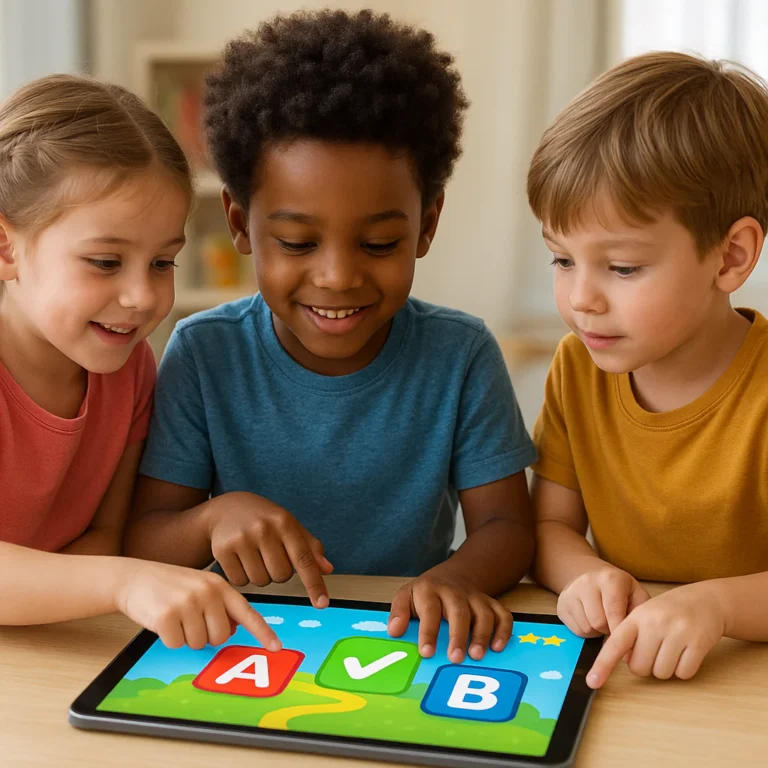


The best learning game turns practice into play while giving children a real chance to build skills—not just collect points. Choose one that matches your child’s age, interests, and learning goal, then play, talk, and see what they can do beyond the game.
A teacher on our Learning Game™ team once watched a reluctant reader happily replay a word-building game—not because anyone offered a prize, but because each new word felt like a small victory. That’s the sweet spot: engaging enough to invite another try, useful enough to make the practice count.
From math and reading to coding, science, board games, and outdoor challenges, learning games come in plenty of formats. Here are 15 types to explore, plus practical advice on choosing safe, age-appropriate games and using them at home or in class.
Key Takeaways
- Match the game to a specific learning goal. A high score is fun, but explaining a strategy or applying a skill elsewhere is stronger evidence of learning.
- Choose from 15 types of learning games, including math, phonics, science, coding, language, puzzles, board games, and outdoor activities.
- Digital and screen-free games can both help. Balance apps and browser games with conversation, movement, books, and hands-on play.
- Look for useful feedback, accessibility, and safety. Check age fit, privacy, ads, chat features, and in-app purchases before play.
- Make the most of every round: set a small goal, play briefly, ask what the learner discovered, and connect the skill to everyday life.
Table of Contents
- ⚡ Quick Tips and Facts
- 🎮 What Is a Learning Game?
- How Educational Games Support Learning
- Learning Games vs. Gamification
- 📚 The History and Evolution of Educational Games
- 🧠 Benefits of Learning Games for Kids and Students
- Motivation, Focus, and Confidence
- Academic Skills and Knowledge Retention
- Social-Emotional Learning and Collaboration
- 🕹️ 15 Types of Learning Games to Try
- 1. Math and Number Games
- 2. Reading and Phonics Games
- 3. Spelling and Vocabulary Games
- 4. Science Games
- 5. Coding and Computational Thinking Games
- 6. History and Geography Games
- 7. Language-Learning Games
- 8. Logic and Puzzle Games
- 9. Memory and Brain-Training Games
- 10. Art and Music Games
- 11. Financial Literacy Games
- 12. Health and Life-Skills Games
- 13. Board Games and Card Games
- 14. Active and Outdoor Learning Games
- 15. Multiplayer and Classroom Review Games
- 🏫 Learning Games by Age and Grade Level
- Preschool and Kindergarten
- Elementary School
- Middle School
- High School and Adult Learners
- 📱 Online Learning Games, Apps, and Offline Options
- Browser-Based Educational Games
- Learning Game Apps and Platforms
- Screen-Free Games for Home and School
- ⭐ How to Choose a High-Quality Learning Game
- Match the Game to Learning Goals
- Check Age Fit, Accessibility, and Safety
- Look for Feedback, Progress Tracking, and Replay Value
- 👩 🏫 Using Learning Games in the Classroom
- Lesson Planning and Curriculum Alignment
- Whole-Class, Small-Group, and Independent Play
- Assessing Learning and Student Progress
- 👨 👩 👧 Learning Games at Home: A Parent’s Guide
- Choosing Games Together
- Balancing Play, Practice, and Screen Time
- ♿ Inclusive Learning Games and Accessibility
- Games for Different Learning Needs
- Language, Sensory, and Assistive-Technology Supports
- 🔍 Learning Games and Research: What the Evidence Says
- 🛡️ Privacy, Online Safety, and Healthy Play
- 🌟 Legends of Learning: A Science and Math Game Platform
- What Is Legends of Learning?
- Why Teachers and Families Use Legends of Learning
- Science and Math Subjects, Grades, and Standards
- Classroom Features, Student Reports, and Progress Data
- Getting Started With Legends of Learning
- Free Access, School Plans, and Pricing Considerations
- Legends of Learning: Awakening and At-Home Play
- Awakening Adventure Pass and Family Features
- Research, Reviews, and Privacy Considerations
- 💡 Quick Tips for Getting More From Educational Games
- 🏁 Conclusion
- 🔗 Recommended Links
- ❓ FAQ
- 📖 Reference Links
Table of Contents
- ⚡ Quick Tips and Facts
- 🎮 What Is a Learning Game?
- How Educational Games Support Learning
- Learning Games vs. Gamification
- 📚 The History and Evolution of Educational Games
- 🧠 Benefits of Learning Games for Kids and Students
- Motivation, Focus, and Confidence
- Academic Skills and Knowledge Retention
- Social-Emotional Learning and Collaboration
- 🕹️ 15 Types of Learning Games to Try
- 1. Math and Number Games
- 2. Reading and Phonics Games
- 3. Spelling and Vocabulary Games
- 4. Science Games
- 5. Coding and Computational Thinking Games
- 6. History and Geography Games
- 7. Language-Learning Games
- 8. Logic and Puzzle Games
- 9. Memory and Brain-Training Games
- 10. Art and Music Games
- 11. Financial Literacy Games
- 12. Health and Life-Skills Games
- 13. Board Games and Card Games
- 14. Active and Outdoor Learning Games
- 15. Multiplayer and Classroom Review Games
- 🏫 Learning Games by Age and Grade Level
- Preschool and Kindergarten
- Elementary School
- Middle School
- High School and Adult Learners
- 📱 Online Learning Games, Apps, and Offline Options
- Browser-Based Educational Games
- Learning Game Apps and Platforms
- Screen-Free Games for Home and School
- ⭐ How to Choose a High-Quality Learning Game
- Match the Game to Learning Goals
- Check Age Fit, Accessibility, and Safety
- Look for Feedback, Progress Tracking, and Replay Value
- 👩 🏫 Using Learning Games in the Classroom
- Lesson Planning and Curriculum Alignment
- Whole-Class, Small-Group, and Independent Play
- Assessing Learning and Student Progress
- 👨 👩 👧 Learning Games at Home: A Parent’s Guide
- Choosing Games Together
- Balancing Play, Practice, and Screen Time
- ♿ Inclusive Learning Games and Accessibility
- Games for Different Learning Needs
- Language, Sensory, and Assistive-Technology Supports
- 🔍 Learning Games and Research: What the Evidence Says
- 🛡️ Privacy, Online Safety, and Healthy Play
- 🌟 Legends of Learning: A Science and Math Game Platform
- What Is Legends of Learning?
- Why Teachers and Families Use Legends of Learning
- Science and Math Subjects, Grades, and Standards
- Classroom Features, Student Reports, and Progress Data
- Getting Started With Legends of Learning
- Free Access, School Plans, and Pricing Considerations
- Legends of Learning: Awakening and At-Home Play
- Awakening Adventure Pass and Family Features
- Research, Reviews, and Privacy Considerations
- 💡 Quick Tips for Getting More From Educational Games
- 🏁 Conclusion
- 🔗 Recommended Links
- ❓ FAQ
- 📖 Reference Links
⚡ Quick Tips and Facts
The best learning game makes a clear learning goal feel like play. It gives children a reason to try, feedback that helps them improve, and enough challenge to keep them thinking without turning the living room into a tiny, pixelated exam hall.
If you’re looking for a place to start, our guide to 15 fun learning games that make learning stick 🎲 offers practical ideas for playful practice.
| Quick fact | What it means for you |
|---|---|
| A learning game can be digital, physical, or a mix of both. | A card game, outdoor scavenger hunt, and math app can all support learning. |
| Play alone does not guarantee learning. | Choose games tied to a specific skill, then talk about what your child practiced. |
| Feedback matters. | Helpful hints and explanations teach more than a buzer that simply says “wrong.” |
| Repetition can be useful when it’s varied. | Short, lively rounds can make practice less monotonous. |
| Screen-free options count. | Board games, puzzles, and word games can build academic and social skills too. |
| Age labels are only a starting point. | Consider your child’s reading level, interests, accessibility needs, and confidence. |
| Digital safety belongs in the selection process. | Check privacy, ads, chats, purchases, and account requirements before play. |
Our educators’ quick test: Before recommending a game, we ask, “What will the learner know or be able to do afterward?” If the answer is “collect 37 sparkly hats,” we may need to look again. (Though, admittedly, the hats are often excellent.)
🎮 What Is a Learning Game?
A learning game is an activity designed to help players build or practice knowledge and skills through rules, choices, challenges, feedback, or storytelling. It might teach multiplication, introduce new vocabulary, model an ecosystem, or help a child plan a route through a maze.
Some are explicitly educational, such as Khan Academy Kids, PBS KIDS Games, and Legends of Learning. Others, including chess, Minecraft Education, and family-friendly board games, can support learning when adults connect the play to a goal.
| A useful learning game usually includes… | Why it helps |
|---|---|
| A clear objective | Players know what they’re trying to learn or accomplish. |
| Meaningful choices | Learners practice deciding, predicting, and adjusting. |
| Feedback | Players can see what worked and what to try next. |
| A suitable level of challenge | The task is engaging without being needlessly frustrating. |
| A connection to real learning | The game practices a skill or deepens understanding beyond the game itself. |
How Educational Games Support Learning
Games can make practice active. Instead of only hearing about a concept, a learner might test a strategy, get a result, and revise their next move. This can create a useful cycle: try → receive feedback → reflect → try again.
For instance, a child playing a fraction-matching game must notice that 1/2, 2/4, and 3/6 represent equivalent amounts. A child who explains why those pieces match is doing more than tapping quickly.
The National Association for the Education of Young Children describes play as a meaningful context for children’s development and learning. For older students, a well-designed digital game can also provide structured practice, but the teacher or parent still matters: a short conversation after play can help transfer the skill beyond the screen.
Learning Games vs. Gamification
These terms overlap, but they aren’t identical.
| Term | What it is | Example |
|---|---|---|
| Learning game | A game built around learning content or skill practice | A science simulation in which players manage an ecosystem |
| Gamification | Adding game features to a non-game activity | Earning points for completing reading practice |
| Game-based learning | Using a game as part of instruction, often with discussion or reflection | Playing a history game, then comparing its scenario with class sources |
Points and badges can encourage participation, but they don’t automatically make a task educational. The learning goal should drive the design; rewards should be the seasoning, not the entire meal.
📚 The History and Evolution of Educational Games

Learning through games is hardly a new invention. Children have long practiced language, counting, strategy, and cooperation through songs, puzzles, playground games, and board games. Digital technology added interactive graphics, branching choices, instant feedback, and the ability to adapt practice.
Today’s educational games range from simple browser quizzes to sophisticated simulations. Platforms such as Educaplay let educators create activities such as word searches, matching games, quizzes, and map challenges. Classroom platforms such as Legends of Learning connect games with curriculum topics and teacher assignments.
The format has changed; the central question has not: Does playing help the learner understand, practice, or remember something useful?
🧠 Benefits of Learning Games for Kids and Students
A thoughtfully chosen game can make practice feel less like repetition and more like a mission. Still, benefits depend on the game, the learner, and how play fits into instruction.
| Potential benefit | How a learning game may support it | What adults can do |
|---|---|---|
| Motivation | Clear goals and engaging challenges invite participation | Praise effort and strategies, not just scores |
| Practice | Repeated attempts provide opportunities to apply skills | Keep rounds short and connect them to a lesson |
| Confidence | Low-stakes feedback lets learners try again | Treat mistakes as information, not failure |
| Problem-solving | Players test ideas and adjust strategies | Ask, “What did you change, and why?” |
| Collaboration | Shared tasks invite communication and turn-taking | Give teammates roles and time to explain choices |
Motivation, Focus, and Confidence
A game’s immediate feedback can help children see progress while they’re still engaged. A useful message might say, “Try grouping the objects in tens,” rather than merely flashing a red X. That kind of feedback points toward a next step.
One teacher on the Learning Game™ team noticed that a reluctant reader would happily replay a word-building activity after class. The surprise wasn’t that the child loved every word. It was that the game made practice feel safe enough to attempt another one.
That’s the promise of low-stakes play: a mistake becomes a clue, not a verdict. But a game can also distract or frustrate, especially when instructions are confusing or rewards dominate the learning. Watch the learner, not only the score.
Academic Skills and Knowledge Retention
Educational games can support practice in literacy, math, science, languages, and more. The strongest fit is often a skill that benefits from repeated retrieval or application, such as math facts, vocabulary, identifying patterns, or sorting concepts.
The U.S. Department of Education’s What Works Clearinghouse evaluates evidence for education programs and practices. Its presence is a reminder to look beyond marketing claims: ask whether a study examined the actual game, the intended learners, and meaningful outcomes.
A game is most useful when it is one part of learning, alongside instruction, discussion, books, hands-on work, and practice in different contexts.
Social-Emotional Learning and Collaboration
Coperative games can give children a reason to explain, listen, negotiate, and take turns. A family might solve a puzzle together; classmates might work as a team to answer science questions. Winning is optional. Shared thinking is the point.
Try asking:
- “How did your team decide what to do?”
- “What did you do when your first idea didn’t work?”
- “How did you help someone else join in?”
These questions make invisible skills visible—and give quieter children a chance to describe their contribution.
🕹️ 15 Types of Learning Games to Try
There isn’t one perfect game for every child. We recommend matching the format to the goal, then testing whether the child actually wants to keep playing.
| Game type | Skills it can practice | Example starting point |
|---|---|---|
| Math and number games | Number sense, arithmetic, patterns | Prodigy Math |
| Reading and phonics games | Letter sounds, decoding, comprehension | Teach Your Monster to Read |
| Spelling and vocabulary games | Word recognition, meaning, spelling | Wordwall |
| Science games | Observation, systems, cause and effect | Legends of Learning |
| Coding games | Sequencing, logic, debugging | Scratch |
| History and geography games | Timelines, maps, cultural knowledge | National Geographic Kids |
| Language games | Listening, vocabulary, sentence practice | Duolingo |
| Logic and puzzles | Reasoning, planning, patterns | Khan Academy Kids |
| Memory games | Attention, recall, matching | Matching cards or a memory app |
| Art and music games | Creativity, rhythm, visual design | Chrome Music Lab |
| Financial literacy games | Saving, budgeting, decision-making | Practical Money Skills |
| Health and life-skills games | Routines, safety, decision-making | Role-play and scenario cards |
| Board and card games | Strategy, counting, communication | Ravensburger family games |
| Active and outdoor games | Movement, observation, teamwork | Nature scavenger hunt |
| Multiplayer review games | Retrieval, collaboration, subject review | Quizz |
1. Math and Number Games
Math games can make number sense more concrete. Use dice for addition, cards for comparing quantities, or digital activities for practice with fractions and multiplication. Prodigy Math and Math Playground offer online math activities; check each service’s current features and account requirements before use.
At home, roll two dice and ask, “How many different ways can you make 10?” The child who discovers 6 + 4 and 7 + 3 is exploring number combinations, not just racing the clock.
2. Reading and Phonics Games
For early readers, look for clear sound-letter connections, chances to say sounds aloud, and practice that builds toward reading real words. Teach Your Monster to Read is one well-known option. Starfall also provides early literacy activities.
When a child gets stuck, pause the game and help them sound out the word. The goal is reading, not button speed.
3. Spelling and Vocabulary Games
Word searches, crosswords, matching games, and word-building challenges can support spelling and vocabulary. Wordwall offers interactive classroom activities, while Educaplay includes formats such as quizzes, crosswords, and matching pairs.
To deepen learning, ask the child to use a new word in a sentence or explain how two similar words differ. A word learned in context is more useful than a word collected like a digital sticker.
4. Science Games
Science games can invite learners to test predictions, classify organisms, explore systems, or model cause and effect. Legends of Learning offers curriculum-linked science games, while NASA’s STEM resources provide activities and investigations.
After a science game, ask: “What did you change? What happened? What do you think caused it?” That quick debrief turns a fun round into evidence-based thinking.
5. Coding and Computational Thinking Games
Coding games teach learners to break a task into steps, notice patterns, and debug mistakes. Scratch lets children create stories, games, and animations; Code.org offers coding lessons and activities.
A child building a character’s path across the screen is practicing sequencing. When the character walks into a wall, they’re debugging. We call that “a computer science lesson wearing a costume.”
6. History and Geography Games
Map quizzes, timeline challenges, and historical simulations can help students connect places, events, and perspectives. National Geographic Kids offers geography and animal content, while iCivics provides civic-learning games.
Pair a game with a map, primary source, or short reading. Games can introduce a topic, but careful source-checking helps learners separate historical evidence from dramatic storytelling.
7. Language-Learning Games
Language games can help learners practice vocabulary, listening, pronunciation, and sentence patterns. Duolingo offers language-learning activities, and teachers can create custom vocabulary tasks with Educaplay.
For younger learners, pair digital play with conversation: name household objects, act out verbs, or play “I spy” in the target language. Speaking with a person adds context a screen can’t fully provide.
8. Logic and Puzzle Games
Puzzles ask players to spot patterns, infer rules, and plan ahead. Tangrams, mazes, Sudoku, and strategy games are all useful possibilities. PBS KIDS Games offers child-friendly digital activities, while a simple jigsaw puzzle can be a lovely screen-free alternative.
When a child solves a challenge, ask what clue helped. When they don’t, try a hint rather than taking over. The satisfying “Aha!” belongs to them.
9. Memory and Brain-Training Games
Matching pairs and recall games can exercise attention and memory in a playful setting. Use picture cards, turn-over memory games, or vocabulary matching activities from Wordwall.
Avoid claims that a particular app will dramatically improve broad intelligence unless strong evidence supports them. A game can help practice the skill it asks for; that doesn’t automatically mean the skill transfers to everything else.
10. Art and Music Games
Creative games let children experiment with color, rhythm, sound, and composition. Chrome Music Lab offers interactive music experiments, and Scratch can help children create animations and interactive art.
There’s no need to grade every creation. Ask, “What did you try?” and “What would you change next time?” Curiosity is the win condition.
11. Financial Literacy Games
Simple games can introduce saving, spending, choices, and budgeting. Practical Money Skills offers financial education resources, and families can use pretend-shop play with paper money.
For younger children, keep examples concrete: “You have five tokens. Would you save them for the bigger toy or spend two now?” The conversation is more important than the pretend balance sheet.
12. Health and Life-Skills Games
Role-play can help children practice routines, safety decisions, and everyday problem-solving. Use scenario cards such as “What could you do if you get separated in a store?” or “How might you ask for help?”
For health and safety topics, use trusted guidance such as the Centers for Disease Control and Prevention’s child and teen health resources. A game can open a conversation; it shouldn’t replace expert advice or supervision.
13. Board Games and Card Games
Board games bring people together and can practice turn-taking, counting, planning, and reading rules. Ravensburger and Asmode publish a wide range of family games. Choose based on age suitability, playtime, reading demands, and the skills you want to practice.
Parents on our team appreciate that a physical game makes it easier to notice when a child is confused or losing interest. And yes, the pieces will probably end up under the sofa. That’s practically part of the curriculum.
14. Active and Outdoor Learning Games
Outdoor games can combine movement with learning. Try a shape hunt, a nature bingo card, a sidewalk-number challenge, or a map-based scavenger hunt. The National Park Service offers educational resources that can inspire outdoor activities.
Active play also gives children a screen break. Keep activities age-appropriate, supervise as needed, and choose safe locations.
15. Multiplayer and Classroom Review Games
Quiz games and team challenges can make review lively, especially when students explain answers instead of racing for points. Teachers may use Quizz, Kahoot!, or activities built in Educaplay.
A useful classroom rule: reward clear reasoning and teamwork, not only speed. Otherwise, fast clicking wins while thoughtful learners are still reading the question.
🏫 Learning Games by Age and Grade Level
Age recommendations are helpful, but they’re not a full measure of fit. A game that’s easy to operate may still be cognitively demanding; another may be labeled for an age group but rely on too much reading.
| Learner stage | What to look for | Adult support |
|---|---|---|
| Preschool and kindergarten | Short rounds, simple rules, visual cues, movement | Play together and model turn-taking |
| Elementary school | Clear goals, growing challenge, readable instructions | Connect game content to class or home practice |
| Middle school | More strategy, autonomy, meaningful context | Offer choice and discuss sources or strategies |
| High school and adults | Authentic problems, depth, flexibility | Use games as part of broader learning and reflection |
Preschool and Kindergarten
Young children benefit from simple rules, repetition, pretend play, and activities that involve movement and conversation. Try counting games, picture matching, rhymes, building blocks, or age-appropriate apps such as PBS KIDS Games.
Play alongside the child. If they want to count the blue blocks three times, let them. Repetition is not a bug; it’s often the point.
Elementary School
Elementary learners can use games to practice foundational reading, math, science, and social skills. Choose activities with clear instructions and opportunities to explain a choice. Khan Academy Kids, Starfall, and Legends of Learning are examples of platforms families and educators may explore.
At this age, a game can be motivating, but adult guidance helps keep attention on the learning goal.
Middle School
Middle school students often respond well to autonomy, challenge, and relevant themes. Try coding activities on Code.org, science games, map challenges, and cooperative strategy games.
Invite students to evaluate the game itself: “Was the challenge fair? What did the game teach well? What would you improve?” That turns them into thoughtful players and designers.
High School and Adult Learners
Older learners can benefit from simulations, scenario-based learning, strategy games, and collaborative problem-solving. A well-designed activity may model systems that are difficult to recreate in a classroom, but debriefing and reliable source material remain essential.
For advanced learners, avoid games that feel too childish. Respect their intelligence, interests, and time.
📱 Online Learning Games, Apps, and Offline Options
A useful learning routine can include screens, physical play, and conversation. You don’t have to pick a team and declare all other formats villains.
| Format | Strengths | Watch-outs |
|---|---|---|
| Browser games | Easy to access on a computer; useful for classroom assignments | Ads, account requirements, and browser compatibility vary |
| Apps | Convenient and often designed for touchscreens | Check in-app purchases, privacy, and notifications |
| Printables and physical games | Screen-free, flexible, easy to play together | May require setup or adult preparation |
| Hybrid activities | Combine digital prompts with real-world tasks | Needs a clear plan so the activity doesn’t become a device hunt |
Browser-Based Educational Games
Browser games may work well for classroom stations or quick practice. Look for a clear privacy policy, age-appropriate content, accessible controls, and a way to close or limit unrelated features. Education.com offers game-related educational resources, including printable activities.
Before assigning a browser game to a whole class, test it on the devices students will use. The only thing worse than a math game that won’t load is 27 children discovering that it won’t load simultaneously.
Learning Game Apps and Platforms
Educational apps can provide practice on tablets and phones. Examples include Khan Academy Kids, Duolingo, and PBS KIDS Games. Check platform-specific details rather than assuming all apps from a familiar brand have the same features or privacy practices.
The Federal Trade Commission’s guidance for protecting kids online can help families think through data collection and online privacy.
For more app ideas, browse Learning Game™’s educational apps and edutainment categories.
Screen-Free Games for Home and School
Screen-free games are excellent for family connection, active movement, and flexible practice. Try:
- Card games: number comparison, multiplication, categories, or word building.
- Board games: strategy, planning, reading, and turn-taking.
- Scavenger hunts: observation, vocabulary, and map skills.
- Dramatic play: storytelling, communication, and real-life problem-solving.
- Outdoor challenges: measuring, sorting, nature observation, and movement.
A screen-free game doesn’t need a subscription or a charger. It may, however, need someone to find the missing blue piece.
⭐ How to Choose a High-Quality Learning Game
When choosing a learning game, start with the learner and the goal—not the leaderboard.
| Check | Ask yourself |
|---|---|
| Learning goal | What skill or concept does this game teach or practice? |
| Age and fit | Can the child understand the rules and stay interested? |
| Feedback | Does it explain mistakes or offer useful hints? |
| Accessibility | Can the child use it comfortably with their needs and devices? |
| Safety | Are ads, chat, tracking, and purchases appropriate? |
| Value | Does it support learning beyond collecting rewards? |
Match the Game to Learning Goals
Choose one goal at a time. For example:
- Name the skill: “We’re practicing equivalent fractions.”
- Find a game that requires the skill: Avoid activities that only mention fractions in the title.
- Preview the activity: Make sure the rules and content fit.
- Play briefly: Watch how the learner responds.
- Ask for a transfer: “Can you show me another way to make one-half?”
If the learner can explain the skill outside the game, that’s a stronger sign of understanding than a high score alone.
Check Age Fit, Accessibility, and Safety
Check whether the activity requires reading, fast reactions, audio, color recognition, or fine motor control. A game may offer accessibility settings, but verify them yourself.
For digital activities, review:
- Ads and external links
- In-app purchases
- Chat and multiplayer controls
- Account and data requirements
- Privacy and parental controls
- Compatibility with assistive technology
For online child safety, explore Learning Game™’s digital citizenship resources.
Look for Feedback, Progress Tracking, and Replay Value
Strong feedback tells the learner something actionable. A good game may explain a wrong answer, provide a hint, or let the student retry. Progress tracking can help adults spot strengths and gaps, but numbers are only useful when interpreted carefully.
A child replaying a game may be practicing; they may also be replaying because the reward animation is excellent. Ask what they learned, and look for evidence in their explanation or next attempt.
👩 🏫 Using Learning Games in the Classroom
A game can be a warm-up, practice station, review activity, or part of a larger project. The key is intentional use: decide what students should learn, then choose the game that supports it.
Lesson Planning and Curriculum Alignment
Teachers can use this simple planning sequence:
- Write the learning objective. Make it observable, such as “Students will classify matter by properties.”
- Identify the game’s target skill. Check that the activity aligns with the objective.
- Preview content and controls. Test accessibility, timing, and device requirements.
- Plan a short introduction. Explain the goal and expectations.
- Build in reflection. Ask students to describe strategies, errors, and discoveries.
- Check learning afterward. Use a brief exit ticket, discussion, or independent task.
Platforms such as Legends of Learning offer curriculum-related games, while Educaplay lets educators create interactive activities. Standards alignment is useful, but teachers should still check whether a particular game meets their lesson’s needs.
Whole-Class, Small-Group, and Independent Play
| Classroom format | Works well for | Teacher tip |
|---|---|---|
| Whole class | Introductions, review, shared discussion | Pause for reasoning, not just score updates |
| Small groups | Collaboration and peer explanation | Give each student a role |
| Independent play | Differentiated practice | Set a clear task and follow-up |
| Learning stations | Rotations across skill areas | Keep instructions visible and consistent |
One teacher on our team learned that assigning a “strategy reporter” helped quieter students participate: their job was to explain the group’s approach after a round. Suddenly, the game became a conversation, not a race.
Assessing Learning and Student Progress
A game score can show how a student performed during that activity. It doesn’t tell the whole story. Pair it with:
- Student explanations
- Work samples
- Exit tickets
- Teacher observation
- Performance on a different task
- Reflection on strategies and mistakes
If a platform provides reports, use them to ask better questions: Which item types were difficult? Did the student improve after feedback? Can they apply the skill somewhere else?
👨 👩 👧 Learning Games at Home: A Parent’s Guide
At home, the best learning game is one your child can enjoy without turning family time into a second shift of school. Keep the goal simple, the atmosphere relaxed, and the adult involvement appropriate.
Choosing Games Together
Offer two or three options that fit your child’s interests and goals. If they love animals, try a science or habitat game. If they enjoy making things, explore Scratch or a building activity.
Ask your child:
- “What do you think this game is teaching?”
- “Which part was tricky?”
- “What would you like to try next?”
Children are more likely to engage when they have a voice in the choice. Parents on our team also found that playing one round together often revealed more than watching from across the room.
Balancing Play, Practice, and Screen Time
Use learning games as one part of a varied routine—not as a substitute for sleep, movement, reading, conversation, or hands-on play. The American Academy of Pediatrics’ Family Media Plan helps families set screen habits around their needs.
Try these practical habits:
- Agree on a stopping point before play begins.
- Turn off autoplay and unnecessary notifications.
- Keep devices out of bedtime routines where appropriate.
- Balance digital play with outdoor and screen-free activities.
- Notice your child’s mood and attention, not only minutes logged.
♿ Inclusive Learning Games and Accessibility
A game is only engaging if the learner can participate. Accessibility is not an extra flourish; it affects whether the activity works at all.
Games for Different Learning Needs
Look for games that allow adjustable difficulty, flexible timing, repeatable instructions, clear visuals, and multiple ways to respond. Some learners benefit from predictable routines; others need movement, audio support, reduced visual clutter, or short activity bursts.
The CAST Universal Design for Learning Guidelines offer a framework for providing multiple means of engagement, representation, and action or expression. Use that lens when adapting an activity.
Language, Sensory, and Assistive-Technology Supports
Before using a game, check for:
- Captions or text alternatives for audio
- Keyboard navigation and screen-reader compatibility
- Adjustable sound and animation
- Clear contrast and readable text
- Instructions that can be repeated
- Language options or visual demonstrations
- Options to pause, slow down, or reduce time pressure
If a child’s needs are specific, consult their teacher, specialist, or support team. A familiar game adapted well can be more effective than a flashy new one that creates barriers.
🔍 Learning Games and Research: What the Evidence Says
Research on game-based learning is encouraging, but evidence varies by game, subject, learner age, study design, and how the game is used. There is no reliable rule that every game improves every outcome.
A meta-analysis published in Review of Educational Research examined digital game-based learning and found positive average effects across the studies it reviewed, while also showing that results depend on design and context (Clark, Tanner-Smith, & Killingsworth, 2016). The What Works Clearinghouse is a useful place to look for evidence assessments of education programs and interventions.
Legends of Learning reports results from studies associated with its platform, including a WestEd study that the company describes as finding higher science test performance among students who played regularly. Those figures are vendor-reported findings; readers should consult the study details for sample, comparison group, methods, and limitations before generalizing.
Educaplay’s article summarizes research on engagement, retention, and problem-solving, and lists studies connected to its activities. Those claims are also best read with methodological context: a collection of studies is not automatically equivalent to a peer-reviewed systematic review.
| Evidence question | Why it matters |
|---|---|
| Was the actual game evaluated? | Findings from one game may not apply to another. |
| Who participated? | Age, grade, background, and experience affect transferability. |
| What was the comparison? | Results may differ when compared with usual instruction, another game, or no activity. |
| Were outcomes independently measured? | Independent assessment reduces reliance on platform data alone. |
| Was there follow-up? | Immediate improvement may not show lasting learning. |
Our recommendation: use games as purposeful practice, then check understanding through discussion, written work, or a different problem. That combination is more dependable than treating a game score as a final verdict.
🛡️ Privacy, Online Safety, and Healthy Play
Before children use an online learning game, check what data it collects, how accounts work, and whether the platform includes advertising, chat, or purchases.
Family and teacher checklist:
- Read the privacy policy and age guidance.
- Use the minimum information required for an account.
- Check whether students can communicate with strangers.
- Disable public profiles or chat if they aren’t needed.
- Review ads, external links, and in-app purchases.
- Use school-approved platforms for classroom accounts.
- Agree on rules for sharing personal information.
The FTC’s Children’s Privacy information explains U.S. protections under COPA. Schools and families should also follow local policies and applicable laws. For practical online-safety habits, see Learning Game™’s digital citizenship category.
🌟 Legends of Learning: A Science and Math Game Platform
Legends of Learning is an educational platform featuring curriculum-linked games, with a focus on school subjects including math and science. The company describes its library as offering more than 2,000 games for elementary and middle school learners; verify the current catalog and features on the official site, since offerings can change.
What Is Legends of Learning?
The platform includes Learning Universe, a collection of educational games, and Awakening, a more immersive game-based learning experience. The company also describes Math Basecamp as a math fact practice product. Product names, account options, and feature availability may differ by plan or change over time, so check the current Legends of Learning product information.
Based on the information available from the company, the platform is designed for classroom use as well as at-home learning. Teachers can explore games, create assignments, and share activities with students through supported classroom tools.
Why Teachers and Families Use Legends of Learning
Teachers may value curriculum-linked activities, student assignments, and reports; families may be drawn to interactive practice and the adventure format. The platform’s website quotes educators describing students as excited and engaged. Those are useful perspectives, but testimonials are individual experiences, not proof that every class will see the same results.
| Potential strength | Possible drawback to consider |
|---|---|
| Games organized around subject matter | Not every game will suit every learner or lesson |
| Classroom assignment features | Teachers may need time to preview and select activities |
| Reports and progress information on relevant plans | A report is a signal, not a complete assessment |
| Immersive Awakening experience | Some learners may prefer shorter, simpler activities |
| Multiple subject areas and grade bands | Confirm the current catalog and standards for your region |
Science and Math Subjects, Grades, and Standards
Legends of Learning describes games for math and science, with offerings for elementary and middle school students and references to standards such as Common Core and NGSS. Its website also lists state standards and other alignment options. Teachers should confirm the specific game, grade, and standard before assigning it; platform-level alignment doesn’t mean every activity addresses every standard.
The Next Generation Science Standards explain the NGSS framework, and Common Core State Standards provide information on English language arts and mathematics standards.
Classroom Features, Student Reports, and Progress Data
The platform describes teacher tools for assigning games and reviewing student progress. Depending on current product access, reports may help educators see activity completion or performance.
Use those data alongside classroom evidence. If a student has a low score, ask whether they misunderstood the concept, instructions, controls, or vocabulary. A dashboard can point to a question; it can’t always answer it.
Getting Started With Legends of Learning
A practical starting sequence:
- Visit the Legends of Learning website.
- Review the available teacher, family, or student access options.
- Choose a grade and subject area.
- Preview a game for content, length, reading demands, and device compatibility.
- Set a clear learning objective before assigning it.
- Review student responses or reports and follow up with a short discussion.
Teachers should also check whether their school uses Google Classroom or another supported learning-management system and whether local privacy rules permit the platform.
Free Access, School Plans, and Pricing Considerations
Legends of Learning describes basic access options and paid features for schools or districts. Available features and eligibility can change, so consult the official plans and access information rather than relying on old summaries.
Before selecting a plan, schools can ask:
- Which features are included for teachers and students?
- Are reports, lesson plans, or integrations limited by plan?
- What data does the platform collect?
- Can the district review the privacy and security terms?
- Does the content align with local curriculum needs?
Legends of Learning: Awakening and At-Home Play
Awakening is presented as an immersive, self-paced educational experience. Families should preview the content, confirm the learner’s age and reading fit, and check how game progress connects to learning objectives. For a child who enjoys exploration, the format may make practice feel more like an adventure; a child who prefers direct, short challenges may want a different approach.
Awakening Adventure Pass and Family Features
Product names and access arrangements can change. Visit the official Legends of Learning site for current information about Awakening, any Adventure Pass, and family options. Before subscribing to any service, check what content is included, whether access renews automatically, and what cancellation or account settings apply.
Research, Reviews, and Privacy Considerations
Legends of Learning shares research and recognition information on its site, including reported studies and product awards. For a balanced review, distinguish between:
- Independent study findings and company descriptions
- Award recognition and direct evidence of learning outcomes
- Teacher testimonials and representative user research
- Platform-wide claims and results for a particular game or class
For research details, consult the company’s research page and the original study when available. For privacy, review the platform’s current privacy information directly before creating student accounts.
💡 Quick Tips for Getting More From Educational Games
Want to turn “one more round!” into meaningful practice? Try this simple routine:
- Set a small goal: “We’re practicing adding two-digit numbers.”
- Choose together: Let the learner pick from a few suitable games.
- Play a short round: Watch for confusion, boredom, or a useful challenge.
- Ask one thoughtful question: “What strategy helped you?”
- Try the skill away from the game: Use a real-life example, worksheet, conversation, or hands-on activity.
- Stop while it’s still positive: Leave room to return another day.
✅ Praise effort, explanation, and strategy.
✅ Mix digital games with books, conversation, movement, and hands-on play.
✅ Check safety and accessibility before assigning a platform.
❌ Don’t assume a high score means mastery.
❌ Don’t use speed as the only measure of success.
❌ Don’t keep a child playing after frustration has overtaken curiosity.