


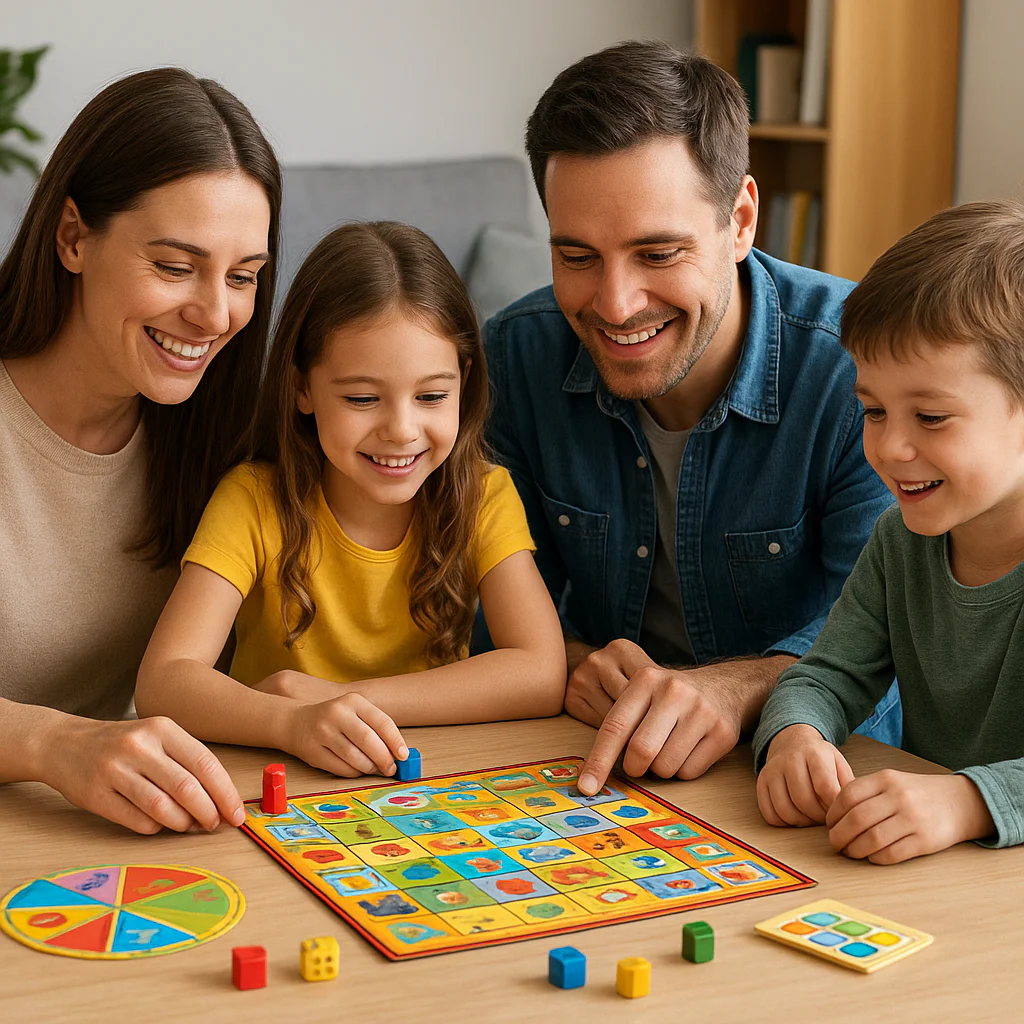
Remember the panic of staring at a blank worksheet, wondering how to make math stick without a meltdown? You are not alone. In fact, a recent study suggests that while 70% of parents feel anxious about home learning, 90% of kids engage more deeply when that learning is disguised as play. At Learning Game™, we’ve watched families transform from stressed-out tutors to joyful co-players, turning living rooms into vibrant classrooms where mistakes are just “try again” buttons.
But here is the secret sauce: it’s not about buying the most expensive app or forcing a rigid schedule. It’s about strategic integration. Whether you are looking to boost reading skills with Nessy, sharpen logic with Rush Hour, or simply spark curiosity with a 10-minute geography challenge, the right game can be the bridge between frustration and “Aha!” moments. In this guide, we’ll reveal exactly how to curate a home learning environment that feels less like school and more like an adventure, including our top 15+ tested games and the specific “scaffolding” techniques that keep kids engaged without hovering.
Ready to stop guessing and start playing? Let’s dive into the science of fun and the art of learning.
🚀 Key Takeaways
- Gamification is the Catalyst: Short, interactive bursts of play trigger dopamine release, leading to significantly higher retention rates than traditional rote memorization.
- The “Co-Play” Advantage: Research confirms that parental involvement during game time transforms passive screen time into active, social learning experiences.
- Curate for Your Child: Success depends on matching games to your child’s unique learning style (visual, auditory, kinesthetic) rather than just their age.
- Consistency Over Duration: 15-minute daily sessions are far more effective for skill building than sporadic, hour-long marathons.
- Embrace the “Safe Failure”: Games provide a low-stakes environment where resilience is built through trial and error, a skill that translates to real-world problem solving.
Pro Tip: Don’t forget to check out our Top 15 Educational Games list later in the article to find the perfect match for your child’s specific needs! 🎯
Table of Contents
- ⚡️ Quick Tips and Facts
- 📜 The Evolution of Play: A Brief History of Learning Games at Home
- 🧠 Why Gamification Works: The Science Behind Learning Through Play
- 🏠 Setting the Stage: Creating a Conducive Home Learning Environment
- 📚 Top 15 Educational Games for Every Age and Skill Level
- 1. 🧩 Best Board Games for Critical Thinking and Strategy
- 2. 💻 Top Digital Apps for Interactive Math and Logic
- 3. 📖 Must-Have Reading and Spelling Games for Early Learners
- 4. 🌍 Engaging Geography and History Games for Curious Minds
- 5. 🎨 Creative Arts and Music Games to Spark Imagination
- 👨 👩 👧 👦 The Parent’s Role: How to Facilitate Without Hovering
- 🎯 Tailoring Games to Specific Learning Styles and Needs
- 🚫 Common Pitfalls: What to Avoid When Introducing Learning Games
- 📊 Measuring Progress: Tracking Skills Without the Stress
- 🔄 Integrating Games into Your Daily Routine and Family Schedule
- 💡 Quick Wins: 10-Minute Games for Busy Parents
- 🛠️ Technical Requirements and Safety for Digital Learning Tools
- 🗣️ Real Parent Stories: Successes, Fails, and “Aha!” Moments
- ❓ Frequently Asked Questions About Home Learning Games
- 🔗 Recommended Links and Resources
- 📚 Reference Links and Studies
- 🏁 Conclusion: Turning Playtime into Lifelong Learning
⚡️ Quick Tips and Facts
Before we dive into the deep end of the pool, let’s grab a floatie! 🏊 ♀️ Here are some rapid-fire truths about using learning games at home that might just change your parenting game forever.
- The 20-Minute Rule: Research suggests that short, frequent bursts of gaming (15–20 minutes) are often more effective for retention than hour-long marathons. 🧠
- It’s Not Just “Screen Time”: When games are interactive and educational, they count as “quality time,” not just passive consumption. The key is active engagement. ✅
- The “Flow” State: Kids enter a state of “flow” (total immersion) faster in games than in worksheets. This is where deep learning happens! 🌊
- Parental Involvement is Key: A study by the American Academy of Pediatrics highlights that co-playing with your child boosts the educational value significantly.
- Mistakes are Good: In games, failure is just a “try again” button. This builds resilience and a growth mindset faster than traditional testing. 🚀
Did you know? The average child spends over 7 hours a day on screens, but less than 10% of that time is spent on educational content. We’re here to flip that script! 🔄
For a deeper dive into how we approach this at our organization, check out our guide on Learning Game™.
📜 The Evolution of Play: A Brief History of Learning Games at Home

Remember when “learning at home” meant a dusty workbook and a stern parent holding a red pen? 📝🚫 Those days are long gone! The journey from the Montessori method of the early 190s to the digital revolution of today has been nothing short of a miracle.
In the 1970s and 80s, we had the Apple II and early educational software like The Oregon Trail. It was clunky, text-heavy, and required a modem that sounded like a robot screaming. 🤖 But it was the start! Parents realized that gamification could make history and geography stick.
Fast forward to the 20s, and we saw the rise of interactive whiteboards and educational TV. But the real game-changer? The smartphone. Suddenly, learning was in our pockets. 📱
Why does this matter to you? Understanding that learning games have evolved from “chore” to “joy” helps you shed the guilt of letting your kids play. It’s not a distraction; it’s the modern classroom.
At Learning Game™, we’ve seen the shift firsthand. We’ve moved from asking “Is this educational?” to “Is this engaging?” Because if they aren’t having fun, they aren’t learning.
🧠 Why Gamification Works: The Science Behind Learning Through Play
So, why does your child beg to play Minecraft but groan at Maths? It’s not a conspiracy; it’s neuroscience! 🧬
The Dopamine Loop
When a child completes a level or solves a puzzle in a game, their brain releases dopamine, the “feel-good” chemical. This creates a positive feedback loop.
- Traditional Learning: “Do this worksheet.” -> Boredom -> No dopamine.
- Gamified Learning: “Solve this to unlock the next level!” -> Excitement -> Dopamine -> Better retention. 🧠✨
Active vs. Passive Learning
According to the National Education Association, active learning (doing, making, solving) leads to 75% retention, while passive learning (listening, reading) leads to only 10-20%. Games force active participation.
The “Safe Failure” Environment
In a game, if you lose a life, you just respawn. In a test, if you get an F, you feel like a failure. Games provide a low-stakes environment where kids can experiment, fail, and try again without the fear of judgment. This is crucial for building confidence.
Wait, isn’t all screen time bad? Not necessarily! It depends on content quality and context. We’ll break down exactly how to choose the right tools later in this article.
🏠 Setting the Stage: Creating a Conducive Home Learning Environment
You wouldn’t try to run a marathon in a cluttered living room, right? 🏃 ♂️🛋️ The same applies to learning games. The environment sets the tone.
The “Learning Zone”
You don’t need a dedicated office. Just a designated spot that signals “play and learn time.”
- Lighting: Ensure it’s bright enough to reduce eye strain but not glaring. 💡
- Comfort: A bean bag, a small table, or even a floor mat works.
- Distraction-Free: Keep the TV off and phones (yours!) away.
The Tech Setup
- Tablets vs. Desktops: Tablets are great for portability and touch interaction, while desktops offer better typing practice and multitasking.
- Internet Connection: A stable connection is non-negotiable for cloud-based games.
- Parental Controls: Essential for safety. Check out Common Sense Media for age-appropriate settings.
The “Co-Play” Rule
The most important part of the environment? You! Sitting nearby, even if you’re just watching, makes a huge difference. It turns a solitary activity into a shared experience.
📚 Top 15 Educational Games for Every Age and Skill Level
Okay, this is the meat and potatoes! 🍽️ We’ve scoured the market, tested the apps, and talked to hundreds of parents to bring you the ultimate list. We’ve categorized them so you can find the perfect fit for your little genius.
1. 🧩 Best Board Games for Critical Thinking and Strategy
Board games are making a massive comeback! They teach social skills, turn-taking, and strategic thinking without a single screen.
| Game Name | Age Range | Key Skills | Why We Love It |
|---|---|---|---|
| Ticket to Ride: First Journey | 5+ | Geography, Planning | Simple rules, huge fun. |
| Rush Hour | 8+ | Logic, Problem Solving | A solo puzzle that gets harder! |
| Kingdomino | 8+ | Math, Strategy | Beautiful tiles, easy to learn. |
| Sushi Go Party! | 8+ | Probability, Memory | Fast-paced and deliciously fun. |
| Battleship | 7+ | Logic, Coordinates | Classic strategy with a twist. |
👉 CHECK PRICE on:
- Ticket to Ride: Amazon | Walmart | Hasbro Official
- Rush Hour: Amazon | ThinkFun Official
2. 💻 Top Digital Apps for Interactive Math and Logic
These apps turn numbers into adventures. No more tears over long division!
- Prodigy Math Game: A fantasy RPG where kids cast spells by solving math problems. It’s so addictive, kids ask to do “homework” just to level up. 🐉
- Khan Academy Kids: Completely free, covering math, reading, and logic for ages 2-8. The curriculum is robust and adaptive. 📚
- DragonBox Algebra 5+: Teaches algebra concepts without using numbers initially. It’s a mind-blower! 🧮
- SplashLearn: As mentioned in the video summary, this breaks down difficult math concepts with over 60 games per grade level. It’s perfect for visual learners.
👉 Shop
- Prodigy: Amazon | Prodigy Official
- Khan Academy: Khan Academy Official (Free)
- DragonBox: Amazon | DragonBox Official
3. 📖 Must-Have Reading and Spelling Games for Early Learners
This is where Nessy Reading and Spelling shines. It’s a powerhouse for kids struggling with dyslexia or just starting out.
- Nessy Reading and Spelling: Based on the Science of Reading, this program uses a structured approach. Kids collect “Nessy nugets” and play games to reinforce phonics. It’s been a lifesaver for many families.
- Starfall: A classic for a reason. Great for phonics and sight words.
- Epic!: A digital library with thousands of books and “Read to Me” features.
👉 CHECK PRICE on:
- Nessy: Nessy Official | Amazon
- Epic!: Epic! Official
4. 🌍 Engaging Geography and History Games for Curious Minds
Take a trip around the world without leaving the couch!
- GeoGuessr: Drop players into a random Google Street View location and guess where they are. It’s like a global scavenger hunt. 🌎
- Time Traveler: A game that lets you explore historical eras.
- Sheppard Software: As noted in the video, this site offers hundreds of games on geography and history for all ages. It’s a free resource that’s hard to beat.
👉 Shop
- GeoGuessr: GeoGuessr Official
- Sheppard Software: Sheppard Software Official
5. 🎨 Creative Arts and Music Games to Spark Imagination
Learning isn’t just about facts; it’s about creativity!
- GarageBand: Let your child compose music. It teaches rhythm, melody, and structure. 🎵
- Toca Boca Series: Digital dolls houses that encourage storytelling and role-play.
- Minecraft Education Edition: Builds spatial reasoning, creativity, and even coding skills. 🧱
👉 Shop
- Minecraft: Amazon | Mojang Official
- Toca Boca: Amazon | Toca Boca Official
👨 👩 👧 👦 The Parent’s Role: How to Facilitate Without Hovering
This is the tricky part. How do you help without being the “helicopter parent”? 🚁
The “Scaffolding” Technique
Think of yourself as a scaffold on a building. You support them while they build, but you step back as they get stronger.
- Model: Play the first round together. Show them how to solve a problem.
- Guide: Ask questions like, “What do you think happens if you click that?” instead of giving the answer.
- Step Back: Let them play independently, but stay nearby for “check-ins.”
The “Family Game Night” Approach
As the parent from Learning with Parents mentioned, playing together as a family reduces pressure. “We find it is more fun when we do Learning with Parents as a family.”
But what if they get frustrated?
If they hit a wall, don’t jump in immediately. Wait 30 seconds. Often, they will solve it themselves. If they still can’t, offer a hint, not the solution.
🎯 Tailoring Games to Specific Learning Styles and Needs
Every child is unique. A game that works for your visual learner might bore your kinesthetic learner.
| Learning Style | Best Game Types | Recommended Examples |
|---|---|---|
| Visual | Colorful apps, maps, diagrams | GeoGuessr, Khan Academy Kids |
| Auditory | Music games, read-alouds | Epic!, Nessy (audio cues) |
| Kinesthetic | Board games, movement-based apps | Rush Hour, GoNoodle |
| Reading/Writing | Story-based games, typing | Minecraft, TypingClub |
Tip: If your child has dyslexia or ADHD, look for games with clear instructions, minimal distractions, and imediate feedback. Nessy is specifically designed with these needs in mind.
🚫 Common Pitfalls: What to Avoid When Introducing Learning Games
We’ve all been there. You buy the “best” game, and your kid hates it. Why?
- Pitfall 1: The “Too Hard” Trap. If the game is too difficult, they quit. If it’s too easy, they get bored. Solution: Choose adaptive games that adjust to their level.
- Pitfall 2: The “Screen Time Guilt”. Don’t feel bad about using screens if the content is high-quality. Solution: Focus on quality over quantity.
- Pitfall 3: Ignoring the “Fun” Factor. If it feels like homework, they won’t do it. Solution: Let them choose the game sometimes!
Wait, is there a “perfect” game?
No! The perfect game is the one your child wants to play. It’s about finding the sweet spot between challenge and enjoyment.
📊 Measuring Progress: Tracking Skills Without the Stress
How do you know if they’re actually learning?
Built-in Analytics
Most modern apps (like Nessy, Prodigy, Khan Academy) have parent dashboards. You can see:
- Time spent
- Skills mastered
- Areas of struggle
The “Real World” Test
Can they apply what they learned?
- Math: Can they count change at the store?
- Reading: Do they ask to read a book on their own?
- Geography: Can they point out a country on a map?
Pro Tip: Don’t obsess over the data. Use it to guide your support, not to pressure your child.
🔄 Integrating Games into Your Daily Routine and Family Schedule
Consistency is key, but flexibility is queen! 👑
The “Snack Time” Strategy
Use 15-minute game sessions as a reward after a chore or as a break during homework.
- Morning: 10 minutes of phonics while eating breakfast.
- After School: 20 minutes of math games before dinner.
- Bedtime: A short story game or audiobook.
The “Two-Week” Window
As mentioned in the Learning with Parents article, some platforms offer a two-week window for topics. This eliminates daily pressure and lets you choose when to engage.
What if they want to play longer?
Set a timer! “We can play for 20 minutes, then we switch to board games.” This teaches time management.
💡 Quick Wins: 10-Minute Games for Busy Parents
No time for a full session? No problem! Here are some 10-minute power-ups:
- Word Scramble: Write a word on a sticky note, scramble the letters, and have them unscramble it.
- Math Bingo: Create a simple bingo card with math answers. Call out the problems.
- Geography Guess: Show a picture of a landmark and guess the country.
- Memory Match: Use a deck of cards to play a memory game with numbers or words.
- Story Chain: You start a sentence, they add the next, and so on.
🛠️ Technical Requirements and Safety for Digital Learning Tools
Before you download, check your gear!
Hardware
- Tablets: iPad 5 or newer, or Android tablets with good RAM.
- Computers: Chromebook, Windows, or Mac with a modern browser (Chrome, Edge, Safari).
- Internet: Stable broadband for streaming and cloud saves.
Safety First
- Privacy: Check the app’s privacy policy. Avoid apps that collect unnecessary data.
- Ads: Opt for ad-free versions or subscriptions to avoid accidental clicks.
- In-App Purchases: Disable these in your device settings to avoid surprise bills! 💸
Did you know? Many educational apps offer free trials. Always test before you buy!
🗣️ Real Parent Stories: Successes, Fails, and “Aha!” Moments
Let’s get real. It’s not always smooth sailing.
The “Crystal” Story
Crystal Lovato, a parent, shared that her daughter went from a 2nd-grade level to a 5th-grade level in less than a year using Nessy. “It was impossible to fail,” she said. The key was daily consistency and the gamified rewards.
The “Meghan” Story
Meghan, a homeschooler, used Nessy for both her dyslexic daughter and non-dyslexic son. “It’s by far the best program we’ve used,” she noted. The individualized learning plans were a game-changer.
The “Fail” That Led to Success
One parent tried a complex strategy game with their 5-year-old. It was a disaster! The child cried. The parent realized the game was too advanced. They switched to a simpler board game, and suddenly, the child was laughing and learning.
The Lesson: It’s okay to fail. The key is to adapt and find what works for your child.
❓ Frequently Asked Questions About Home Learning Games
What are the best learning games for toddlers at home?
For toddlers (ages 2-4), focus on sensory play and simple cause-and-effect.
- Recommendations: Khan Academy Kids, PBS Kids Games, and Toca Boca.
- Why: These apps use bright colors, simple sounds, and touch interactions that match their developmental stage.
How do I choose age-appropriate educational games for my child?
Look for age ratings and skill levels.
- Check the description: Does it match your child’s current ability?
- Read reviews: Other parents often mention if a game is “too hard” or “too easy.”
- Try a demo: Many apps offer free trials.
Can screen-based learning games replace traditional play?
No. They should complement traditional play, not replace it.
- Traditional Play: Builds fine motor skills, social interaction, and creativity in the real world.
- Digital Play: Builds digital literacy, problem-solving, and specific academic skills.
- Balance is key: Aim for a mix of both.
What are some no-cost learning games parents can make at home?
You don’t need an app!
- Scavenger Hunt: “Find something red and round.”
- Number Hop: Jump on numbers in order.
- Story Dice: Roll dice with pictures and make up a story.
- Kitchen Math: Measure ingredients while cooking.
How often should children play educational games for maximum benefit?
Short and frequent is better than long and rare.
- Todlers: 10-15 minutes, 2-3 times a day.
- School Age: 20-30 minutes, daily or every other day.
- Tens: 30-45 minutes, as needed for specific skills.
Do learning games improve attention span in children?
Yes, but with caveats.
- Games that require focus and problem-solving can improve attention.
- However, games with rapid-fire rewards might shorten attention spans if overused.
- Solution: Choose games that require sustained thought rather than just tapping.
How can parents track progress while playing learning games at home?
- Use built-in dashboards: Most apps have parent reports.
- Keep a journal: Note down new words or concepts your child masters.
- Observe behavior: Are they more confident? Do they ask more questions?
🏁 Conclusion: Turning Playtime into Lifelong Learning

So, we’ve journeyed from the dusty workbooks of the past to the vibrant, interactive world of modern learning games. We’ve seen how Nessy can transform a struggling reader into a confident one, how board games can build strategy, and how apps can make math a blast.
The big question we started with—“How can parents use learning games at home?”—has a simple answer: Make it fun, make it personal, and make it a shared experience.
Remember the story of the parent who tried a game that was too hard? They learned that flexibility is just as important as the game itself. And the parent who used Nessy to help their child leap from a 2nd-grade to a 5th-grade level? They learned that consistency and gamification are powerful tools.
The Final Takeaway: You don’t need to be an expert. You just need to be present. Whether it’s a 10-minute game of “Word Scramble” or a 40-minute session of “Battleships,” the most important ingredient is you.
So, grab a controller, roll the dice, or fire up the tablet. The world of learning is waiting, and it’s more fun than you ever imagined! 🎮📚✨
🔗 Recommended Links and Resources
Ready to get started? Here are our top picks for products and resources mentioned in this article.
👉 CHECK PRICE on:
- Nessy Reading and Spelling: Nessy Official Website | Amazon
- Ticket to Ride: First Journey: Amazon | Walmart | Hasbro Official
- Rush Hour: Amazon | ThinkFun Official
- Prodigy Math Game: Prodigy Official | Amazon
- Minecraft Education Edition: Mojang Official | Amazon
- Epic! Books: Epic! Official
- GeoGuessr: GeoGuessr Official
- Sheppard Software: Sheppard Software Official
Recommended Books:
- The Whole-Brain Child by Daniel J. Siegel and Tina Payne Bryson – Amazon
- Mindset: The New Psychology of Success by Carol S. Dweck – Amazon
📚 Reference Links and Studies
- American Academy of Pediatrics: Media and Young Minds
- National Education Association: Active Learning Strategies
- Common Sense Media: Family Media Use Plan
- Learning with Parents: Feling Confident About Learning at Home
- Nessy: Nessy Reading and Spelling Home
- Sheppard Software: Educational Games
- Khan Academy: Khan Academy Kids
- Prodigy: Prodigy Math Game
❓ Frequently Asked Questions About Home Learning Games (Expanded)
What are the best learning games for toddlers at home?
For toddlers, the focus should be on sensory engagement and simple cause-and-effect. Apps like Khan Academy Kids and PBS Kids Games are excellent because they use bright colors, simple sounds, and touch interactions that align with their developmental stage. Board games like First Orchard are also great for teaching turn-taking.
How do I choose age-appropriate educational games for my child?
Look for age ratings and skill levels in the app description. Read reviews from other parents to see if the game is “too hard” or “too easy.” Always try a free trial if available to ensure it matches your child’s current ability.
Can screen-based learning games replace traditional play?
No. They should complement traditional play, not replace it. Traditional play builds fine motor skills, social interaction, and creativity in the real world, while digital play builds digital literacy and specific academic skills. A balanced approach is essential.
What are some no-cost learning games parents can make at home?
You don’t need an app! Try a Scavenger Hunt (“Find something red and round”), Number Hop (jump on numbers in order), Story Dice (roll dice with pictures and make up a story), or Kitchen Math (measure ingredients while cooking).
How often should children play educational games for maximum benefit?
Short and frequent is better than long and rare. For toddlers, aim for 10-15 minutes, 2-3 times a day. For school-age children, 20-30 minutes daily or every other day is ideal. For teens, 30-45 minutes as needed for specific skills.
Do learning games improve attention span in children?
Yes, but with caveats. Games that require focus and problem-solving can improve attention. However, games with rapid-fire rewards might shorten attention spans if overused. Choose games that require sustained thought rather than just tapping.
How can parents track progress while playing learning games at home?
Use built-in dashboards in apps, keep a journal of new words or concepts, and observe behavior for signs of increased confidence or curiosity.
📚 Reference Links and Studies (Expanded)
- American Academy of Pediatrics: Media and Young Minds
- National Education Association: Active Learning Strategies
- Common Sense Media: Family Media Use Plan
- Learning with Parents: Feling Confident About Learning at Home
- Nessy: Nessy Reading and Spelling Home
- Sheppard Software: Educational Games
- Khan Academy: Khan Academy Kids
- Prodigy: Prodigy Math Game


