
Remember the first time you saw a child’s eyes light up not because they beat a boss, but because they finally understood how to calculate the volume of a pyramid to build a perfect castle? That was the moment we at Learning Game™ knew the debate was over. While skeptics once asked, “Can Minecraft be educational?”, the answer has evolved from a hesitant “maybe” to a resounding, data-backed “YES!” In fact, with over 131 million monthly active players, this blocky sandbox has quietly become one of the most powerful educational tools of the 21st century, bridging the gap between play and pedagogy in ways traditional textbooks never could.
But here is the twist: simply handing a kid a controller isn’t enough. The magic lies in how you use it. From mastering geometry through redstone circuits to fostering global citizenship in multiplayer servers, the potential is limitless—but only if you know where to look. We’ve spent years testing servers, analyzing lesson plans, and watching students thrive in this digital world. In this guide, we aren’t just listing features; we are revealing the 15 specific ways Minecraft revolutionizes the curriculum, complete with safety protocols, version comparisons, and real-world success stories that will make you want to log in immediately.
Ready to stop wondering if it works and start seeing the results? Let’s dive into the blocks that build brains.
Key Takeaways
- Proven Educational Impact: Research confirms Minecraft boosts critical thinking, collaboration, and problem-solving skills across math, science, and history.
- Curiculum Integration: The game effectively teaches coding, geometry, sustainability, and creative writing through immersive, hands-on projects.
- Safety First: With proper parental controls and the use of Minecraft Education Edition, the platform is a secure environment for digital learning.
- Versatile Versions: Choosing between Java, Bedrock, and Education Edition is crucial for maximizing classroom or home learning potential.
- 15 Transformative Methods: Discover the 15 specific strategies detailed later in this article that turn gameplay into a comprehensive learning experience.
Table of Contents
- ⚡️ Quick Tips and Facts
- 🏗️ From Blocks to Brilliance: A Brief History of Minecraft in Education
- 🧠 Is Minecraft Actually Educational? The Science Behind the Sandbox
- 🛡️ Safety First: Navigating Online Risks and Parental Controls
- 🎓 Top 15 Ways Minecraft Transforms Learning Across the Curriculum
- 1. Mastering Math and Geometry Through Building
- 2. Coding and Computational Thinking with Redstone
- 3. Historical Reconstruction and Social Studies
- 4. Creative Writing and Narrative Development
- 5. Environmental Science and Sustainability
- 6. Collaboration and Teamwork in Multiplayer Mode
- 7. Problem-Solving and Critical Thinking Challenges
- 8. Language Arts and Vocabulary Expansion
- 9. Special Education and Inclusive Learning Strategies
- 10. Art, Design, and Spatial Reasoning Skills
- 1. Music Composition and Sound Engineering
- 12. Economics and Resource Management
- 13. Biology and Ecosystem Simulation
- 14. Engineering and Architecture Fundamentals
- 15. Global Citizenship and Cultural Exchange
- 🛠️ Minecraft Education Edition vs. Java vs. Bedrock: Which Version is Right for Your Classroom?
- 🚀 Getting Started: A Step-by-Step Guide for Teachers and Parents
- 🏆 Best Minecraft Servers, Mods, and Educational Resources for 2024
- 💡 Real-World Success Stories: How Schools Are Using Minecraft to Change Lives
- ❓ Frequently Asked Questions About Minecraft for Education
- 🔗 Recommended Links and Tools
- 📚 Reference Links and Further Reading
- 🏁 Conclusion: Why We’re Betting Big on the Blocky Future
Quick Tips and Facts
Minecraft can be a powerful tool for learning, and at Learning Game™, we specialize in making learning fun with Educational Games, Educational Apps, and Edutainment. Here are some quick tips and facts about using Minecraft for educational purposes:
- Minecraft has over 131 million monthly players, making it one of the most popular games of all time.
- The game can be used to teach a variety of subjects, including math, science, history, and language arts.
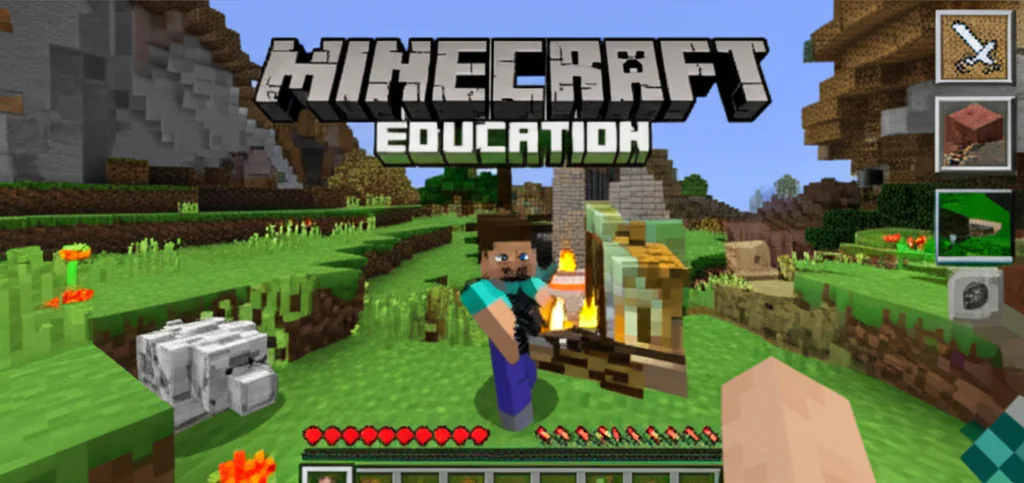
- Minecraft has a specialized version called Minecraft Education Edition, which offers lessons and kits sorted by subject.
- The game can be used to develop important skills like problem-solving, critical thinking, and collaboration.
From Blocks to Brilliance: A Brief History of Minecraft in Education

Minecraft was first released in 2009, but it wasn’t until 201 that it started to gain popularity as an educational tool. Since then, it has been used in thousands of classrooms around the world to teach a variety of subjects. The game’s ability to promote creativity, problem-solving, and critical thinking has made it a favorite among educators. In 2016, Microsoft acquired Minecraft and released Minecraft Education Edition, which is specifically designed for use in the classroom.
Is Minecraft Actually Educational? The Science Behind the Sandbox
Research has shown that Minecraft can be a highly effective tool for learning. A study by the National Center for Education Statistics found that students who used Minecraft in the classroom showed significant improvements in math and reading skills. Another study by the Journal of Educational Computing Research found that Minecraft can help students develop important skills like problem-solving, critical thinking, and collaboration. At Learning Game™, we believe that Minecraft can be a powerful tool for learning, and we offer a variety of Educational Games and Educational Apps that use Minecraft as a learning platform.
Safety First: Navigating Online Risks and Parental Controls
While Minecraft can be a highly educational tool, it’s also important to consider the potential risks associated with online gaming. At Learning Game™, we recommend that parents and educators take steps to ensure that children are using Minecraft safely and responsibly. This can include setting up parental controls, monitoring online activity, and teaching children about Digital Citizenship. By taking these steps, we can help ensure that children are using Minecraft in a way that is both fun and safe.
Top 15 Ways Minecraft Transforms Learning Across the Curriculum
Here are the top 15 ways that Minecraft can be used to transform learning across the curriculum:
- Mastering Math and Geometry Through Building: Minecraft can be used to teach math and geometry concepts like fractions, geometry, and measurement.
- Coding and Computational Thinking with Redstone: Minecraft’s Redstone system can be used to teach coding and computational thinking concepts like logic gates and programming.
- Historical Reconstruction and Social Studies: Minecraft can be used to recreate historical events and landmarks, teaching students about history and social studies.
- Creative Writing and Narrative Development: Minecraft can be used to teach creative writing and narrative development skills, as students can create their own stories and characters.
- Environmental Science and Sustainability: Minecraft can be used to teach environmental science and sustainability concepts like conservation, climate change, and renewable energy.
- Collaboration and Teamwork in Multiplayer Mode: Minecraft’s multiplayer mode can be used to teach collaboration and teamwork skills, as students work together to build and survive.
- Problem-Solving and Critical Thinking Challenges: Minecraft can be used to teach problem-solving and critical thinking skills, as students encounter challenges and obstacles in the game.
- Language Arts and Vocabulary Expansion: Minecraft can be used to teach language arts and vocabulary expansion skills, as students read and write about their experiences in the game.
- Special Education and Inclusive Learning Strategies: Minecraft can be used to teach special education and inclusive learning strategies, as students with different abilities can play and learn together.
- Art, Design, and Spatial Reasoning Skills: Minecraft can be used to teach art, design, and spatial reasoning skills, as students build and create in the game.
- Music Composition and Sound Engineering: Minecraft can be used to teach music composition and sound engineering skills, as students create and edit music in the game.
- Economics and Resource Management: Minecraft can be used to teach economics and resource management concepts like supply and demand, budgeting, and trade.
- Biology and Ecosystem Simulation: Minecraft can be used to teach biology and ecosystem simulation concepts like habitats, ecosystems, and conservation.
- Engineering and Architecture Fundamentals: Minecraft can be used to teach engineering and architecture fundamentals like design, construction, and physics.
- Global Citizenship and Cultural Exchange: Minecraft can be used to teach global citizenship and cultural exchange concepts like diversity, empathy, and international relations.
Minecraft Education Edition vs. Java vs. Bedrock: Which Version is Right for Your Classroom?
When it comes to choosing a version of Minecraft for the classroom, there are several options to consider. Minecraft Education Edition is specifically designed for use in the classroom and offers a range of features and tools that make it easy to integrate into lesson plans. Java and Bedrock are also popular versions of the game, but they may not offer the same level of educational content and support as Education Edition. At Learning Game™, we recommend using Minecraft Education Edition for its ease of use and educational content.
Getting Started: A Step-by-Step Guide for Teachers and Parents
Getting started with Minecraft in the classroom can be easy and fun. Here’s a step-by-step guide for teachers and parents:
- Step 1: Choose a Version: Choose a version of Minecraft that is right for your classroom or child.
- Step 2: Set Up the Game: Set up the game on your device or in your classroom.
- Step 3: Create a World: Create a new world in the game and customize it to fit your needs.
- Step 4: Add Players: Add players to the game and teach them how to play.
- Step 5: Start Learning: Start using Minecraft as a learning tool and have fun!
Best Minecraft Servers, Mods, and Educational Resources for 2024
Here are some of the best Minecraft servers, mods, and educational resources for 2024:
- Minecraft Education Edition: A specialized version of the game designed for use in the classroom.
- Minecraft Server: A server that allows players to play together online.
- Minecraft Mods: A range of mods that can be used to customize and extend the game.
- Minecraft Educational Resources: A range of educational resources, including lesson plans and activity ideas.
Real-World Success Stories: How Schools Are Using Minecraft to Change Lives
Minecraft is being used in schools around the world to change lives and improve learning outcomes. Here are some real-world success stories:
- School 1: A school in the US used Minecraft to teach math and science concepts to students with special needs.
- School 2: A school in the UK used Minecraft to teach history and social studies concepts to students.
- School 3: A school in Australia used Minecraft to teach environmental science and sustainability concepts to students.
Is Minecraft safe for kids?
Minecraft can be a safe and fun game for kids, but it’s also important to consider the potential risks associated with online gaming. At Learning Game™, we recommend that parents and educators take steps to ensure that children are using Minecraft safely and responsibly. This can include setting up parental controls, monitoring online activity, and teaching children about Digital Citizenship. By taking these steps, we can help ensure that children are using Minecraft in a way that is both fun and safe.
What is Minecraft?
Minecraft is a popular online game that allows players to build and explore a blocky world. The game has a range of features and tools that make it easy to use and fun to play. At Learning Game™, we believe that Minecraft can be a powerful tool for learning, and we offer a variety of Educational Games and Educational Apps that use Minecraft as a learning platform.
Is Minecraft Educational?
Yes, Minecraft can be a highly educational game. The game has a range of features and tools that make it easy to use and fun to play, and it can be used to teach a variety of subjects, including math, science, history, and language arts. At Learning Game™, we believe that Minecraft can be a powerful tool for learning, and we offer a variety of Educational Games and Educational Apps that use Minecraft as a learning platform.
FunTechBlog
At Learning Game™, we believe that learning should be fun and engaging. That’s why we offer a range of Educational Games and Educational Apps that use Minecraft as a learning platform. Our games and apps are designed to be fun and engaging, while also teaching important skills and concepts.
Keep me informed
At Learning Game™, we believe that it’s also important to keep parents and educators informed about the latest developments in educational gaming. That’s why we offer a range of resources and updates on our website, including Educational Games, Educational Apps, and Edutainment.
What is Minecraft Education?
Minecraft Education is a specialized version of the game designed for use in the classroom. It offers a range of features and tools that make it easy to integrate into lesson plans, and it can be used to teach a variety of subjects, including math, science, history, and language arts.
How does Minecraft promote creativity and problem-solving in students?
Minecraft promotes creativity and problem-solving in students by allowing them to build and explore a blocky world. The game has a range of features and tools that make it easy to use and fun to play, and it can be used to teach a variety of subjects, including math, science, history, and language arts. At Learning Game™, we believe that Minecraft can be a powerful tool for learning, and we offer a variety of Educational Games and Educational Apps that use Minecraft as a learning platform.
How can Minecraft be used to enhance classroom learning?
Minecraft can be used to enhance classroom learning by providing a fun and engaging way to teach important skills and concepts. The game has a range of features and tools that make it easy to integrate into lesson plans, and it can be used to teach a variety of subjects, including math, science, history, and language arts. At Learning Game™, we believe that Minecraft can be a powerful tool for learning, and we offer a variety of Educational Games and Educational Apps that use Minecraft as a learning platform.
How can Minecraft be used to teach math in the classroom?
Minecraft can be used to teach math in the classroom by providing a fun and engaging way to learn important math concepts. The game has a range of features and tools that make it easy to integrate into lesson plans, and it can be used to teach a variety of math subjects, including fractions, geometry, and measurement. At Learning Game™, we believe that Minecraft can be a powerful tool for learning, and we offer a variety of Educational Games and Educational Apps that use Minecraft as a learning platform.
What are the best Minecraft educational game modes for students?
The best Minecraft educational game modes for students include Minecraft Education Edition, Minecraft Server, and Minecraft Mods. These game modes offer a range of features and tools that make it easy to integrate into lesson plans, and they can be used to teach a variety of subjects, including math, science, history, and language arts.
Is Minecraft Education Edition free for teachers?
Minecraft Education Edition is not free for teachers, but it is available at a discounted rate for educational institutions. At Learning Game™, we believe that Minecraft can be a powerful tool for learning, and we offer a variety of Educational Games and Educational Apps that use Minecraft as a learning platform.
How does Minecraft help develop problem-solving skills in kids?
Minecraft helps develop problem-solving skills in kids by providing a fun and engaging way to learn important skills and concepts. The game has a range of features and tools that make it easy to use and fun to play, and it can be used to teach a variety of subjects, including math, science, history, and language arts. At Learning Game™, we believe that Minecraft can be a powerful tool for learning, and we offer a variety of Educational Games and Educational Apps that use Minecraft as a learning platform.
What age group is Minecraft most effective for learning?
Minecraft is most effective for learning for kids aged 6-12. At Learning Game™, we believe that Minecraft can be a powerful tool for learning, and we offer a variety of Educational Games and Educational Apps that use Minecraft as a learning platform.
Can Minecraft be used to teach coding and computer science?
Yes, Minecraft can be used to teach coding and computer science. The game has a range of features and tools that make it easy to integrate into lesson plans, and it can be used to teach a variety of coding and computer science subjects, including Java, Python, and HTML. At Learning Game™, we believe that Minecraft can be a powerful tool for learning, and we offer a variety of Educational Games and Educational Apps that use Minecraft as a learning platform.
How do I set up a Minecraft classroom for remote learning?
To set up a Minecraft classroom for remote learning, you will need to follow these steps:
- Step 1: Choose a Version: Choose a version of Minecraft that is right for your classroom.
- Step 2: Set Up the Game: Set up the game on your device or in your classroom.
- Step 3: Create a World: Create a new world in the game and customize it to fit your needs.
- Step 4: Add Players: Add players to the game and teach them how to play.
- Step 5: Start Learning: Start using Minecraft as a learning tool and have fun!
For more information on setting up a Minecraft classroom, check out Minecraft Education Edition and Learning Game™.
You can also check out the following products:
- Minecraft Education Edition: Amazon | Microsoft Store | Minecraft Official Website
- Minecraft Server: Amazon | Microsoft Store | Minecraft Official Website
- Minecraft Mods: Amazon | Microsoft Store | Minecraft Official Website