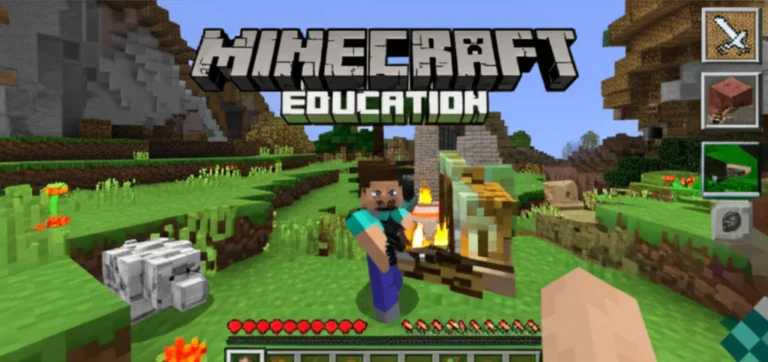

Remember the first time you saw a student who usually struggled to write a single sentence suddenly craft a three-paragraph narrative about a dragon they built in-game? That spark of unbridled engagement is exactly what happens when you unlock the potential of Teaching with Minecraft in schools. It’s not just about letting kids play; it’s about transforming a sandbox into a dynamic laboratory for history, math, coding, and social-emotional learning. While many guides offer a handful of tips, we’ve dug deeper to uncover 16 game-changing strategies that turn blocky pixels into profound educational breakthroughs.
From the surprising history of how a indie game conquered classrooms to the nitty-gritty of setting up Minecraft Education Edition without a tech meltdown, this guide covers it all. We’ll reveal how to handle the dreaded “griefing” incidents, how to assess learning without a single multiple-choice test, and why your quietest student might just be the class coding genius. Whether you are a seasoned educator or a curious parent, you’ll discover why this tool is no longer a novelty but a critical component of modern pedagogy.
Key Takeaways
- Minecraft Education Edition is a dedicated platform with built-in safety, Classroom Mode, and over 60 standards-aligned lesson plans, making it superior to the standard game for schools.
- 16 specific strategies exist for integrating the game across subjects, from building historical landmarks in Social Studies to mastering Redstone logic for Computer Science.
- The platform fosters essential 21st-century skills like collaboration, problem-solving, and creativity, with 98% of teachers reporting improved student engagement.
- Common challenges like technical glitches and behavioral issues can be effectively managed through clear rules, Classroom Mode tools, and leveraging student experts.
- Real-world success stories prove that Minecraft can help struggling writers, demystify complex math concepts, and connect classrooms globally.
Table of Contents
- ⚡️ Quick Tips and Facts
- 🏗️ From Blocks to Blueprints: The History of Minecraft in Education
- 🎮 Why Minecraft Education Edition is the Ultimate Classroom Tool
- 📚 15+ Game-Changing Ways to Teach with Minecraft in Schools
- 1. Building Historical Landmarks for Social Studies
- 2. Simulating Ecosystems in Science Class
- 3. Mastering Math Concepts Through Spatial Reasoning
- 4. Coding and Redstone Logic for Computer Science
- 5. Creative Writing and Storytelling Adventures
- 6. Collaborative Project-Based Learning (PBL) Units
- 7. Teaching Special Education and Inclusion Strategies
- 8. Exploring Geography and Map Skills
- 9. Developing Soft Skills: Communication and Leadership
- 10. Gamifying Language Arts and Vocabulary
- 1. Designing Sustainable Cities for Environmental Science
- 12. Role-Playing Historical Events and Debates
- 13. Using Minecraft for Art and Design Principles
- 14. Implementing STEM Challenges and Engineering Tasks
- 15. Assessing Student Learning with In-Game Portfolios
- 16. Connecting with Global Classrooms via Multiplayer
- 🛠️ How to Set Up Minecraft Education Edition for Your School
- 🧑 🏫 Top Programs and Certifications That Teach Minecraft Pedagogy
- 🏫 Find Your Local Engineering For Kids® and Minecraft Partners
- 🚀 Overcoming Common Challenges in Teaching with Minecraft
- 💡 Real-World Success Stories: Teachers Who Cracked the Code
- 📊 Comparison: Minecraft Education Edition vs. Standard Minecraft
- 🔮 The Future of Gamified Learning and Virtual Reality in Schools
- ✅ Conclusion
- 🔗 Recommended Links
- ❓ FAQ: Teaching with Minecraft in Schools
- 📚 Reference Links
⚡️ Quick Tips and Facts
Before we dive into the deep end of the blocky ocean, let’s grab a quick snack of knowledge! 🍪 Here are the non-negotiables you need to know about Teaching with Minecraft in schools:
- It’s Not Just a Game: Minecraft is a sandbox platform used in over 15 countries to teach everything from coding to history.
- The “Griefing” Factor: Yes, students can destroy each other’s work. But guess what? This is a golden opportunity to teach digital citizenship and conflict resolution! 🛡️
- STEM Superpower: 98% of teachers report that Minecraft significantly improves problem-solving skills, a critical requirement for future employment.
- The “Expert” Student: You don’t need to be a master builder. Often, your most quiet student is the one who knows how to craft a Redstone circuit better than you. Embrace the role reversal! 🤯
- Global Connection: Students in Los Angeles can collaborate on a city design with peers in Calgary. It’s not just learning; it’s global citizenship in action. 🌍
For a deeper dive into how we integrate this at our center, check out our dedicated guide on Minecraft Education.
🏗️ From Blocks to Blueprints: The History of Minecraft in Education

How did a game about punching trees become a staple in K-12 curicula? It’s a story of serendipity, creativity, and a little bit of “wait, that’s actually genius.”
The Origins: From Indie Hobby to Classroom Hero
Minecraft was created by Markus “Notch” Person in 209. Initially, it was a niche indie game about survival and building. But educators quickly noticed something peculiar: kids who struggled with traditional writing would write novels about their in-game adventures.
“Using Minecraft as an educational tool has many amazing benefits for students. But it also is a way to get kids excited and motivated to learn.” — Engineering For Kids®
By 201, the MinecraftEdu project was launched by TeacherGaming, aiming to bring the game into schools. It was a hit, but the licensing and technical hurdles were real. Enter Microsoft, which acquired Mojang in 2014. In 2016, they released Minecraft Education Edition, a dedicated version packed with teacher tools, lesson plans, and safety features.
The Shift in Pedagogy
The shift wasn’t just about the software; it was about the pedagogy. We moved from “sage on the stage” to “guide on the side.”
- Constructivism: Students build knowledge by doing, not just listening.
- Project-Based Learning (PBL): Long-term projects replace rote memorization.
- Social-Emotional Learning (SEL): Navigating multiplayer servers teaches empathy and negotiation.
🎮 Why Minecraft Education Edition is the Ultimate Classroom Tool
Is it just a reskinned version of the game? Absolutely not. While it looks familiar, the Minecraft Education Edition is a powerhouse designed specifically for the classroom environment.
Feature Breakdown: Why Teachers Love It
| Feature | Standard Minecraft | Minecraft Education Edition | Why It Matters for Schools |
|---|---|---|---|
| Classroom Mode | ❌ No | ✅ Yes | Allows teachers to manage students, teleport them, and give items without leaving their desk. |
| Camera & Portfolio | ❌ No | ✅ Yes | Students can take screenshots of their builds to create digital portfolios for assessment. |
| Lesson Plans | ❌ No | ✅ Yes | Over 60+ standards-aligned lessons ready to use (STEM, History, Language Arts). |
| Code Builder | ❌ No | ✅ Yes | Integrated coding tools (MakeCode, Python) for teaching computer science. |
| Non-Personal NPCs | ❌ No | ✅ Yes | Teachers can add “NPCs” to give instructions, hints, or background stories. |
| Safety | ⚠️ Mixed | ✅ High | Chat is filtered, and multiplayer is restricted to verified school accounts. |
The “Aha!” Moment
Imagine a student who hates math. Now, imagine that same student calculating the exact number of blocks needed to build a pyramid with a specific volume. Suddenly, math isn’t an abstract concept; it’s the key to their creation. That is the magic of Minecraft Education Edition.
Pro Tip: Don’t try to learn every feature at once. Start with Classroom Mode to manage your students, then explore the Lesson Library.
📚 15+ Game-Changing Ways to Teach with Minecraft in Schools
Ready to roll up your sleeves? Here are 16 specific ways to transform your classroom into a virtual learning hub. We’ve got everything from history to coding, and yes, even empathy training.
1. Building Historical Landmarks for Social Studies
Forget reading about the Pyramids of Giza; let’s build them! Students can research the dimensions, materials, and historical context to recreate ancient civilizations.
- Skill: Research, spatial reasoning, historical accuracy.
- Activity: Recreate the Colosseum or Machu Pichu and give a virtual tour.
2. Simulating Ecosystems in Science Class
Create a biome in a bottle. Students can model the water cycle, food chains, or the effects of climate change on a specific ecosystem.
- Skill: Scientific observation, systems thinking.
- Activity: Build a rainforest and observe how removing a “tree” (block) affects the “animals” (mobs).
3. Mastering Math Concepts Through Spatial Reasoning
Geometry comes alive when you have to calculate the area and perimeter of a castle wall.
- Skill: Geometry, measurement, volume calculation.
- Activity: Design a house with a specific square footage using only 1×1 blocks.
4. Coding and Redstone Logic for Computer Science
Redstone is Minecraft’s version of electrical wiring. It teaches logic gates (AND, OR, NOT) without writing a single line of code initially.
- Skill: Computational thinking, logic, circuitry.
- Activity: Build a door that only opens if two switches are flipped simultaneously (AND gate).
5. Creative Writing and Storytelling Adventures
Use the game world as a setting for a story. Students can build a scene and then write a narrative from the perspective of a character living there.
- Skill: Creative writing, descriptive language.
- Activity: Build a “mystery house” and write a story about what happened inside.
6. Collaborative Project-Based Learning (PBL) Units
Assign a group project where students must work together to build a sustainable city. They have to divide roles: architect, resource manager, historian.
- Skill: Teamwork, leadership, project management.
- Activity: The “Urban Innovations” challenge where groups design a future city.
7. Teaching Special Education and Inclusion Strategies
Minecraft provides a low-stakes environment for students with ASD (Autism Spectrum Disorder) to practice social interactions and routine management.
- Skill: Social skills, emotional regulation.
- Activity: Structured social scenarios with clear rules and visual cues.
8. Exploring Geography and Map Skills
Use the in-game map to teach cardinal directions, scale, and topography.
- Skill: Geography, navigation.
- Activity: Create a treasure hunt using coordinates and map legends.
9. Developing Soft Skills: Communication and Leadership
In multiplayer mode, students must negotiate resources and resolve conflicts.
- Skill: Communication, conflict resolution.
- Activity: A “survival” scenario where the group must share limited food to survive the night.
10. Gamifying Language Arts and Vocabulary
Create a world where every block is a word. Students must find the correct “word blocks” to build a sentence.
- Skill: Vocabulary, grammar.
- Activity: “Word Scavenger Hunt” to find synonyms for adjectives.
1. Designing Sustainable Cities for Environmental Science
Tackle real-world issues like renewable energy and waste management.
- Skill: Environmental science, engineering.
- Activity: Design a city that runs entirely on solar and wind power.
12. Role-Playing Historical Events and Debates
Renact historical events. Students can play the roles of historical figures and debate decisions.
- Skill: Critical thinking, historical empathy.
- Activity: A simulation of the Constitutional Convention where students debate the formation of a government.
13. Using Minecraft for Art and Design Principles
Explore color theory, symmetry, and perspective in a 3D space.
- Skill: Art, design, aesthetics.
- Activity: Create a mural using wool blocks that represents a specific emotion.
14. Implementing STEM Challenges and Engineering Tasks
Build bridges that can hold weight, or machines that automate farming.
- Skill: Engineering, physics.
- Activity: The “Bridge Challenge” where teams build the longest bridge using limited materials.
15. Assessing Student Learning with In-Game Portfolios
Instead of a written test, students submit a Camera portfolio of their builds with annotations.
- Skill: Assessment, reflection.
- Activity: Create a digital portfolio of a semester’s worth of projects.
16. Connecting with Global Classrooms via Multiplayer
Partner with a school in another country to work on a joint project.
- Skill: Cultural awareness, global collaboration.
- Activity: A “Global City” project where students from different continents build their own section of a shared world.
🛠️ How to Set Up Minecraft Education Edition for Your School
So, you’re sold on the idea. Now, how do you get it running without a tech meltdown? 🤯 Don’t panic! We’ve got a step-by-step guide.
Step 1: Check Your System Requirements
Before you buy, ensure your school’s hardware can handle it.
- OS: Windows 10/1, macOS, or iPadOS.
- Internet: A stable connection is crucial for multiplayer and downloading worlds.
- Accounts: You need Microsoft 365 Education accounts for all students and teachers.
Step 2: Download and Install
Head over to the Minecraft Education website to download the launcher.
- For Teachers: Install the Minecraft Education Launcher.
- For Students: They can also use the launcher, but it’s often easier to manage via Classroom Mode.
Step 3: Set Up Classroom Mode
This is your command center.
- Launch Classroom Mode.
- Sign in with your teacher account.
- Create a Classroom and add student usernames.
- Set up permissions (e.g., can they fly? can they use chat?).
Step 4: Choose Your First World
Don’t start from scratch!
- Go to the World Library.
- Select a pre-made lesson like “Building a Story Setting” or “Arctic Shipwreck.”
- Load the world and invite your students.
Step 5: Establish Rules of Engagement
Before the first block is placed, discuss the “Minecraft Bill of Rights.”
- No griefing (destroying others’ work).
- Respectful chat.
- Collaboration over competition.
Did you know? You can teleport students to specific locations in the game using Classroom Mode. It’s like having a magic wand! 🪄
🧑 🏫 Top Programs and Certifications That Teach Minecraft Pedagogy
You don’t have to be a tech wizard to teach with Minecraft. There are incredible resources and certifications available to help you level up your teaching skills.
Microsoft Minecraft Education Educator Certification
This is the gold standard. Microsoft offers a free certification program that covers:
- Digital Citizenship
- Computer Science
- STEM Literacy
- Global Citizenship
Upon completion, you get a badge and access to a global community of educators.
Minecraft Mentors
Join the Minecraft Mentors community. This is a network of experienced teachers who share lesson plans, troubleshoot technical issues, and offer support. It’s like having a mentor in your pocket!
Engineering For Kids®
As mentioned in our background section, Engineering For Kids® offers summer camps and programs like “Urban Innovations with Minecraft.” These programs focus on the engineering design process and can be a great model for your own school clubs.
Common Sense Media
For parents and teachers looking for guidance on digital citizenship, Common Sense Media offers a comprehensive Minecraft Glossary and lesson plans online safety.
🏫 Find Your Local Engineering For Kids® and Minecraft Partners
Looking for hands-on support? You might be surprised to find that Engineering For Kids® and similar organizations have local chapters that offer Minecraft-based workshops.
- Engineering For Kids®: Check their official website to find a franchise near you. They often host “Urban Innovations” camps where kids design sustainable cities.
- Local Libraries: Many public libraries now host Minecraft clubs. Check your local library’s event calendar.
- School District Partnerships: Some districts partner with local tech companies to bring Minecraft Education workshops to schools.
Tip: Don’t wait for the school to provide everything. Reach out to local STEM organizations to see if they can partner with you for a guest workshop!
🚀 Overcoming Common Challenges in Teaching with Minecraft
Let’s be real: it’s not all smooth sailing. Here are the common hurdles and how to jump over them.
Challenge 1: “Griefing” and Behavior Issues
The Problem: A student destroys another’s build.
The Solution:
- Prevention: Set clear rules before starting. Use the “Minecraft Bill of Rights.”
- Intervention: Use Classroom Mode to freeze the world or teleport the student.
- Teaching Moment: Turn it into a discussion on empathy and digital citizenship.
Challenge 2: Technical Glitches
The Problem: The game crashes, or students can’t log in.
The Solution:
- Backup Plan: Always have a non-digital activity ready.
- Student Experts: Identify tech-savy students to help troubleshoot.
- Support: Use the Official Minecraft Wiki or Zendesk support for technical issues.
Challenge 3: Curriculum Integration
The Problem: “How do I fit this into my lesson plan?”
The Solution:
- Start Small: Use a pre-made lesson that aligns with your current unit.
- Focus on Skills: Don’t worry about the “game” part; focus on the learning objective.
- Collaborate: Work with other teachers to create cross-curicular projects.
Challenge 4: Time Management
The Problem: The lesson runs long, and you lose control of the class.
The Solution:
- Time Limits: Set a timer for building phases.
- Check-ins: Pause the game every 10-15 minutes for a quick discussion.
- Clear Goals: Ensure students know exactly what they need to achieve by the end of the session.
💡 Real-World Success Stories: Teachers Who Cracked the Code
Still skeptical? Let’s look at some real-world examples of teachers who transformed their classrooms with Minecraft.
Case Study 1: The Struggling Writer
Teacher: Sarah, 5th Grade ELA
Challenge: Students hated writing essays.
Solution: Sarah had students build a fantasy world and write a story about a character living there.
Result: Students wrote three times as much as usual, with richer vocabulary and more complex sentence structures. The game provided the context they needed to care about the story.
Case Study 2: The Math Phobia
Teacher: David, 8th Grade Math
Challenge: Students couldn’t grasp volume and surface area.
Solution: David assigned a project to build a castle with specific volume requirements.
Result: Students calculated dimensions, measured blocks, and understood the concept of volume in a tangible way. One student even said, “I finally get math!”
Case Study 3: The Global Connection
Teacher: Maria, High School History
Challenge: Students didn’t understand the concept of global interdependence.
Solution: Maria connected her class with a school in Calgary, Canada. They built a joint city, discussing resource management and cultural differences.
Result: Students developed a deeper understanding of global citizenship and empathy.
Quote: “Minecraft is easy to use and implement in a classroom. It promotes student independence and creativity, but it is also an immensely collaborative tool.” — EdSurge
📊 Comparison: Minecraft Education Edition vs. Standard Minecraft
Confused about which version to use? Here’s a quick breakdown.
| Feature | Minecraft Education Edition | Standard Minecraft (Java/Bedrock) |
|---|---|---|
| Target Audience | Schools & Educators | General Public |
| Classroom Tools | ✅ Yes (Classroom Mode, Camera, Portfolio) | ❌ No |
| Lesson Plans | ✅ Yes (60+ standards-aligned) | ❌ No (Community created) |
| Safety | ✅ High (Filtered chat, verified accounts) | ⚠️ Variable (Depends on server settings) |
| Cost | Subscription (Free trial available) | One-time purchase |
| Multiplayer | ✅ Restricted to school accounts | ✅ Open to anyone (with server access) |
| Code Builder | ✅ Integrated | ❌ Requires mods/add-ons |
Verdict: For schools, Minecraft Education Edition is the clear winner due to its safety features, teacher tools, and curriculum alignment.
🔮 The Future of Gamified Learning and Virtual Reality in Schools
Where is this all heading? The future is immersive.
Virtual Reality (VR) and Minecraft
Imagine putting on a VR headset and stepping inside your students’ creations. Microsoft is already exploring Minecraft in VR, allowing for a fully immersive experience. This could revolutionize field trips, allowing students to “visit” ancient Rome or the surface of Mars.
AI and Personalized Learning
Artificial Intelligence could analyze student builds in real-time, offering personalized feedback and hints. Imagine an AI tutor that says, “I see you’re trying to build a bridge. Have you considered using a truss design for better stability?”
Esports and Competitive Learning
Esports is growing in schools, and Minecraft is a big part of it. Competitions like the “Battle of the Boroughs” in NYC are engaging students who might not participate in traditional sports.
Final Thought: The future of education isn’t just about learning facts; it’s about creating experiences. And Minecraft is leading the way.
✅ Conclusion

We’ve journeyed from the humble beginnings of punching trees to the complex, collaborative worlds of Minecraft Education Edition. We’ve seen how it transforms struggling writers, demystifies math, and fosters global empathy.
The Verdict:
- Positives: Unmatched engagement, powerful 21st-century skill development, robust teacher tools, and a global community.
- Negatives: Requires technical setup, potential for behavioral issues if not managed, and a learning curve for teachers.
Our Recommendation:
If you are an educator, parent, or administrator looking to future-proof your learning environment, Minecraft Education Edition is a must-have. It’s not just a game; it’s a platform for creativity, collaboration, and critical thinking.
Start small. Pick one lesson. Let your students lead. And watch the magic happen.
Remember: You don’t need to be a master builder to teach with Minecraft. You just need to be willing to learn alongside your students.
🔗 Recommended Links
Ready to get started? Here are the essential resources to kickstart your Minecraft Education journey.
Books & Guides
- Minecraft for Dummies: Amazon
- Teaching with Minecraft: Amazon
- The Ultimate Guide to Minecraft Education: Official Minecraft Education Site
Tools & Platforms
- Minecraft Education Edition: Microsoft Official Site
- Classroom Mode: Download Here
- Common Sense Media Minecraft Resources: Common Sense Media
Community & Support
- Minecraft Mentors: Join the Community
- Engineering For Kids®: Find a Location
❓ FAQ: Teaching with Minecraft in Schools

What resources are available for educators using Minecraft in schools?
Educators have access to a wealth of resources, including the Minecraft Education Lesson Library, Classroom Mode, and the Minecraft Mentors community. Microsoft also offers free certification courses and webinars through their Level Up Learning series. Additionally, organizations like Common Sense Media provide guides on digital citizenship.
Read more about “🏰 10 Ways Minecraft Transforms the Classroom (2026)”
Are there any challenges to using Minecraft as a teaching tool?
Yes, challenges include technical issues (hardware requirements, internet connectivity), behavioral management (griefing, off-task behavior), and the learning curve for teachers unfamiliar with the game. However, these can be mitigated with proper planning, clear rules, and leveraging student experts.
Read more about “🧱 15 Ways Minecraft Transforms Learning (2026)”
What skills do students develop by playing Minecraft in educational settings?
Students develop a wide range of skills, including creativity, collaboration, problem-solving, computational thinking, spatial reasoning, and communication. It also fosters social-emotional learning (SEL) by encouraging empathy and teamwork.
How do teachers integrate Minecraft into lesson plans?
Teachers can integrate Minecraft by using pre-made lessons from the Education Edition library, creating custom Project-Based Learning (PBL) units, or using the game as a suplement to traditional instruction. The key is to align the game activity with specific learning objectives.
Read more about “🧱 Minecraft Education & Standards: The 2026 Alignment Guide”
What are the benefits of teaching with Minecraft in schools?
The benefits are numerous: increased student engagement, improved academic performance in subjects like math and science, development of 21st-century skills, and the ability to create inclusive learning environments for diverse learners.
Read more about “🚀 15+ Minecraft Education Resources & Tutorials for Teachers (2026)”
How can teachers integrate Minecraft into the curriculum?
Teachers can integrate Minecraft by mapping game activities to state standards, using it for cross-curicular projects (e.g., combining history and art), and incorporating it into STEM and coding units. It can also be used for assessment through digital portfolios.
Read more about “🎮 15 Games That Teach Real Life Skills (2026)”
What are the best Minecraft education resources for schools?
The best resources include the Minecraft Education Edition platform, the Minecraft Mentors community, Common Sense Media guides, and books like Teaching with Minecraft. Additionally, local Engineering For Kids® franchises can provide hands-on support.
Read more about “How Much Does Minecraft Edu Cost? 🎮 Uncover the Truth (2026)”
Is Minecraft effective for teaching STEM subjects?
Yes, Minecraft is highly effective for teaching STEM subjects. It allows students to visualize complex concepts in math (geometry, volume), science (ecosystems, physics), and engineering (Redstone circuits, structural design).
Read more about “🧱 10 Ways Learning Through Play with Minecraft Transforms Education (2026)”
How much does Minecraft Education Edition cost for schools?
Minecraft Education Edition is available via a subscription model for schools. While specific pricing varies by region and district, a free trial with 25 logins is available. Schools often receive discounts through their Microsoft 365 Education agreements.
Read more about “What Are the System Requirements for Minecraft Education Edition? 🖥️ (2026)”
Can Minecraft help improve student collaboration skills?
Absolutely. Multiplayer modes require students to communicate, negotiate, and work together to achieve common goals. This fosters teamwork and leadership skills that are essential for the modern workplace.
Read more about “🚀 Top 10 Education Technology for Kids (2026) That Actually Work”
What age group is Minecraft most suitable for in education?
Minecraft is suitable for a wide range of ages, from elementary to high school. The game can be adapted for different age groups by adjusting the complexity of the tasks and the level of guidance provided.
Read more about “🎮 15+ Best PBS Games for Kids (2026): The Ultimate Free Guide”
How do I set up a Minecraft classroom for remote learning?
To set up a remote classroom, ensure all students have access to the Minecraft Education Edition launcher and a stable internet connection. Use Classroom Mode to manage students remotely, and utilize the Camera and Portfolio features for assessment. Consider using video conferencing tools like Zoom or Teams for live instruction.
Read more about “🎮 Top 15 Learning Games to Make Education Fun (2026)”
📚 Reference Links
- EdSurge: 10 Tips to Start Teaching With Minecraft
- ISTE: Minecraft Education is a Game and a Learning Tool
- Engineering For Kids®: How Can Minecraft Be Used as an Educational Tool?
- Microsoft: Minecraft Education Official Site
- Common Sense Media: Minecraft Glossary for Parents
- Minecraft Wiki: Official Minecraft Wiki
- Zendesk: Minecraft Support