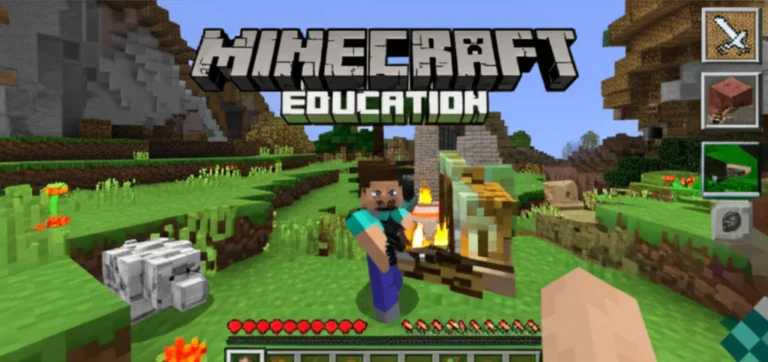
Imagine a classroom where the silence of boredom is shattered by the excited chatter of students debating the best way to build a sustainable city or arguing over the chemical formula for a potion. This isn’t a fantasy; it’s the reality for educators who have unlocked the potential of Minecraft in the classroom. While standard tutorials might focus on the technicalities of “Classroom Mode,” we believe the true magic lies not in the software setup, but in the pedagogical shift that occurs when students become active creators rather than passive listeners.
At Learning Game™, we’ve watched skeptics turn into believers as they witness a student who struggles with traditional essays suddenly craft a complex historical narrative in 3D, or a group of reluctant math students intuitively grasp volume by counting blocks. Did you know that nearly 98% of teachers report improved problem-solving skills when using the game? That’s not just a stat; it’s a revolution in how we approach STEM, literacy, and social-emotional learning.
In this guide, we aren’t just listing features; we are revealing 10 game-changing strategies to integrate this powerful tool into your lesson plans, from simulating ecosystems to coding with Python. Whether you are a tech-savy veteran or a teacher wondering if you can handle the “crepers” of classroom management, we have the roadmap you need. Ready to stop just teaching and start building? Let’s dive into the blocks.
Key Takeaways
- 🚀 Transform Engagement: Minecraft in the classroom shifts students from passive consumers to active creators, boosting retention and motivation across all subjects.
- 🧠 Skill Development: The platform fosters critical 21st-century skills, including collaboration, computational thinking, spatial reasoning, and digital citizenship.
- 📚 Cross-Curicular Power: From visualizing geometry and simulating chemistry to recreating history and enhancing creative writing, the applications are limitless.
- 🛠️ Strategic Implementation: Success requires more than just launching the game; it demands clear norms, intentional lesson design, and the effective use of Classroom Mode.
- ✅ Proven Results: Research indicates significant improvements in problem-solving and numeracy, making it a vital tool for modern education.
Table of Contents
- ⚡️ Quick Tips and Facts
- 🏰 From Pixelated Blocks to Pedagogical Powerhouses: A Brief History of Minecraft in Education
- 🚀 Getting Started: Setting Up Minecraft Education Edition in Your Classroom
- 🎮 10 Game-Changing Ways to Integrate Minecraft into Your Lesson Plans
- 📚 Building Literacy: Enhancing Reading Comprehension and Creative Writing
- 🧮 Math Magic: Visualizing Geometry, Fractions, and Problem Solving
- 🌍 Social Studies Unlocked: Recreating History and Exploring Geography
- 🧪 Science in the Sandbox: Simulating Ecosystems and Chemical Reactions
- 🤝 Fostering Collaboration and Digital Citizenship in a Virtual World
- 🛠️ Essential Tools and Plugins to Supercharge Your Minecraft Classroom
- 👩 🏫 Teacher Success Stories: Real-World Anecdotes from the Frontlines
- 🛡️ Troubleshooting Common Tech Hiccups and Classroom Management Tips
- 📊 The Research Is In: What Studies Say About Learning Outcomes
- 🏆 Conclusion: Why Minecraft Belongs in Every Modern Classroom
- 🔗 Recommended Links
- ❓ Frequently Asked Questions (FAQ)
- 📖 Reference Links
⚡️ Quick Tips and Facts
Before we dive into the deep end of the blocky ocean, let’s hit the pause button (just like you can in-game!) and grab a few essential nugets of wisdom. At Learning Game™, we’ve seen classrooms transform from rows of silent desks into buzzing hubs of collaborative creation, but it doesn’t happen by magic (or a random spawn of a Creeper).
Here is the lowdown on why Minecraft in the classroom is more than just a trend:
- 📈 Massive Engagement: Did you know that nearly 131 million people played Minecraft monthly as of 2020? That’s a lot of potential learners! When students are engaged, retention skyrockets.
- 🧠 Skill Over Score: It’s not about who gets the most diamonds first. Teachers report that 98% see improvements in problem-solving, and 71% note better numeracy and computational thinking.
- 🛠️ The Right Tool: You can’t just use the standard game. For education, you need Minecraft Education Edition, which includes Classroom Mode, a teacher dashboard that lets you freeze time, teleport students, and manage chat.
- 🌍 Global Connection: Students aren’t just building in a vacuum. They can collaborate with peers across the globe, fostering digital citizenship and cross-cultural communication.
- 🚀 No Coding? No Problem: While it’s a coding powerhouse, you don’t need to be a software engineer to start. The visual interface allows for immediate creativity, with coding (using Code Builder) as an optional layer for advanced learners.
Curious how a simple block game can teach complex chemistry or historical empathy? We’ll unravel that mystery as we journey through the “Chemistry Lesson” and “Historical Dioramas” later in this guide. But first, let’s look at how we got here.
For a deeper dive into our specific curriculum strategies, check out our dedicated guide on Minecraft Education.
🏰 From Pixelated Blocks to Pedagogical Powerhouses: A Brief History of Minecraft in Education

You might think Minecraft was born in a classroom, but its origins are far more rebellious. Created by Mojang Studios (now owned by Microsoft) by Markus “Notch” Person, the game launched in 201 as a sandbox for pure creativity. It was the digital equivalent of giving a child a million LEGOs and saying, “Go wild.”
But educators quickly realized that “wild” could be directed.
The Evolution of Educational Integration
- 201-2015: Teachers began using the standard game unofficialy. It was a “wild west” era where teachers had to manage their own servers and figure out safety protocols on the fly.
- 2016: The game-changer arrived. Minecraft Education Edition was officially released on November 1, 2016. This wasn’t just a skin; it was a complete overhaul with features like Chemistry, Camera, Portfolio, and Classroom Mode.
- Present Day: Today, it’s a staple in schools worldwide, integrated into national curicula for subjects ranging from STEM to Social-Emotional Learning (SEL).
Why the Shift?
The shift from “just a game” to a “pedagogical powerhouse” happened because of constructivism. Instead of passively absorbing facts, students construct knowledge by building it. As noted by Andrew Miller in his analysis for Edutopia, the game forces students to “read” the environment carefully, making inferences and interpreting domain-specific words, much like analyzing a complex text.
Wait, does this mean we can finally stop lecturing for 45 minutes straight?
Not entirely! The teacher’s role shifts from “sage on the stage” to “guide on the side.” We’ll explore exactly how to manage that shift in the Classroom Management section later.
🚀 Getting Started: Setting Up Minecraft Education Edition in Your Classroom
So, you’re convinced. You want to bring the blocky world into your room. But where do you start? Don’t panic! We’ve got a step-by-step guide that’s easier than crafting a diamond pickaxe.
Step 1: Choose Your License
First, you need access. Minecraft Education is available through school licenses.
- Schools: Contact your IT department or administrator to purchase a site license.
- Individuals: You can buy a subscription directly from Microsoft or through authorized resellers.
Step 2: Install the Software
- Download: Head to the Minecraft Education website to download the installer.
- Compatibility: Ensure your devices meet the requirements. Note that Classroom Mode is not compatible with Windows 7. It works best on Windows 10/1, macOS, and ChromeOS.
Step 3: Master Classroom Mode
This is your command center. Think of it as the teacher’s remote control for the entire class.
- Launch: Open Classroom Mode from your Start Menu.
- Connect: Ask the world host (you or a student leader) to type
/connectin the game chat. - Manage: Use the map to see where students are, teleport them if they get lost, and pause the game instantly if chaos ensues.
Step 4: Set the Rules (The “Norms”)
Before the first block is placed, establish digital citizenship rules.
- Chat Etiquette: Is chat open? Should it be disabled?
- Griefing: Can students destroy others’ builds? (Usually, no, unless it’s a specific demolition derby activity).
- Time Limits: How long is the session?
Pro Tip: Don’t forget to take time to set norms and expectations. As Andrew Miller advises, “Don’t forget to take time to set norms and expectations.” Without them, your classroom can quickly turn into a “Nob vs Pro” disaster zone.
Step 5: Explore the Lesson Library
Once logged in, navigate to the Lesson Library within the app. Here you’ll find pre-made lessons for Math, Science, History, and more, complete with student handouts and teacher guides.
🎮 10 Game-Changing Ways to Integrate Minecraft into Your Lesson Plans
Ready to roll up your sleeves? Here are 10 specific, actionable ways to integrate Minecraft in the classroom that go beyond just “let them play.”
1. Recreate Historical Landmarks
Turn history class into an archaeological dig.
- Activity: Assign groups to build the Roman Colosseum, the Great Wall of China, or the Globe Theatre.
- Learning Outcome: Students must research architectural styles, materials, and historical context. They create “updated dioramas” that demonstrate deep understanding.
2. Simulate Ecosystems
Biology comes alive in 3D.
- Activity: Create a biome (e.g., a rainforest or tundra) with accurate flora and fauna.
- Learning Outcome: Students learn about food chains, habitats, and biodiversity. They can even simulate the effects of climate change by altering the environment.
3. Solve Math Problems Visually
Geometry is no longer abstract.
- Activity: Have students build shapes to calculate volume, surface area, or practice ratios and proportions.
- Learning Outcome: Visualizing a 3D cube helps students grasp volume formulas far better than a 2D worksheet.
4. Write Interactive Stories
Literacy meets gaming.
- Activity: Students create a world based on a novel they’ve read, then write a backstory for their character or a “choose your own adventure” path through the world.
- Learning Outcome: Enhances creative writing, character development, and plot structure.
5. Code with Code Builder
Introduce programming logic.
- Activity: Use Code Builder (compatible with MakeCode, Python, and Turtle) to automate building tasks.
- Learning Outcome: Teaches computational thinking, loops, and conditionals.
6. Design Sustainable Cities
Urban planning and environmental science.
- Activity: Challenge students to design a city that runs on 10% renewable energy.
- Learning Outcome: Covers sustainability, energy systems, and urban planning.
7. Role-Play Historical Events
Empathy through simulation.
- Activity: Recreate a scene from the American Revolution or World War II. Students act out roles, making decisions based on historical constraints.
- Learning Outcome: Develops historical empathy and understanding of cause-and-effect.
8. Practice Language Arts Vocabulary
Word walls in 3D.
- Activity: Build a “vocabulary village” where each building represents a word, and students must explain the definition to enter.
- Learning Outcome: Reinforces vocabulary retention and contextual usage.
9. Collaborative Problem Solving
Teamwork makes the dream work.
- Activity: Give a group a complex challenge (e.g., “Build a bridge that can hold 10 blocks”) with limited resources.
- Learning Outcome: Fosters collaboration, communication, and negotiation skills.
10. Assessment Alternatives
Let students show what they know.
- Activity: Allow students to choose Minecraft as an assessment method for a unit.
- Learning Outcome: Increases student voice and choice, catering to diverse learning styles.
But what if your students just want to blow things up?
Don’t worry. We’ll address how to channel that energy into destructive items (like TNT) for specific lessons on physics and chemistry in the Science section.
📚 Building Literacy: Enhancing Reading Comprehension and Creative Writing
Let’s talk about the bookworms in your class. Can a block game really help with reading comprehension? The answer is a resounding yes.
Visualizing the Text
One of the hardest parts of reading is visualization. Students often struggle to picture the setting or the characters.
- The Strategy: After reading a chapter, ask students to build the scene in Minecraft.
- The Result: If a student builds a “dark, foreboding castle” when the text describes a “bright, welcoming home,” you immediately know they missed a key detail. It’s an instant formative assessment.
Creative Writing and Storytelling
Minecraft provides a canvas for narrative creation.
- Character Backstories: Students create an avatar and write a biography. Why are they in this world? What are their goals?
- Plot Development: Students can build a “choose your own adventure” world where different paths lead to different outcomes.
- Quote to Remember: “Minecraft is complex, and students must ‘read’ it carefully and thoughtfully.” — This applies to reading the game environment just as much as reading a book.
Real-World Application
At Learning Game™, we’ve seen students who struggled with traditional writing excel when given the option to build a world first, then write the story. The scaffolding provided by the visual world lowers the barrier to entry for reluctant writers.
Still skeptical? Imagine a student who can’t write a paragraph about a setting but can build a perfect replica of it. Now, ask them to describe what they built. Suddenly, the words flow.
🧮 Math Magic: Visualizing Geometry, Fractions, and Problem Solving
Math is often the subject where students hit a wall. But in Minecraft, math is tangible.
Geometry in 3D
- Volume and Surface Area: Instead of calculating the volume of a cube on paper, students build it. They count the blocks (cubic units) to find the volume.
- Angles and Coordinates: The game uses an X, Y, Z coordinate system. Students learn to navigate using these coordinates, reinforcing spatial reasoning.
Fractions and Ratios
- Building with Proportions: If a student wants to build a house that is twice as tall as it is wide, they must apply ratios.
- Resource Management: Crafting items requires specific ratios of materials (e.g., 3 planks + 2 sticks = 1 ladder). This is practical fractional arithmetic.
Problem Solving and Perseverance
- Trial and Error: In Minecraft, if a bridge collapses, you don’t get a red “X” on a test. You just rebuild it. This fosters perseverance and a growth mindset.
- Strategic Tool Use: Students learn to choose the right tool for the job, aligning with math standards for using appropriate tools effectively.
The “Math Magic” Table
| Concept | Traditional Method | Minecraft Method | Benefit |
|---|---|---|---|
| Volume | Formula: $L \times W \times H$ | Count blocks in a 3D structure | Visualizes the concept |
| Coordinates | Graph paper (2D) | X, Y, Z navigation in 3D space | Real-world application |
| Ratios | Word problems | Crafting recipes | Contextual learning |
| Perseverance | “Try again” on a worksheet | Rebuilding a collapsed structure | Emotional resilience |
Why do students love this? Because they aren’t “doing math”; they are “building a castle.” The math is the tool, not the task.
🌍 Social Studies Unlocked: Recreating History and Exploring Geography

History isn’t just dates and names; it’s stories and places. Minecraft brings these to life.
Recreating Historical Events
- The Roman Colosseum: Students can explore a pre-built replica or build their own. They learn about architecture, social hierarchy, and daily life in ancient Rome.
- The Great Depression: Build a “Hoverville” to understand the hardships of the era.
- The Civil Rights Movement: Recreate key locations to discuss the events that shaped our world.
Geography and Mapping
- Cardinal Directions: Students must use a compass and map to navigate.
- Biomes: Explore different biomes (desert, tundra, jungle) and learn about their unique characteristics.
- Global Connections: Connect with classrooms in other countries to build a “world map” together, fostering global citizenship.
The “Nob vs Pro” Dynamic
As seen in the “first YouTube video” summary, the progression from “Nob” to “Pro” mirrors the learning curve in history. Students start with basic knowledge and, through exploration and trial-and-error, become experts.
Can you imagine a history class where students don’t just read about the Pyramids, but walk inside them? That’s the power of Minecraft in the classroom.
🧪 Science in the Sandbox: Simulating Ecosystems and Chemical Reactions
Science is all about experimentation, and Minecraft is the ultimate sandbox for it.
Chemistry
- Element Combinations: The Chemistry Update allows students to combine elements to create compounds.
- Potions: Experiment with potions to see cause-and-effect relationships (e.g., fire, levitation, teleportation).
- Visualizing Reactions: The “Chemistry Lesson” in the video summary shows students experimenting with potions, triggering distinct physical reactions.
Biology and Ecosystems
- Food Chains: Build a food chain with producers, consumers, and decomposers.
- Habitats: Create a habitat for a specific animal and observe how it interacts with the environment.
- Climate Change: Simulate the effects of rising temperatures on polar ice caps.
Physics
- Redstone Circuits: Learn about electricity, circuits, and logic gates.
- Gravity and Motion: Observe how blocks fall and how entities move.
What if you could see a chemical reaction without the danger? That’s exactly what Minecraft offers. It’s a safe space to fail and learn.
🤝 Fostering Collaboration and Digital Citizenship in a Virtual World
One of the most powerful aspects of Minecraft is its collaborative nature. But with great power comes great responsibility.
Digital Citizenship
- Communication: Students must communicate effectively to build together. This teaches polite and safe communication.
- Conflict Resolution: Disagreements happen. Teachers can use these moments to teach conflict resolution and negotiation.
- Cyberbulying: Establish clear rules against harassment. Use Classroom Mode to disable chat if necessary.
Teamwork and Communication
- Project Management: Assign roles (e.g., architect, resource gather, builder) to teach teamwork and time management.
- Peer Teaching: Encourage students to teach each other. As Andrew Miller suggests, “Encourage students to teach each other and even teach the teacher.”
The “Global Minecraft Design Competition”
Programs like Engineering For Kids® host competitions where students design futuristic cities. This fosters self-motivation and global awareness.
How do you manage a room full of students shouting in chat?
That’s where Classroom Mode comes in. You can disable chat, freeze the game, or teleport students to a “meeting spot” to refocus. We’ll cover this in detail in the Troubleshooting section.
🛠️ Essential Tools and Plugins to Supercharge Your Minecraft Classroom
While the base game is powerful, these tools take it to the next level.
Minecraft Education Edition Features
- Classroom Mode: The teacher dashboard for managing the game.
- Camera and Portfolio: Students can take screenshots and compile them into a portfolio for assessment.
- Code Builder: Integrated coding environment.
Third-Party Tools (Use with Caution)
- WorldEdit: A powerful tool for editing large areas (requires admin access).
- MCreator: A tool for creating custom mods and plugins.
- Curiculum Resources: Sites like Minecraft Education offer pre-made lessons.
Hardware Recommendations
- Devices: Ensure you have enough devices for all students. Chromebooks work well for Education Edition.
- Internet: A stable connection is crucial for multiplayer.
Need a specific tool for your lesson? Check out our Educational Apps category for more recommendations.
👩 🏫 Teacher Success Stories: Real-World Anecdotes from the Frontlines
Let’s hear from the people who are actually doing it.
Story 1: The Reluctant Writer
- The Problem: A 4th-grade student refused to write essays.
- The Solution: The teacher asked him to build a scene from a book he was reading.
- The Result: He built an intricate castle, then wrote a 3-page description of it. He was proud of his work and eager to share.
Story 2: The Math Struggler
- The Problem: A group of students couldn’t grasp volume.
- The Solution: They built a “pool” in Minecraft and filled it with water blocks.
- The Result: They counted the blocks and understood volume intuitively.
Story 3: The Global Connection
- The Problem: Students lacked cultural awareness.
- The Solution: They connected with a class in Japan to build a “World Heritage Site.”
- The Result: Students learned about Japanese culture and practiced English communication.
What’s your story? We’d love to hear how you’re using Minecraft in your classroom.
🛡️ Troubleshooting Common Tech Hiccups and Classroom Management Tips
Even the best-laid plans can go awry. Here’s how to handle the inevitable tech glitches.
Common Tech Issues
- Connection Problems: Ensure all devices are on the same network. Use the
/connectcommand to link Classroom Mode. - Crashes: Restart the game. Check for updates.
- Lag: Reduce the render distance or lower the graphics settings.
Classroom Management
- The “Pause” Button: Use Classroom Mode to pause the game instantly.
- Teleportation: Use the map to teleport students to a central location.
- Chat Control: Disable chat if it becomes a distraction.
- Griefing: Set permissions to prevent students from destroying each other’s builds.
The “Nob vs Pro” Dynamic
As seen in the video summary, the “Nob vs Pro” dynamic can be a teaching moment. Encourage “Pros” to help “Nobs,” fostering collaboration and peer teaching.
What if a student gets stuck in a hole?
Use the/tpcommand to teleport them out. Or, better yet, teach them how to dig their way out!
📊 The Research Is In: What Studies Say About Learning Outcomes
Is Minecraft in the classroom just a fad? The research says no.
Key Findings
- Problem Solving: 98% of teachers report improvements in problem-solving skills.
- Numeracy: 71% of teachers see improvements in numeracy and computational thinking.
- Soft Skills: Over 40% of jobs now require soft skills like teamwork and communication, which Minecraft fosters.
Expert Opinions
- Andrew Miller: “When students have voice and choice, those who enjoy Minecraft can choose it as an option to show what they know.”
- Engineering For Kids: “Using and playing Minecraft in the classroom can also foster social and emotional learning.”
Why the Results Differ
Some studies show mixed results because of implementation quality. Simply giving students a game without clear objectives or norms won’t work. The key is intentional design.
So, is it worth the investment?
The data suggests that when used correctly, the benefits far outweigh the costs.
🏆 Conclusion: Why Minecraft Belongs in Every Modern Classroom

We’ve journeyed from the pixelated origins of Minecraft to its current status as a pedagogical powerhouse. We’ve seen how it transforms literacy, math, science, and social studies. We’ve explored the tools, the strategies, and the real-world success stories.
The Verdict:
- ✅ Pros:
- Boosts engagement and motivation.
- Develops 21st-century skills like collaboration, creativity, and problem-solving.
- Provides visual and hands-on learning for complex concepts.
- Fosters digital citizenship and global awareness.
- ❌ Cons:
- Requires teacher training and preparation.
- Can be technically challenging to set up.
- Needs clear norms to prevent distractions.
Our Confident Recommendation:
Minecraft Education Edition is not just a game; it’s a learning platform. If you are an educator looking to make learning fun, engage reluctant learners, and prepare students for the future, Minecraft is an essential tool.
Remember the question we started with?
Can a simple block game teach complex chemistry or historical empathy?
Yes. And it does so by turning students from passive consumers into active creators.
🔗 Recommended Links
Ready to get started? Here are some essential resources:
- Minecraft Education Edition: Official Website
- Minecraft Education Support: Get Started with Classroom Mode
- Engineering For Kids: Urban Innovations with Minecraft
- Edutopia: Minecraft in the Classroom
👉 Shop for Minecraft Education Edition:
- Microsoft Store: Minecraft Education Edition
- Amazon: Minecraft Education Edition
Books for Teachers:
❓ Frequently Asked Questions (FAQ)

How does Minecraft promote collaboration and creativity among students?
Minecraft is inherently multiplayer, requiring students to communicate, negotiate, and work together to achieve common goals. The open-ended nature of the game encourages creative problem-solving and innovation.
Read more about “🏗️ 7 Ways Minecraft Education Builds Teamwork & Life Skills (2026)”
Are there any free resources for using Minecraft in education?
Yes! Minecraft Education offers a free trial. Additionally, there are many free lesson plans and resources available on the Minecraft Education website and community forums.
Read more about “🎮 15 Top Learning Games to Make Learning Fun (2026)”
What skills do students develop by playing Minecraft in class?
Students develop problem-solving, collaboration, creativity, computational thinking, spatial reasoning, and digital citizenship.
How do teachers integrate Minecraft into their lesson plans?
Teachers can use pre-made lessons from the Lesson Library, create custom worlds, or use the game as an assessment tool. The key is to align the gameplay with learning objectives.
Read more about “🧱 Minecraft Education & Standards: The 2026 Alignment Guide”
Which subjects can be taught effectively using Minecraft?
Math, Science, History, Language Arts, Art, Music, and Coding can all be taught effectively using Minecraft.
Read more about “Is Minecraft Education Basically Minecraft? 12 Key Differences (2026) 🎮”
What are the educational benefits of using Minecraft in schools?
Benefits include increased engagement, improved retention, development of 21st-century skills, and the ability to visualize complex concepts.
Read more about “🚀 15+ Minecraft Education Resources & Tutorials for Teachers (2026)”
How can Minecraft be used to teach math in elementary school?
Students can build 3D shapes to learn geometry, use coordinates for navigation, and practice fractions and ratios through crafting and building.
Read more about “12 Best Games Like Prodigy to Boost Learning in 2026 🎮”
What are the best Minecraft education edition lesson plans for history?
Popular lessons include recreating historical landmarks, simulating historical events, and exploring ancient civilizations.
Read more about “🧱 10 Ways Learning Through Play with Minecraft Transforms Education (2026)”
Is Minecraft suitable for teaching coding to middle school students?
Yes! Code Builder allows students to learn Python, JavaScript, and MakeCode in a visual, interactive environment.
Read more about “🎮 15+ Best PBS Games for Kids (2026): The Ultimate Free Guide”
How do teachers manage student behavior while playing Minecraft in class?
Establish clear norms, use Classroom Mode to manage the game, and provide structured activities with clear objectives.
Read more about “What Game Can Help You Learn? 🎮 15 Top Picks for 2025”
What are the benefits of using Minecraft for collaborative learning projects?
It fosters teamwork, communication, and problem-solving. Students learn to negotiate, delegate, and support each other.
Read more about “How to Use Minecraft Education for Interactive STEM Learning (2026) 🎮”
Can Minecraft be used to teach science concepts like ecosystems?
Absolutely! Students can build biomes, simulate food chains, and experiment with chemical reactions in a safe, virtual environment.
How much does Minecraft Education Edition cost for schools?
Pricing varies by region and license type. Contact your IT department or visit the Minecraft Education website for specific pricing.
Read more about “How Much Does Minecraft Edu Cost? 🎮 Uncover the Truth (2026)”
📖 Reference Links
- Minecraft Education: Official Site
- Mojang Studios: About Us
- Microsoft: Education Solutions
- Edutopia: Minecraft in the Classroom
- Engineering For Kids: Minecraft as an Educational Tool
- Minecraft Education Support: Get Started with Classroom Mode
- Learning Game™: Educational Games
- Learning Game™: Educational Apps
- Learning Game™: Edutainment
- Learning Game™: Digital Citizenship