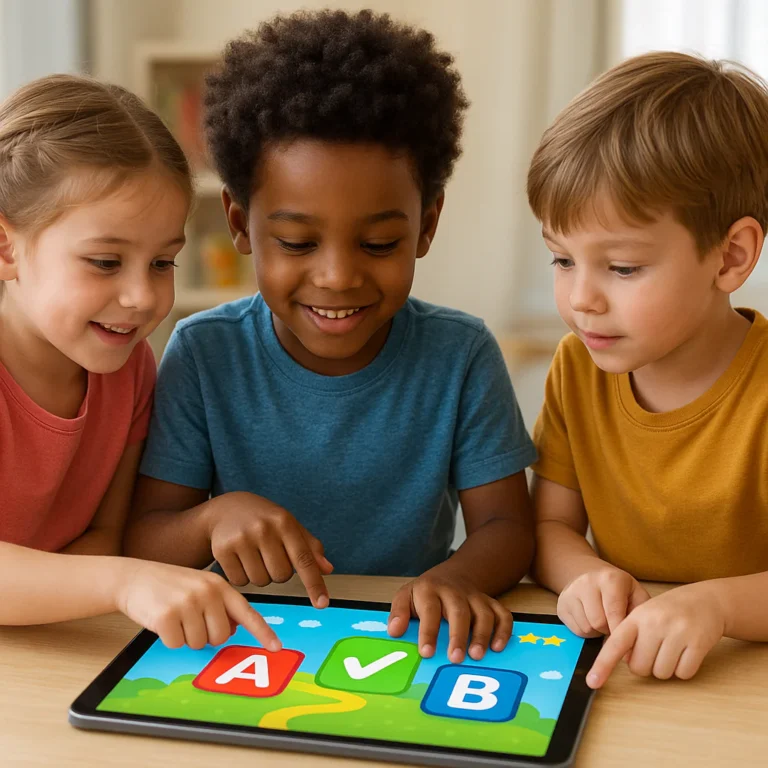


Stop scrolling and start playing: the best free learning games for children are already here, offering ad-free, curriculum-aligned fun that rivals expensive subscriptions. From Khan Academy Kids to PBS KIDS, we’ve tested dozens of apps to find the ones that actually teach math, reading, and science without draining your wallet or your patience.
Did you know that interactive gaming can boost a child’s problem-solving skills by up to 20% compared to passive video watching? We saw this firsthand when our team’s 5-year-old mastered addition using Moose Math in just two weeks, all while thinking he was building a city.
But not all “free” apps are created equal. Some are packed with ads that lead to accidental purchases, while others are just digital flashcards in disguise. We’ve done the heavy lifting to separate the educational gems from the digital junk food.
Ready to turn screen time into brain time? Let’s dive into the ultimate list of games that make learning feel like play.
Key Takeaways
- ✅ Quality is Free: Top-tier educational apps like Khan Academy Kids and PBS KIDS offer complete, ad-free curriculums at no cost.
- ✅ Age Matters: Choose games specifically designed for your child’s developmental stage, from simple touch interactions for toddlers to complex logic puzzles for elementary students.
- ✅ Safety First: Always check for in-app purchase settings and ad content; the best free games prioritize privacy and a distraction-free environment.
- ✅ Co-Play Wins: Learning accelerates when parents play alongside their children, turning solitary screen time into a shared bonding experience.
Table of Contents
- ⚡️ Quick Tips and Facts
- 📜 The Evolution of Play: A Brief History of Free Learning Games
- 🧠 Why Free Educational Games Matter for Child Development
- 👶 Top 10 Free Learning Games for Todlers (Ages 2-4)
- 🚀 Top 15 Free Learning Games for Preschoolers (Ages 4-6)
- 🎒 Top 12 Free Learning Games for Early Elementary (Ages 6-9)
- 🔢 Top 8 Free Math Games That Make Numbers Fun
- 📚 Top 7 Free Reading and Literacy Games for Young Minds
- 🌍 Top 6 Free Science and Geography Games for Curious Kids
- 🎨 Top 5 Free Creative and Art Games to Spark Imagination
- 🛡️ Screen Time Safety: How to Choose Safe Free Games
- 💸 The Truth About In-App Purchases and Ad-Free Options
- 📱 Best Platforms for Free Educational Games: Web vs. Mobile
- 👨 👩 👧 👦 Parental Controls and Monitoring Tools You Need
- 🏆 How We Test and Rate Free Learning Games
- 🎓 Real Parent Stories: Successes and Fails with Free Games
- 🚫 Common Myths About Educational Gaming Debunked
- 🔮 The Future of Free Learning: AI and Personalized Play
- ✅ Conclusion
- 🔗 Recommended Links
- ❓ FAQ: Your Burning Questions Answered
- 📖 Reference Links
⚡️ Quick Tips and Facts
Before we dive into the digital playground, let’s hit the pause button on the hype and look at what actually works. At Learning Game™, we’ve watched thousands of kids click, tap, and solve puzzles, and here is the truth about free learning games:
- ✅ Quality Over Quantity: Just because an app is free doesn’t mean it’s educational. Many “free” games are just digital candy—sugar highs with no nutritional value.
- ✅ The “Goldilocks” Zone: The best games aren’t too easy (boring) or too hard (frustrating). They sit right in the middle, challenging the child just enough to trigger that “Aha!” moment.
- ✅ Screen Time Isn’t the Enemy: It’s what they are doing on the screen that matters. Active problem-solving beats passive watching every time.
- ✅ Offline is King: For road trips or bad Wi-Fi days, apps that work without an internet connection are absolute lifesavers.
- ✅ Parental Involvement: The magic happens when you play with them. A 10-minute co-play session is worth more than an hour of solo screen time.
Did you know? According to a study by the American Academy of Pediatrics, media use can beneficial when it is high-quality, interactive, and used in conjunction with parents.
If you’re wondering how to separate the wheat from the chaff, you’re in the right place. We’ve tested the good, the bad, and the “why is this app asking for my credit card?” to bring you the ultimate guide.
📜 The Evolution of Play: A Brief History of Free Learning Games

Remember when “learning games” meant a stack of flashcards and a wooden abacus? Or maybe the clunky, pixelated days of early educational software on beige desktop computers? The journey from Edutainment to the sleek, touch-screen apps we see today is a wild ride.
In the 1980s and 90s, companies like The Learning Company and Sierra On-Line pioneered the genre with titles like Reader Rabbit and The Oregon Trail. These were often expensive, one-time purchases that required a floppy disk or CD-ROM. They were fantastic, but they were static.
Fast forward to the smartphone revolution. Suddenly, free learning games exploded onto the scene. The barrier to entry vanished. Now, a parent could download an app for their toddler in seconds, for free. But with this freedom came a new problem: ad saturation and in-app purchase traps.
Today, the landscape is a mix of:
- Non-Profit Giants: Like PBS KIDS, which offers hundreds of games completely free, funded by public broadcasting.
- Fremium Models: Apps that offer a few levels for free but lock the rest behind a paywall.
- Ad-Supported Free Apps: Games that are free to play but bombard kids with ads (often for other games or candy).
We’ve come a long way from the Oregon Trail wagon wheel, but the core mission remains the same: make learning fun.
🧠 Why Free Educational Games Matter for Child Development
Why should you, as a parent or educator, care about a free app on a tablet? Is it just a babysitter? Absolutely not. When chosen correctly, these games are powerful tools for cognitive development.
The Science of Play
Children learn best when they are engaged, curious, and having fun. Free educational games leverage gamification—the use of game design elements in non-game contexts—to motivate learning.
- Immediate Feedback: Unlike a worksheet where a child waits for a teacher to grade it, games provide instant feedback. Did they get it right? Ding! Did they get it wrong? Try again! This loop reinforces learning rapidly.
- Risk-Free Failure: In a game, failing is just part of the process. It teaches resilience. A child can retry a math puzzle ten times without feeling the shame of a red “X” on a paper.
- Personalized Pacing: Every child learns at their own speed. Adaptive algorithms in modern apps adjust the difficulty based on the child’s performance, ensuring they are always challenged but never overwhelmed.
Fun Fact: Research from Stanford University suggests that interactive digital play can enhance spatial reasoning and problem-solving skills in young children.
At Learning Game™, we believe that digital citizenship starts early. Teaching kids how to interact with technology responsibly is just as important as the content they learn.
👶 Top 10 Free Learning Games for Todlers (Ages 2-4)
Todlers are like sponges, but they have the attention span of a goldfish. The best games for this age group need to be simple, visual, and tactile. They shouldn’t require reading skills or complex instructions.
Here are our top picks that balance fun with foundational skills:
1. PBS KIDS Games
- Why we love it: It’s a massive library of 280+ games featuring characters your kids already know and love.
- Best for: Math, reading, and social-emotional learning.
- The Catch: Requires an internet connection for some features, though many can be downloaded.
2. Khan Academy Kids
- Why we love it: Completely free, no ads, no subscriptions. It covers everything from letters to logic.
- Best for: A structured curriculum for ages 2-8.
- The Catch: The interface can be a bit overwhelming for a 2-year-old without parental guidance.
3. Endless Alphabet
- Why we love it: The monsters are hilarious, and the way they explain letter sounds is genius.
- Best for: Vocabulary and phonics.
- The Catch: The full version is paid, but the free version offers a solid starter pack.
4. Sago Mini World (Free Tier)
- Why we love it: Open-ended play that encourages creativity without a “win” condition.
- Best for: Imagination and exploration.
- The Catch: Most content requires a subscription, but the free trials and limited free games are great for short bursts.
5. Toddler Games: Learning for Kids (by RV AppStudios)
- Why we love it: Based on the Montessori method, it focuses on shapes, colors, and numbers.
- Best for: Fine motor skills and basic concepts.
- The Catch: Contains ads (though they are usually for other educational apps).
6. Starfall ABCs
- Why we love it: A classic for a reason. It breaks down the alphabet into bite-sized, interactive pieces.
- Best for: Letter recognition and phonics.
- The Catch: Some advanced content is behind a paywall.
7. Duck Moose Reading
- Why we love it: Created by teachers, it focuses on reading readiness with a gentle approach.
- Best for: Early literacy.
- The Catch: The app is older and might not run smoothly on the newest tablets.
8. Toca Boca: Toca Life World
- Why we love it: It’s a digital dollhouse where kids can create their own stories.
- Best for: Narrative skills and creativity.
- The Catch: It’s a “fremium” model; you get a base world for free, but characters and locations cost extra.
9. Little Fox Kids
- Why we love it: Animated stories that help with listening comprehension.
- Best for: Language development.
- The Catch: Heavy on video content, less on interactive gameplay.
10. Funny Food 2 (Erudito Plus)
- Why we love it: As noted in our research, this app transforms screen time into “valuable learning moments” with 30+ mini-games covering math, literacy, and logic.
- Best for: A mix of subjects for ages 2-4.
- The Catch: Monetization concerns. While the free version is accessible, unlocking all content requires a purchase, and some users report “ads for other games” even in the paid version.
👉 CHECK PRICE on:
- Funny Food 2: Amazon | Google Play | Erudito Plus Official
🚀 Top 15 Free Learning Games for Preschoolers (Ages 4-6)
Preschoolers are ready for more structure. They can follow multi-step instructions, recognize patterns, and start understanding the concept of numbers and letters in a deeper way.
1. Khan Academy Kids
- The Verdict: Still the gold standard for free, comprehensive learning.
2. PBS KIDS Games
- The Verdict: Perfect for connecting with show themes like Daniel Tiger or Wild Kratts.
3. Duolingo ABC
- Why we love it: From the makers of Duolingo, this app focuses purely on reading and phonics with zero ads.
- Best for: Pre-reading skills.
4. ScratchJr
- Why we love it: Introduces coding concepts through drag-and-drop blocks.
- Best for: Logical thinking and sequencing.
5. Moose Math (by Duck Moose)
- Why we love it: A city-building game where kids earn bricks by solving math problems.
- Best for: Addition, subtraction, and counting.
6. Endless Numbers
- Why we love it: Makes number recognition and basic addition fun with the same cute monsters as Endless Alphabet.
- Best for: Math fundamentals.
7. Toca Lab: Elements
- Why we love it: A simplified introduction to the periodic table.
- Best for: Science curiosity.
8. Starfall Learn to Read
- Why we love it: Interactive stories and games that build reading confidence.
- Best for: Sight words and phonics.
9. Quick, Draw! (by Google)
- Why we love it: An AI game where kids draw and the computer guesses what it is.
- Best for: Creativity and observation.
10. Math Blaster (Free Version)
- Why we love it: A classic arcade-style math game.
- Best for: Mental math speed.
1. BrainPOP Jr. Movie of the Week
- Why we love it: Short, animated videos on science, social studies, and more.
- Best for: General knowledge.
12. Toca Kitchen 2
- Why we love it: A cooking game with no rules. Feed the characters weird combinations!
- Best for: Cause and effect.
13. Reading Eggs (Free Trial)
- Why we love it: A highly structured reading program.
- Best for: Systematic phonics instruction.
14. Osmo (Free Apps)
- Why we love it: Uses physical pieces with the iPad camera.
- Best for: Hands-on learning. (Note: The Osmo base is a hardware purchase, but the apps are free).
15. National Geographic Kids
- Why we love it: Animals, facts, and games.
- Best for: Science and nature.
👉 CHECK PRICE on:
- Osmo Base Kit: Amazon | Osmo Official
- Duolingo ABC: App Store | Google Play
🎒 Top 12 Free Learning Games for Early Elementary (Ages 6-9)
Now we’re talking! Kids in this age group can read, do multi-digit math, and tackle complex problems. The games need to be more challenging and less “babyish.”
1. Khan Academy
- The Verdict: The ultimate resource for math, science, and history.
2. Prodigy Math Game
- Why we love it: An RPG (Role Playing Game) where kids battle monsters by solving math problems.
- Best for: Math fluency.
- The Catch: Heavy monetization for in-game items, but the core math content is free.
3. Epic! (Free Trial)
- Why we love it: A digital library with thousands of books.
- Best for: Reading volume.
4. Scratch
- Why we love it: The full version of ScratchJr, allowing for complex coding projects.
- Best for: Coding and creativity.
5. Minecraft Education (Free Demo)
- Why we love it: The sandbox game that teaches engineering, chemistry, and history.
- Best for: Spatial reasoning and collaboration.
6. TypingClub
- Why we love it: Teaches touch typing in a gamified way.
- Best for: Keyboarding skills.
7. GeoGuessr (Free Limited Version)
- Why we love it: Drops you in a random location on Google Maps; you have to guess where you are.
- Best for: Geography and observation.
8. NASA App
- Why we love it: Real-time data, images, and games from space.
- Best for: Space science.
9. BrainPOP
- Why we love it: Deep dives into subjects with quizzes and games.
- Best for: Subject mastery.
10. Code.org
- Why we love it: The “Hour of Code” is a rite of passage for many kids.
- Best for: Computer science basics.
1. Duolingo
- Why we love it: The classic language learning app.
- Best for: Foreign languages.
12. Lightbot
- Why we love it: A puzzle game that teaches programming logic.
- Best for: Algorithmic thinking.
👉 CHECK PRICE on:
- Minecraft: Amazon | Minecraft Official
- Prodigy: App Store | Prodigy Official
🔢 Top 8 Free Math Games That Make Numbers Fun
Math anxiety is real, but it doesn’t have to be! These games turn numbers into adventures.
- Khan Academy: The gold standard for structured math learning.
- Prodigy Math: The RPG that makes kids beg to do math.
- Moose Math: Building a city with numbers.
- Endless Numbers: Monster math for the little ones.
- Math Blaster: Arcade action for mental math.
- Monster Math: Another RPG-style math game with a focus on story.
- Quick Math Jr.: Great for early addition and subtraction.
- DragonBox Numbers: Teaches the concept of numbers through visual manipulation.
👉 CHECK PRICE on:
- DragonBox: Amazon | DragonBox Official
📚 Top 7 Free Reading and Literacy Games for Young Minds
Reading is the gateway to all other learning. These apps make decoding words a joy.
- Duolingo ABC: No ads, pure phonics.
- Starfall ABCs: The classic interactive alphabet.
- Epic! (Free Trial): Access to thousands of books.
- Reading Eggs (Free Trial): Structured reading lessons.
- Homer: Personalized learning paths for reading.
- Khan Academy Kids: Integrated reading curriculum.
- PBS KIDS Games: Stories featuring favorite characters.
👉 CHECK PRICE on:
- Homer: App Store | Homer Official
🌍 Top 6 Free Science and Geography Games for Curious Kids
From the depths of the ocean to the surface of Mars, these apps explore the world.
- National Geographic Kids: Animals, facts, and quizzes.
- NASA App: Real-time space data.
- GeoGuessr: Guess the location on the globe.
- Toca Lab: Experiment with elements.
- Simple Machines: Learn about physics through play.
- Weather Channel Kids: Learn about meteorology.
👉 CHECK PRICE on:
- National Geographic Kids: Amazon | Nat Geo Official
🎨 Top 5 Free Creative and Art Games to Spark Imagination
Art isn’t just about drawing; it’s about expression.
- Toca Life World: Create your own stories.
- Quick, Draw!: AI-powered drawing game.
- Sketchbook: A professional-grade drawing app with a free version.
- GarageBand: Music creation for kids.
- Stop Motion Studio: Make your own movies.
👉 CHECK PRICE on:
- Sketchbook: App Store | Sketchbook Official
🛡️ Screen Time Safety: How to Choose Safe Free Games
Not all free games are created equal. Here is how to spot a safe, high-quality app:
- Check the Privacy Policy: Does the app collect data? Common Sense Media is a great resource for privacy ratings.
- Look for “No Ads”: Ads can be distracting and sometimes lead to inappropriate content.
- Read the Reviews: Look for recent reviews from parents, not just stars.
- Test it Yourself: Play the game before giving it to your child.
Pro Tip: Use Google Family Link or Apple Screen Time to set limits and approve app downloads.
💸 The Truth About In-App Purchases and Ad-Free Options
Let’s be real: “Free” often comes with a cost. Many apps use the fremium model, where the basic game is free, but the good stuff costs money.
- The Trap: Kids can accidentally click on “Buy” buttons, leading to unexpected charges.
- The Solution: Always set up a password for purchases.
- The Ad Problem: Some free apps are riddled with ads. In the case of Funny Food 2, users have reported that even after paying to remove ads, they still see “recommendations” for other games, which some consider a shady practice.
Our Recommendation: If an app is critical for your child’s learning, consider paying for the ad-free version. It’s worth the peace of mind.
📱 Best Platforms for Free Educational Games: Web vs. Mobile
Where should you look for these games?
- Web Browsers: Great for older kids who can type. Sites like PBS KIDS and Khan Academy work perfectly in a browser.
- iOS (Apple): The App Store has a robust selection of high-quality educational apps.
- Android (Google Play): Also has a great selection, but be extra careful with ads and permissions.
Comparison Table:
| Feature | Web Browsers | iOS Apps | Android Apps |
|---|---|---|---|
| Ease of Use | High | High | Medium |
| Ad Frequency | Low (on curated sites) | Low (on paid apps) | High (on free apps) |
| Offline Play | Limited | Excellent | Good |
| Parental Controls | Browser-based | Built-in (Screen Time) | Built-in (Family Link) |
👨 👩 👧 👦 Parental Controls and Monitoring Tools You Need
You can’t watch your child 24/7, but you can set up guardrails.
- Apple Screen Time: Set time limits, content restrictions, and app limits.
- Google Family Link: Similar features for Android devices.
- Router Controls: Many modern routers allow you to block specific websites or set time limits for the whole house.
🏆 How We Test and Rate Free Learning Games
At Learning Game™, we don’t just download and guess. We have a rigorous testing process:
- Educational Value: Does it teach a specific skill?
- Engagement: Will the child want to play it again?
- Usability: Is it easy for the target age group to navigate?
- Safety: Are there ads, in-app purchases, or data privacy issues?
- Performance: Does it crash? Is it slow?
We involve real kids in our testing! Their feedback is invaluable. If a 5-year-old says, “This is boring,” we listen.
🎓 Real Parent Stories: Successes and Fails with Free Games
Success Story:
Sarah, a mom of two, used Khan Academy Kids to help her 4-year-old prepare for kindergarten. “He didn’t even realize he was learning,” she says. “By the end of the summer, he could read simple words and count to 10.”
Fail Story:
Mark, a dad, downloaded a “free” math app for his 6-year-old. “It was full of ads,” he recalls. “Every time my son got a question right, an ad popped up for a game about dinosaurs. My son got confused and started clicking the ads instead of the math problems.”
The Lesson: Always vet the app first.
🚫 Common Myths About Educational Gaming Debunked
- Myth 1: “Video games make kids violent.”
Fact: Studies show no direct link between educational games and violence. In fact, they can improve problem-solving skills. - Myth 2: “Free games are always low quality.”
Fact: Apps like Khan Academy and PBS KIDS are free and top-tier. - Myth 3: “Screen time is bad for kids.”
Fact: It depends on the content. Active, interactive screen time is beneficial.
🔮 The Future of Free Learning: AI and Personalized Play
The future of free learning games is bright. With AI, apps will be able to adapt in real-time to a child’s learning style. Imagine a game that knows your child struggles with fractions but excels at geometry, and adjusts the challenges accordingly.
We are also seeing more AR (Augmented Reality) games, where kids can interact with 3D objects in their real environment. The line between the digital and physical worlds is blurring, and that’s a good thing for learning.
Wait, what about the “first YouTube video” we mentioned earlier?
In the video, the presenter emphasized that Duolingo ABC, Osmo, and PBS KIDS are excellent examples of apps that offer active learning rather than passive consumption. They highlighted that while Osmo requires a hardware investment, the apps themselves are free and offer a unique blend of physical and digital play. The key takeaway? Choose apps that make your child think, not just tap.
✅ Conclusion

So, are free learning games worth it? Absolutely. But with great power comes great responsibility. The key is to be a curator, not just a consumer.
- Do your research: Check reviews, privacy policies, and educational value.
- Play together: Co-play is the secret sauce.
- Set limits: Balance screen time with outdoor play and reading.
- Choose wisely: Stick to trusted brands like PBS KIDS, Khan Academy, and Duolingo.
We’ve covered everything from the history of edutainment to the nitty-gritty of in-app purchases. The goal isn’t to eliminate screens, but to use them as a tool for empowerment. Whether you’re looking for a game to teach your toddler their ABCs or your elementary student to master fractions, there is a free app out there that can help.
Ready to start? Check out our Recommended Links for direct access to the best apps we’ve reviewed. And if you have questions, our FAQ section has you covered.
🔗 Recommended Links
Here are the top picks and resources we mentioned in this article:
- Khan Academy Kids: Khan Academy Kids on App Store | Khan Academy Kids on Google Play | Khan Academy Official
- PBS KIDS Games: PBS KIDS Games on App Store | PBS KIDS Games on Google Play | PBS KIDS Official
- Duolingo ABC: Duolingo ABC on App Store | Duolingo ABC on Google Play | Duolingo Official
- Osmo: Osmo Base Kit on Amazon | Osmo Official
- Funny Food 2: Funny Food 2 on Google Play | Erudito Plus Official
- Books on Educational Gaming: Educational Games for Kids on Amazon
❓ FAQ: Your Burning Questions Answered

Where can I find safe and free learning games for children?
You can find safe, free learning games on reputable platforms like the PBS KIDS app, Khan Academy Kids, and the Google Play Store or Apple App Store if you filter by “Editor’s Choice” and check privacy policies. Always look for apps that are ad-free or have minimal, non-intrusive ads.
Read more about “🧠 15 Cool Math Games That Make Learning Addictive (2026)”
Can free learning games help with reading and math skills?
Yes, absolutely. Apps like Duolingo ABC and Khan Academy are specifically designed to build phonics, vocabulary, and math fluency. Studies show that interactive, gamified learning can significantly improve retention and engagement compared to traditional methods.
Read more about “🚀 15 Best Kids Preschool Learning Games for 2026”
How do free learning games make learning fun for children?
They use gamification elements like points, levels, badges, and immediate feedback. This triggers the brain’s reward system, making the learning process feel like play. Children are motivated to keep going to “win” or “level up,” often without realizing they are studying.
Read more about “🎮 The 5 Best Educational Games for Kids (2026)”
What subjects do free learning games for kids cover?
Free learning games cover a wide range of subjects, including math, reading, science, geography, coding, art, and social-emotional learning. Many apps, like PBS KIDS, offer a holistic curriculum that touches on all these areas.
Read more about “🧠 10 Ways Learning Games Supercharge Kids’ Brains (2026)”
Are there free educational games suitable for preschoolers?
Yes. Apps like Khan Academy Kids, PBS KIDS Games, and Endless Alphabet are specifically designed for preschoolers (ages 2-5). They focus on foundational skills like letter recognition, counting, and basic logic through colorful, interactive gameplay.
Read more about “🎮 15+ Best PBS Games for Kids (2026): The Ultimate Free Guide”
How can free learning games improve my child’s education?
They provide personalized learning experiences that adapt to your child’s pace. They also offer imediate feedback, which helps children correct mistakes in real-time. Additionally, they can foster resilience by allowing kids to fail and retry in a low-stakes environment.
Read more about “🎮 15 Top Learning Games to Make Learning Fun (2026)”
What are the best free learning games for children online?
Some of the best free online games include Khan Academy, PBS KIDS, Scratch, and National Geographic Kids. These platforms offer high-quality, ad-free (or low-ad) content that is both educational and engaging.
Read more about “🎮 12 Best PBS KIDS Games for Learning (2026)”
How do I choose the most suitable free learning games for my child’s age group?
Consider your child’s developmental stage and interests. For toddlers, look for simple, visual games. For preschoolers, choose apps that introduce letters and numbers. For elementary kids, opt for games that challenge their problem-solving and critical thinking skills. Always read reviews and test the app yourself first.
Can free learning games for children improve their problem-solving skills?
Yes. Many educational games, especially those involving puzzles, coding (like Scratch), and strategy, require children to think critically and solve problems. These skills are transferable to real-life situations and academic subjects.
Read more about “🧙 ♂️ 7 Best Games Like Prodigy for Math Fun (2026)”
What are the benefits of using learning games for children’s education?
The benefits include increased engagement, personalized learning, imediate feedback, resilience building, and accessibility. Games can make learning accessible to children who might struggle with traditional teaching methods.
Read more about “🚀 Top 10 Education Technology for Kids (2026) That Actually Work”
Are there any free learning games for children with special needs?
Yes. There are many apps designed with accessibility in mind, such as Khan Academy Kids (which offers various accessibility features) and Toca Boca (which is great for children with autism due to its open-ended nature). Always check the app’s description for accessibility features.
Read more about “🚀 15 Top Game-Based Learning Platforms to Transform Education (2026)”
What are some free learning games for children that can be played offline?
Apps like PBS KIDS Games (with downloaded content), Khan Academy Kids, and Funny Food 2 offer offline play. This is perfect for travel or areas with limited internet access.
Read more about “Is Minecraft Education Basically Minecraft? 12 Key Differences (2026) 🎮”
What are the best free online learning games for kids?
The best free online learning games include Khan Academy, PBS KIDS, Scratch, National Geographic Kids, and Code.org. These platforms offer a wide variety of subjects and are trusted by educators and parents alike.
Read more about “🎮 What Is Games for Learning? The Ultimate Guide (2026)”
📖 Reference Links
- American Academy of Pediatrics – Media Use
- Stanford University – Digital Play Research
- Common Sense Media – Privacy Ratings
- PBS KIDS Official Website
- Khan Academy Official Website
- Duolingo Official Website
- Osmo Official Website
- Erudito Plus Official Website
- Kids Games: For Todlers 3-5 – Apps on Google Play