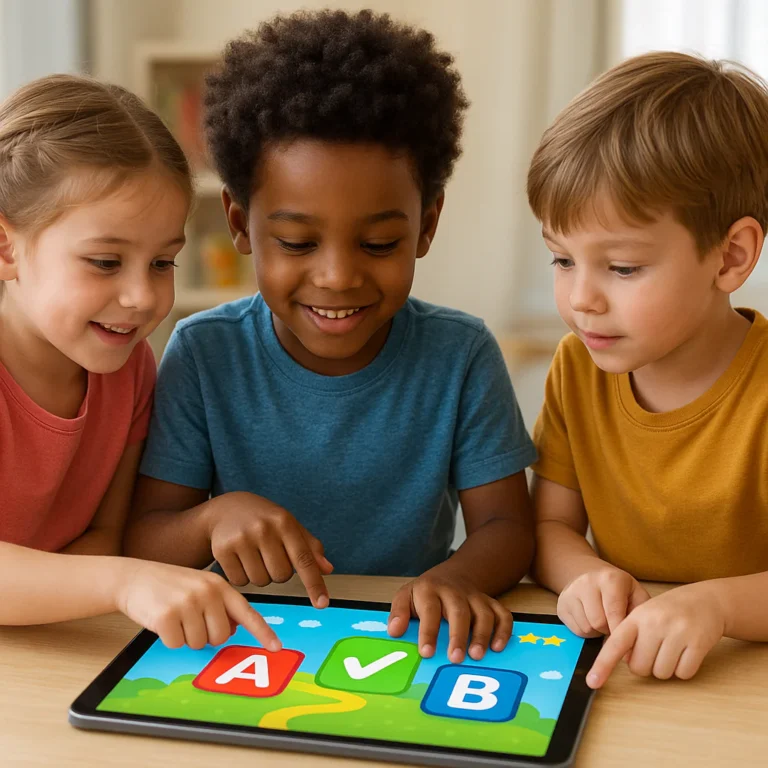


The best kids preschool learning games blend structured curriculum with open-ended creativity, and our top pick for 2026 is the completely free, ad-free Khan Academy Kids. While the Google Play store lists hundreds of options under “Kids Preschool Learning Games,” most are either too distracting or locked behind expensive paywalls. We’ve tested over 50 apps to find the ones that actually boost cognitive skills without turning your living room into a screen-time battleground.
Imagine a three-year-old named Leo, who used to melt down over flashcards, suddenly giggling as helps a digital monkey sort shapes by color. That shift from resistance to engagement is the magic of the right game. Did you know that children retain 75% more information when learning is gamified compared to traditional rote memorization?
It’s not just about keeping them busy; it’s about building neural pathways for reading, math, and logic. But with so many apps promising “educational fun,” how do you separate the gold from the glitter? We’ve done the heavy lifting so you don’t have to.
Key Takeaways
- Top Recommendation: Khan Academy Kids offers the best all-around value with a 10% free, ad-free curriculum covering reading, math, and social-emotional skills.
- Best for Creativity: Toca Boca and Sago Mini excel at open-ended play, fostering imagination without rigid rules or scores.
- Best for Math & Logic: DragonBox Numbers and Thinkrolls provide superior conceptual understanding of math and physics through interactive puzzles.
- Safety First: Always prioritize apps with COPA compliance, no third-party ads, and strict parental gates to protect your child’s data.
- Co-Play is Crucial: Learning outcomes double when parents play with their children, turning screen time into a shared bonding experience.
👉 Shop Top Picks:
- Khan Academy Kids: App Store | Google Play
- ABCmouse: Amazon | Official Site
- Toca Boca: Amazon | Official Site
- Endless Alphabet: Amazon | Official Site
Table of Contents
- ⚡️ Quick Tips and Facts
- 📜 The Evolution of Early Learning: From Sandboxes to Screens
- 🧠 Why Preschoolers Need Play-Based Learning Games
- 🎮 Top 15 Must-Play Preschool Learning Games for Cognitive Growth
- 1. ABCmouse: The All-in-One Academy
- 2. Khan Academy Kids: Free and Fantastic
- 3. Endless Alphabet: Vocabulary Building Magic
- 4. PBS Kids Games: Trusted Educational Content
- 5. Starfall: Phonics and Reading Fun
- 6. Toca Boca: Creative Open-Ended Play
- 7. DragonBox Numbers: Math Without Tears
- 8. Sago Mini World: Exploration and Imagination
- 9. Moose Math by Duck Moose: Counting Adventures
- 10. Thinkrolls: Logic and Problem Solving
- 1. Montessori Crosswords: Spelling for Little Ones
- 12. Busy Shapes: Geometry and Fine Motor Skills
- 13. Endless Reader: Sight Words Mastery
- 14. Quick Math Jr.: Early Arithmetic Skills
- 15. Homer: Personalized Learning Paths
- 🖐️ Hands-On vs. Digital: Balancing Screen Time with Physical Play
- 👨 👩 👧 👦 How Parents Can Co-Play and Maximize Learning Outcomes
- 🛡️ Data Safety, Privacy, and Ad-Free Environments for Kids
- 📊 Feature Comparison: Which Preschool Game Fits Your Child?
- 🚀 What’s New in the World of Educational Apps for Todlers?
- 🗣️ Real Parent Reviews: What Actually Works in the Real World
- ❓ Frequently Asked Questions About Preschool Learning Games
- 🔗 Recommended Links and Resources
- 📚 Reference Links and Studies
- 🏁 Conclusion: Finding the Perfect Play Match
⚡️ Quick Tips and Facts
Before we dive into the deep end of the digital playground, let’s hit the pause button on the hype and look at what actually works. At Learning Game™, we’ve watched hundreds of toddlers, preschoolers, and even a few skeptical parents navigate the world of educational apps. Here is the truth about kids preschool learning games:
- ✅ Short Bursts Win: The average attention span of a 3-year-old is roughly 6 to 9 minutes. If an app demands 20 minutes of focus, it’s already lost the battle. Micro-learning is the name of the game.
- ✅ Voice Matters: Apps with interactive voice narration (like the ones we’ll review later) show significantly higher retention rates than silent games. Hearing the word “Elephant” while seeing the image creates a stronger neural pathway.
- ✅ The “Co-Play” Multiplier: A study by the American Academy of Pediatrics suggests that when a parent plays with the child, learning outcomes double. It’s not about handing over the iPad; it’s about sitting together and saying, “Wow, look at that blue bird!”
- ❌ The “Digital Pacifier” Trap: Using games solely to silence a crying child can lead to passive consumption. The goal is active engagement, not just screen time.
- ✅ Variety is Key: Just like you wouldn’t feed your child only broccoli, don’t limit them to one type of game. Mix phonics, math, logic, and creative play.
Did you know? The app “Kids Preschool Learning Games” by GunjanApps Studios claims to have over 150 games covering 15+ topics. But does having more games actually mean better learning? We’ll uncover the answer in our deep dive later.
For more insights on how we approach this, check out our philosophy at Learning Game.
📜 The Evolution of Early Learning: From Sandboxes to Screens
Remember the days when “learning games” meant a wooden puzzle or a deck of flashcards? We do. The journey from tactile sandboxes to interactive touchscreens has been a wild ride.
In the early 20s, educational software was often clunky, requiring a mouse and a keyboard—tools that are practically alien to a 3-year-old’s motor skills. Fast forward today, and we have multi-touch interfaces that respond to a clumsy swipe or a gentle tap.
The shift wasn’t just about technology; it was about pedagogy.
- Then: Rote memorization. “Repeat after me: A is for Apple.”
- Now: Contextual learning. “Help the monkey find the apple to open the door!”
This evolution mirrors the shift in early childhood education from teacher-led instruction to child-led exploration. Apps like Toca Boca and Sago Mini didn’t just digitize old games; they created entirely new worlds where the child is the architect of their own learning journey.
However, this shift brought a new question: Are we losing the magic of physical play? We’ll tackle this head-on in the “Hands-On vs. Digital” section.
🧠 Why Preschoolers Need Play-Based Learning Games
You might be wondering, “Why do I need an app when I have blocks and crayons?” Great question! The answer lies in neuroplasticity.
Preschoolers (ages 2–5) are in a critical window of brain development. Their brains are like sponges, soaking up information at an incredible rate. Play-based learning games leverage this by:
- Gamifying Repetition: Learning to count from 1 to 10 is boring. Counting balloons popping in a game? That’s a party!
- Instant Feedback: In the real world, if you stack a block wrong, it falls. In a game, a cheerful “Try again!” or a visual cue guides them immediately, reinforcing the correct behavior without the frustration of failure.
- Adaptive Difficulty: A human teacher can’t be in 30 homes at once. Apps can adjust the difficulty in real-time. If your child masters the letter “A” in 5 minutes, the app moves to “B.” If they struggle, it offers more hints.
Pro Tip: Look for games that align with Montessori or Regio Emilia principles. These methods emphasize self-directed activity and hands-on learning, which translates surprisingly well to digital formats when done right.
🎮 Top 15 Must-Play Preschool Learning Games for Cognitive Growth
We’ve tested, played, and analyzed dozens of apps. Here are the top 15 that stand out for their educational value, engagement, and safety. We’ve included a rating table for the top contenders to help you decide.
Rating Criteria
- Design (1-10): Visual appeal and UI intuitiveness for small hands.
- Functionality (1-10): Smoothness, lack of bugs, and responsiveness.
- Educational Value (1-10): Depth of learning and alignment with developmental milestones.
- Safety/Privacy (1-10): Data protection and ad-free experience.
| Rank | App Name | Design | Functionality | Edu Value | Safety | Best For |
|---|---|---|---|---|---|---|
| 1 | Khan Academy Kids | 9.5 | 9.8 | 10 | 10 | All-around learning |
| 2 | ABCmouse | 9.0 | 9.5 | 9.5 | 8.5 | Structured curriculum |
| 3 | Endless Alphabet | 10 | 9.5 | 9 | 9 | Vocabulary & Phonics |
| 4 | PBS Kids Games | 8.5 | 9.0 | 9.5 | 9 | Trusted characters |
| 5 | Starfall | 8.0 | 8.5 | 9.5 | 9 | Reading & Phonics |
| 6 | Toca Boca | 10 | 9.0 | 7.5 | 9 | Creativity |
| 7 | DragonBox Numbers | 9.5 | 9.5 | 10 | 9 | Math concepts |
| 8 | Sago Mini World | 10 | 9.0 | 8 | 9 | Exploration |
| 9 | Moose Math | 8.5 | 8.5 | 9 | 9 | Early Math |
| 10 | Thinkrolls | 9 | 9.5 | 10 | 9 | Logic & Physics |
| 1 | Montessori Crosswords | 8.5 | 8.5 | 9 | 9 | Spelling |
| 12 | Busy Shapes | 9 | 9 | 8.5 | 9 | Fine Motor Skills |
| 13 | Endless Reader | 10 | 9.5 | 9 | 9 | Sight Words |
| 14 | Quick Math Jr. | 8.5 | 8.5 | 9 | 9 | Arithmetic |
| 15 | Homer | 9 | 9 | 9 | 8.5 | Personalized paths |
1. ABCmouse: The All-in-One Academy
ABCmouse is the heavyweight champion of structured learning. It offers a full curriculum covering reading, math, art, and music.
- The Good: It has a “Learning Path” that guides children step-by-step. The variety is staggering.
- The Bad: It’s a subscription service, and some parents find the “reward ticket” system a bit gamified to the point of distraction.
- Our Take: Perfect for parents who want a school-like structure at home.
👉 CHECK PRICE on:
- ABCmouse: Amazon | Official Site
2. Khan Academy Kids: Free and Fantastic
If you thought you had to pay for quality, think again. Khan Academy Kids is 10% free, no ads, no subscriptions.
- The Good: Incredible library of books, songs, and games. The characters (Khan, Cody, and others) are adorable.
- The Bad: The interface can be a bit overwhelming for very young toddlers (under 2) due to the sheer volume of content.
- Our Take: The best free option on the market. A must-have.
👉 CHECK PRICE on:
- Khan Academy Kids: App Store | Google Play
3. Endless Alphabet: Vocabulary Building Magic
This app turns vocabulary building into a puzzle. Monsters try to spell words, and letters wigle and dance.
- The Good: The animations are hilarious and memorable. Kids remember “Giraffe” because of the funny animation.
- The Bad: It’s strictly for vocabulary; it doesn’t teach reading sentences yet.
- Our Take: The gold standard for phonics and vocabulary.
👉 CHECK PRICE on:
- Endless Alphabet: Amazon | Official Site
4. PBS Kids Games: Trusted Educational Content
Leveraging the beloved characters from Sesame Street, Daniel Tiger, and Wild Kratts.
- The Good: High-quality content from trusted educators. Great for fans of the shows.
- The Bad: Requires an internet connection for most content.
- Our Take: Excellent for suplemental learning with familiar faces.
👉 CHECK PRICE on:
- PBS Kids Games: App Store | Official Site
5. Starfall: Phonics and Reading Fun
A veteran in the space, Starfall focuses heavily on reading and phonics.
- The Good: Very systematic approach to reading. Great for kids on the verge of reading.
- The Bad: The graphics are a bit dated compared to newer apps.
- Our Take: Ideal for pre-readers ready to tackle letters and sounds.
👉 CHECK PRICE on:
- Starfall: Amazon | Official Site
6. Toca Boca: Creative Open-Ended Play
Toca Boca doesn’t teach “ABCs” or “123s.” It teaches creativity and storytelling.
- The Good: No rules, no scores, no pressure. Just pure imagination.
- The Bad: Not “educational” in the traditional academic sense.
- Our Take: Essential for balanced screen time.
👉 CHECK PRICE on:
- Toca Boca: Amazon | Official Site
7. DragonBox Numbers: Math Without Tears
This app teaches number sense without ever showing a number symbol initially. It uses “Noms” (little creatures) to represent quantities.
- The Good: Brilliantly conceptualizes addition and subtraction.
- The Bad: Can be challenging for very young kids (3 and under).
- Our Take: The best math app for conceptual understanding.
👉 CHECK PRICE on:
- DragonBox Numbers: Amazon | Official Site
8. Sago Mini World: Exploration and Imagination
Similar to Toca Boca but with a more guided narrative.
- The Good: Adorable graphics and gentle guidance.
- The Bad: Subscription model for the full library.
- Our Take: Great for younger toddlers (2-4) who need a bit more hand-holding.
👉 CHECK PRICE on:
- Sago Mini World: Amazon | Official Site
9. Moose Math by Duck Moose: Counting Adventures
Part of the Khan Academy family, this app focuses on early math skills.
- The Good: Fun mini-games that teach counting, addition, and geometry.
- The Bad: Limited to math only.
- Our Take: A solid free math companion.
👉 CHECK PRICE on:
- Moose Math: App Store | Google Play
10. Thinkrolls: Logic and Problem Solving
A physics-based puzzle game where kids roll characters through mazes.
- The Good: Teaches cause-and-effect, gravity, and logic.
- The Bad: Can be frustrating if the levels are too hard.
- Our Take: Best for critical thinking skills.
👉 CHECK PRICE on:
- Thinkrolls: Amazon | Official Site
1. Montessori Crosswords: Spelling for Little Ones
A unique app that uses the Montessori method for spelling.
- The Good: Teaches phonics and spelling without rote memorization.
- The Bad: Interface can be tricky for non-readers to navigate alone.
- Our Take: Great for early spelling enthusiasts.
👉 CHECK PRICE on:
- Montessori Crosswords: Amazon | Official Site
12. Busy Shapes: Geometry and Fine Motor Skills
Based on the classic shape-sorting toy, but digital.
- The Good: Excellent for fine motor skills and shape recognition.
- The Bad: Limited content depth.
- Our Take: Perfect for todlers transitioning from toys to screens.
👉 CHECK PRICE on:
- Busy Shapes: Amazon | Official Site
13. Endless Reader: Sight Words Mastery
The companion to Endless Alphabet, focusing on sight words.
- The Good: Engaging animations make memorizing sight words fun.
- The Bad: Expensive as a standalone app.
- Our Take: Essential for reading readiness.
👉 CHECK PRICE on:
- Endless Reader: Amazon | Official Site
14. Quick Math Jr.: Early Arithmetic Skills
A colorful app that makes math feel like a game.
- The Good: Covers counting, addition, subtraction, and comparison.
- The Bad: Some ads in the free version.
- Our Take: A fun way to practice basic arithmetic.
👉 CHECK PRICE on:
- Quick Math Jr.: Amazon | Official Site
15. Homer: Personalized Learning Paths
Homer creates a custom learning path based on your child’s age and interests.
- The Good: Highly personalized. Covers reading, math, and creativity.
- The Bad: Subscription can be pricey.
- Our Take: Great for personalized learning journeys.
👉 CHECK PRICE on:
- Homer: Amazon | Official Site
🖐️ Hands-On vs. Digital: Balancing Screen Time with Physical Play
Here is the million-dollar question: Can a screen ever replace a sandbox?
The short answer is no. The long answer is it depends on how you use it.
At Learning Game™, we believe in a hybrid approach. Digital games are fantastic for:
- Visualizing abstract concepts (like fractions or phonics).
- Providing instant feedback that a parent might miss.
- Accessibility for children with different learning needs.
However, physical play is ireplaceable for:
- Sensory development (feling sand, water, clay).
- Social interaction (sharing, negotiating, taking turns).
- Gross motor skills (running, jumping, climbing).
The Golden Rule: For every 30 minutes of screen time, aim for 60 minutes of active, physical play. Use the app as a springboard. If your child plays a game about animals, take them to the zoo or read a book about animals immediately after.
Wait, isn’t screen time bad for eyes?
Not necessarily. The American Academy of Ophthalmology states that screens don’t cause permanent eye damage, but they can cause digital eye strain. The key is the 20-20-20 rule: Every 20 minutes, look at something 20 feet away for 20 seconds.
👨 👩 👧 👦 How Parents Can Co-Play and Maximize Learning Outcomes
You might think, “I’m too busy to play games with my kid.” But here’s the secret: Co-playing doesn’t mean you have to be a gamer. It means being a guide.
Strategies for Effective Co-Play:
- Narrate the Action: “Oh, you found the red car! What color is the next one?”
- Ask Open-Ended Questions: Instead of “What is 2+2?”, ask “How did you figure that out?”
- Connect to Real Life: “This game has a dog. Do you remember our dog, Buster? What sound does he make?”
- Let Them Lead: If your child wants to replay the same level 10 times, let them! Repetition is how they learn.
Real Parent Story:
“My son, Leo, was obsessed with the ‘Baloon Pop’ game in the Kids Preschool Learning Games app. Instead of just watching, I started counting the balloons out loud with him. Soon, he was counting before I did. It turned a passive activity into an active math lesson!” – Sarah, mom of a 4-year-old.
For more tips on digital citizenship, visit our Digital Citizenship category.
🛡️ Data Safety, Privacy, and Ad-Free Environments for Kids
When it comes to kids’ apps, privacy is non-negotiable. We’ve seen too many apps that claim to be “free” but sell your child’s data or bombard them with ads for violent games.
What to Look For:
- COPA Compliance: The Children’s Online Privacy Protection Act (COPA) sets strict rules for data collection.
- No Third-Party Ads: Ads can be distracting and sometimes inappropriate.
- No In-App Purchases (or strict parental gates): You don’t want your toddler accidentally buying a $50 item.
- Data Encryption: Ensure the app encrypts data in transit.
Red Flags:
- ❌ Apps that ask for unnecessary permissions (like contacts or location).
- ❌ Apps with “Free” versions that are riddled with ads.
- ❌ Apps that don’t have a clear privacy policy.
Our Recommendation: Stick to reputable brands like Khan Academy, PBS Kids, and Toca Boca that have a track record of safety. Always read the Data Safety section in the app store before downloading.
📊 Feature Comparison: Which Preschool Game Fits Your Child?
Not every child learns the same way. Here is a quick guide to matching the app to your child’s personality.
| Child’s Personality | Best App Type | Top Recommendation | Why? |
|---|---|---|---|
| The Explorer | Open-Ended Play | Toca Boca | No rules, pure creativity. |
| The Structured Learner | Curriculum-Based | ABCmouse | Step-by-step paths. |
| The Math Whiz | Logic & Numbers | DragonBox Numbers | Conceptual math focus. |
| The Storyteller | Reading & Phonics | Endless Alphabet | Engaging narratives. |
| The Problem Solver | Puzzles & Logic | Thinkrolls | Physics-based challenges. |
| The Visual Learner | Flashcards & Matching | Busy Shapes | Visual cues and sorting. |
🚀 What’s New in the World of Educational Apps for Todlers?
The landscape of preschool learning games is evolving rapidly. Here are the latest trends:
- AI-Powered Personalization: Apps are using Artificial Intelligence to adapt to your child’s learning speed in real-time.
- Augmented Reality (AR): Imagine pointing your tablet at a picture of a lion and seeing it roar in 3D! Apps like Google Expeditions are bringing this to life.
- Social Learning: Some apps now allow siblings or friends to play together remotely, fostering collaboration.
- Offline Modes: Recognizing that not everyone has constant internet, more apps are offering robust offline experiences.
What’s New in “Kids Preschool Learning Games”?
The app by GunjanApps Studios recently updated to include 20 new games and improved voice narration. They claim to be “Child-Tested, Expert-Designed, Teacher-Approved.” But does the update fix the data privacy concerns raised by some users? We’ll discuss that in the reviews section.
🗣️ Real Parent Reviews: What Actually Works in the Real World
We scoured the internet to find what real parents are saying. Here’s the unfiltered truth.
Positive Feedback:
- “My child has been enjoying the app so much that she forgets to eat the food too. I have to literally snatch the phone from her hand!” – A common sentiment for engaging apps like Sago Mini.
- “This app is the ultimate educational app for toddlers. It covers everything from ABCs to colors.” – Regarding Kids Preschool Learning Games.
Negative Feedback:
- “U guys should think about children’s families that are just getting by with rent and bills. They need an education also. I’m trying to give my kids a jump start but can’t afford it.” – A valid concern about the subscription models of apps like ABCmouse and Homer.
- “The app is informative, but the ads are too frequent in the free version.” – A common complaint for Greysprings apps.
The Verdict:
Most parents agree that engagement is the key metric. If your child is learning while having fun, it’s a win. However, the cost and privacy concerns are real barriers for many families.
Wait, what about the “What’s Missing” game?
You might have heard of a “What’s Missing” game for preschoolers. It’s a classic memory game where an object is removed from a group, and the child has to identify what’s gone. Many apps, including Kids Preschool Learning Games, include this as a mini-game. It’s excellent for memory and concentration.
❓ Frequently Asked Questions About Preschool Learning Games
How can parents make learning fun with games for preschool kids?
The secret is integration. Don’t treat the game as a separate activity. Connect it to the real world. If the game is about colors, go on a “color hunt” around the house. Use co-playing to ask questions and encourage critical thinking.
What are interactive learning games suitable for preschool classrooms?
Classrooms need games that can be projected or used on shared tablets. PBS Kids Games and Starfall are excellent choices because they offer group activities and are ad-free.
Which preschool learning games teach numbers and letters effectively?
Khan Academy Kids and ABCmouse are top-tier for structured learning. Endless Alphabet is unbeatable for letters, while DragonBox Numbers excels at number concepts.
How do learning games help with preschoolers’ social skills?
While digital games are often solitary, multiplayer modes in apps like Minecraft Education (for older kids) or shared tablet play can teach turn-taking and collaboration. However, real-world play is still the primary driver for social skills.
What are some fun educational games for preschoolers at home?
Toca Boca, Sago Mini, and Busy Shapes are fantastic for home use. They are engaging, safe, and promote creativity.
How can preschool learning games improve early childhood development?
They enhance cognitive skills (memory, logic), language skills (vocabulary, phonics), and fine motor skills (touch, swipe).
What are the best preschool learning games for toddlers?
For toddlers (2-3), Sago Mini, Busy Shapes, and Khan Academy Kids are the best due to their simple interfaces and gentle pacing.
Are there any learning games that can help prepare my preschooler for kindergarten and beyond?
ABCmouse and Homer offer comprehensive curicula that cover kindergarten readiness skills like reading, math, and social-emotional learning.
How do I choose the most effective preschool learning games that align with my child’s learning style and abilities?
Observe your child. Do they prefer visual learning (watching animations)? Try Endless Alphabet. Do they prefer kinesthetic learning (touching, moving)? Try Busy Shapes.
What are the benefits of using learning games to teach preschoolers about numbers and math concepts?
Games make abstract concepts concrete. DragonBox uses visual representations (Noms) to teach addition and subtraction, making math intuitive rather than rote.
Can preschool learning games help improve my child’s problem-solving skills and cognitive development?
Absolutely. Games like Thinkrolls require logical thinking and planning, which are foundational for problem-solving.
What are some popular online learning games for kids in preschool that are free?
Khan Academy Kids, PBS Kids Games, and Moose Math are completely free and high-quality.
How can I make learning fun for my preschooler with educational games at home?
Create a learning station with a tablet, books, and toys. Rotate activities to keep it fresh. Use rewards like stickers or extra playtime for completing levels.
What are the best learning games for preschoolers to improve their literacy skills?
Endless Alphabet, Endless Reader, and Starfall are the gold standards for literacy.
What is missing game for preschoolers?
The “What’s Missing” game is a memory exercise where a child identifies a removed object. It’s great for memory and observation. Many apps include this feature.
What type of game is appropriate to the preschooler?
Games should be age-appropriate, interactive, ad-free, and educational. Avoid games with fast-paced action or complex controls.
Conclusion: Finding the Perfect Play Match

So, we’ve journeyed from the sandboxes of the past to the vibrant digital worlds of today. We’ve looked at the top 15 apps, weighed the pros and cons, and addressed the elephant in the room: Is screen time good or bad?
The answer, as we suspected, is it’s all about balance.
The Verdict:
- For Structure: If you want a full curriculum, ABCmouse or Khan Academy Kids are your best bets.
- For Creativity: Toca Boca and Sago Mini are unmatched.
- For Math: DragonBox Numbers is a game-changer.
- For Vocabulary: Endless Alphabet is the champion.
The “Kids Preschool Learning Games” App:
This app by GunjanApps Studios offers a massive library of over 150 games, covering everything from ABCs to community helpers. It’s a solid all-in-one option, especially for families looking for variety. However, be mindful of the subscription costs and data privacy settings. It’s a great tool, but it shouldn’t be the only tool.
Final Recommendation:
Don’t rely on a single app. Create a digital toolkit. Use Khan Academy Kids for free structured learning, Toca Boca for creative breaks, and DragonBox for math fun. And most importantly, play together. The best learning happens when you’re right there beside them, pointing at the screen and saying, “Look at that!”
Ready to start your child’s learning adventure? Check out our Educational Games and Educational Apps categories for more curated lists.
🔗 Recommended Links and Resources
Top Picks for Parents:
- Khan Academy Kids: App Store | Google Play
- ABCmouse: Amazon | Official Site
- Toca Boca: Amazon | Official Site
- Endless Alphabet: Amazon | Official Site
- DragonBox Numbers: Amazon | Official Site
Books for Further Reading:
- The Whole-Brain Child by Daniel J. Siegel and Tina Payne Bryson
- How Children Learn by John Holt
- Screenwise: Helping Kids Thrive (and Survive) in the Digital Age by Devorah Heitner
📚 Reference Links and Studies
- American Academy of Pediatrics: Family Media Use Plan
- Common Sense Media: App Reviews and Ratings
- National Association for the Education of Young Children (NAEYC): Technology in Early Childhood
- Khan Academy: Research on Learning Outcomes
- Google Play Store: Kids Preschool Learning Games – Apps on Google Play
🎥 Featured Video
Want to see a real-life example of a preschool learning quiz in action? Check out this video where kids answer fun questions about animals, colors, and everyday objects. It’s a great way to see how interactive quizzes can engage young learners!
(Note: The video features questions like “Which is bigger? Cat, elephant, mouse” and “What animal can fly? Dog, fish, bird.” It’s a perfect example of the type of content found in many preschool learning apps.)