


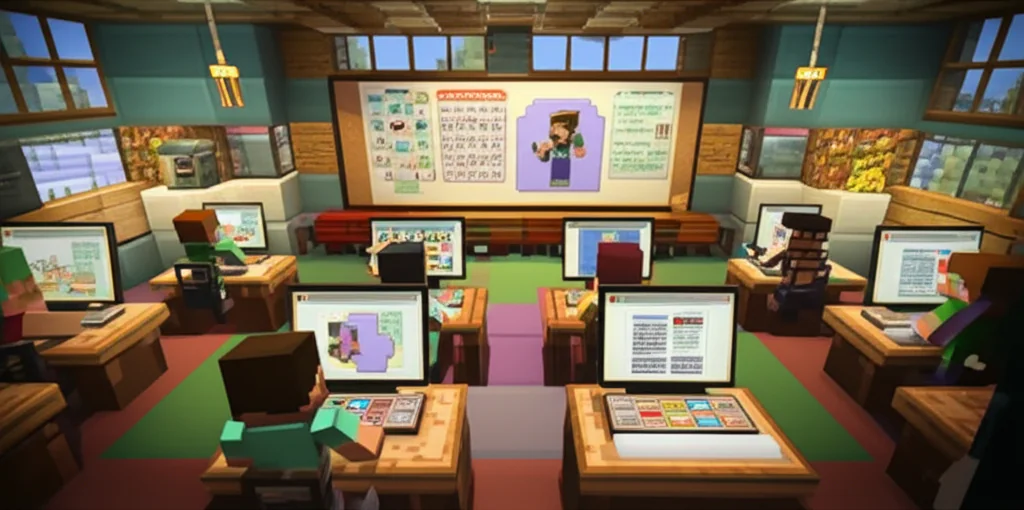
Imagine a classroom where students build ancient civilizations, solve complex engineering puzzles, and write reflective journals—all within a vibrant digital world made of blocks. Sounds like playtime? Think again! Minecraft Education Edition has transformed from a simple game into a powerful educational tool, but the big question remains: how can educators effectively assess student learning and progress in this pixelated playground?
In this comprehensive guide, we unravel 9 proven strategies to turn Minecraft projects into meaningful assessments. From capturing student portfolios with in-game cameras to leveraging NPC dialogues for interactive quizzes, and even exporting 3D models for real-world demonstrations, we cover every angle. Plus, we explore how integrating platforms like Discovery Education can elevate your assessment game with real-time data and personalized learning paths. Whether you’re a Minecraft novice or a seasoned educator, this article will equip you with the tools and confidence to measure learning outcomes without losing the magic of play.
Ready to turn those blocks into badges of learning? Keep reading to discover how to build an assessment framework that’s as engaging as it is effective!
Key Takeaways
- Minecraft Education Edition offers unique, multifaceted tools—like Camera portfolios, Book and Quill journals, and NPC quizzes—that enable rich formative and summative assessments.
- Combining in-game assessment with EdTech platforms such as Discovery Education provides powerful data-driven insights and real-time progress tracking.
- Effective rubrics tailored to Minecraft projects ensure objective, consistent grading while promoting creativity and critical thinking.
- Balancing formative and summative assessments within Minecraft fosters continuous feedback and meaningful demonstrations of mastery.
- Overcoming challenges like technical issues and subjective grading is possible with clear expectations, collaboration, and leveraging pre-built resources.
- Minecraft supports assessment of both academic content and essential 21st-century skills including collaboration, problem-solving, and digital citizenship.
Dive in to discover how you can transform your classroom into a dynamic learning ecosystem where assessment and engagement go hand in hand!
Table of Contents
⚡️ Quick Tips and Facts 🧱 The Evolution of Blocks: How Minecraft Became a Classroom Essential 🎯 The Big Question: How Can Educators Assess Student Learning and Progress in Minecraft Education? 🛠 The Master Builder’s Toolkit: 9 Effective Ways to Assess Progress 1. The Camera and Portfolio: Capturing “Aha!” Moments 2. Book and Quill: The Ultimate Student Reflection Journal 3. NPC Dialogue: Interactive Knowledge Checks and Quests 4. Boards, Signs, and Posters: Visual Evidence of Learning 5. Screen Recording and Narrated Tours: Explaining the “Why” 6. Peer Review in Multiplayer Worlds: Collaborative Critique 7. Redstone Logic Tests: Assessing Computational Thinking 8. Exporting to 3D: Bringing Digital Mastery to the Real World 9. Classroom Mode: Real-Time Progress Monitoring and Management 🚀 Elevating the Experience: How New EdTech Enhancements Outshine Traditional Platforms 📝 Crafting the Perfect Rubric for a Pixelated World 🕵️ ♂️ Formative vs. Summative: Balancing the Sandbox Experience 👾 Creepers in the Classroom: Overcoming Common Assessment Hurdles Conclusion Recommended Links FAQ Reference Links
⚡️ Quick Tips and Facts
Before we dive into the deep end of the ocean biome, here’s a “cheat sheet” for busy educators looking to master Minecraft assessment:
- Fact: Minecraft Education isn’t just a game; it’s a formative assessment powerhouse. According to Microsoft, over 35 million teachers and students are licensed to use it globally! 🌍
- Quick Tip ✅: Use the Camera tool frequently. It allows students to take “selfies” with their work, providing instant visual proof of progress.
- Quick Tip ✅: Don’t grade the “art”—grade the logic. A beautiful castle is great, but did they use the correct ratios for their math assignment?
- Fact: You can export student portfolios directly to PDF, making it easy to upload evidence to LMS platforms like Canvas or Google Classroom. 📄
- Quick Tip ❌: Don’t feel like you need to be a Minecraft pro. Often, the students are the experts; your job is to be the facilitator of the learning objectives.
- Fact: Research shows that game-based learning can increase student engagement by up to 60% compared to traditional lecture-based methods. 📈
🧱 The Evolution of Blocks: How Minecraft Became a Classroom Essential
Remember when video games were the “enemy” of the classroom? We do! We spent years shooing kids away from GameBoys and hiding the computer lab shortcuts to Minesweeper. But then, something magical happened. A little indie game about breaking and placing blocks—created by Markus “Notch” Persson in 2009—turned into a global phenomenon.
By the time Microsoft acquired Mojang in 2014, teachers were already hacking the game to teach everything from Bohr’s atomic model to the fall of the Roman Empire. Recognizing this grassroots movement, Minecraft Education Edition was launched in 2016. It wasn’t just a port of the game; it was a specialized version built with educator-specific features like “Allow” and “Deny” blocks, “Border” blocks, and most importantly, a suite of assessment tools designed to turn play into measurable data.
Today, it’s a cornerstone of STEM education and Social-Emotional Learning (SEL). We’ve seen it evolve from a simple sandbox into a sophisticated pedagogical tool that bridges the gap between digital literacy and core curriculum standards. It’s not just about surviving the night anymore; it’s about thriving in a collaborative, creative, and critically-thinking environment. 🎓✨
⚡️ Quick Tips and Facts
Before we dive into the deep end of the ocean biome, here’s a “cheat sheet” for busy educators looking to master Minecraft assessment:
- Fact: Minecraft Education isn’t just a game; it’s a formative assessment powerhouse. According to Microsoft, over 35 million teachers and students are licensed to use it globally! 🌍
- Quick Tip ✅: Use the Camera tool frequently. It allows students to take “selfies” with their work, providing instant visual proof of progress.
- Quick Tip ✅: Don’t grade the “art”—grade the logic. A beautiful castle is great, but did they use the correct ratios for their math assignment?
- Fact: You can export student portfolios directly to PDF, making it easy to upload evidence to LMS platforms like Canvas or Google Classroom. 📄
- Quick Tip ❌: Don’t feel like you need to be a Minecraft pro. Often, the students are the experts; your job is to be the facilitator of the learning objectives.
- Fact: Research shows that game-based learning can increase student engagement by up to 60% compared to traditional lecture-based methods. 📈
🧱 The Evolution of Blocks: How Minecraft Became a Classroom Essential
Remember when video games were the “enemy” of the classroom? We do! We spent years shooing kids away from GameBoys and hiding the computer lab shortcuts to Minesweeper. But then, something magical happened. A little indie game about breaking and placing blocks—created by Markus “Notch” Persson in 2009—turned into a global phenomenon.
By the time Microsoft acquired Mojang in 2014, teachers were already hacking the game to teach everything from Bohr’s atomic model to the fall of the Roman Empire. Recognizing this grassroots movement, Minecraft Education Edition was launched in 2016. It wasn’t just a port of the game; it was a specialized version built with educator-specific features like “Allow” and “Deny” blocks, “Border” blocks, and most importantly, a suite of assessment tools designed to turn play into measurable data.
Today, it’s a cornerstone of STEM education and Social-Emotional Learning (SEL). We’ve seen it evolve from a simple sandbox into a sophisticated pedagogical tool that bridges the gap between digital literacy and core curriculum standards. It’s not just about surviving the night anymore; it’s about thriving in a collaborative, creative, and critically-thinking environment. 🎓✨
🎯 The Big Question: How Can Educators Assess Student Learning and Progress in Minecraft Education?
Ah, the million-dollar question! Or, perhaps, the million-block question! 🤔 As educators and parents at Learning Game™, we’ve grappled with this very challenge. How do you measure learning when students are building towering castles, designing intricate Redstone circuits, or role-playing historical events in a digital world? It’s not like a multiple-choice test where the answer is either A, B, C, or D. In Minecraft, the answers are as varied and creative as the students themselves!
Many teachers initially feel a bit like they’ve been dropped into a new biome without a map. How do you grade a build? Is it about aesthetics, functionality, or the underlying knowledge it represents? The good news is, you’re not alone, and the solutions are far more intuitive than you might think.
Our friends in the QLD Primary Teachers Facebook group, for instance, wisely point out that “Assessment in Minecraft should focus on both the process and the product.” This sentiment is echoed by academic research, which emphasizes that effective assessment in Minecraft requires clear learning goals and consistent evaluation practices (Tandfonline). It’s a blend of observing the journey and evaluating the destination.
The key is to remember that Minecraft Education Edition isn’t just a fun distraction; it’s a powerful game-based learning platform that offers unique opportunities for both formative and summative assessment. It allows us to peek into students’ thought processes, problem-solving strategies, and collaborative skills in ways traditional methods often can’t. But how exactly do we do that? What tools are at our disposal to turn pixelated creations into meaningful data? Let’s dig into the ultimate master builder’s toolkit! ⛏️
🛠 The Master Builder’s Toolkit: 9 Effective Ways to Assess Progress
Assessing student learning and progress in Minecraft Education Edition requires a shift in perspective. It’s less about “testing” and more about “observing, documenting, and reflecting.” Here at Learning Game™, we’ve experimented with countless strategies, and these nine methods have proven to be the most engaging, entertaining, and genuinely helpful for gauging student understanding. Many of these tools are built right into the platform, making your life easier! For more general information on using Minecraft in the classroom, check out our dedicated article on Minecraft Education.
1. The Camera and Portfolio: Capturing “Aha!” Moments
Imagine a student meticulously building a replica of the Roman Colosseum, block by painstaking block. How do you capture that process, that effort, and the final product? Enter the Camera and Portfolio!
- How it works: Students use the in-game Camera item to take screenshots of their builds, their Redstone circuits, their historical recreations, or even themselves collaborating with peers. These images are automatically saved to their Portfolio, where they can add captions and reflections.
- Benefits ✅:
- Visual Evidence: Provides concrete proof of student work and progress over time.
- Student Voice: Captions allow students to explain their choices, demonstrate understanding, and reflect on their learning journey.
- Easy Export: The entire portfolio can be exported as a PDF file, making it simple to share with parents, upload to a Learning Management System (LMS) like Google Classroom or Canvas, or even print for a physical display.
- Metacognition: Encourages students to think about what they’ve learned and how they learned it.
- Drawbacks ❌:
- Quality Control: Some students might take blurry or uninformative screenshots.
- Time Management: Students can get carried away taking too many photos or spending too long on captions.
- Learning Game™ Insight: Our children absolutely love the Camera. One 8-year-old, Leo, used it to document every stage of his “sustainable city” project, explaining his solar panels and water filtration systems. His portfolio was a vibrant story of his learning! As educators, we find it invaluable for tracking individual progress, especially in educational games where the output is often visual.
- Pro Tip: Encourage students to take photos at different stages of a project—planning, mid-build, and completion—to show their iterative design process.
- As seen in the video: The first YouTube video embedded in this article specifically highlights the “Portfolio” feature, demonstrating how students can document their progress with screenshots and notes, and then export it as a PDF for assessment. This aligns perfectly with our recommendation!
2. Book and Quill: The Ultimate Student Reflection Journal
While the Portfolio captures visuals, the Book and Quill captures thoughts. It’s Minecraft’s built-in journaling tool, perfect for deeper written reflection.
- How it works: Students craft a Book and Quill (or you can provide one). They can then write multiple pages of text, documenting their process, explaining concepts, answering prompts, or even writing creative stories related to their in-game activities. Once finished, they can “Sign” the book, making its content permanent.
- Benefits ✅:
- Written Reflection: Excellent for assessing comprehension, critical thinking, and writing skills.
- Process Documentation: Students can detail challenges, solutions, and learning breakthroughs.
- Evidence of Understanding: A signed book provides a clear, unalterable record of their thoughts.
- Cross-Curricular: Great for language arts, history, science explanations, and more.
- Drawbacks ❌:
- Typing Speed: Younger students or those with limited typing skills might find it cumbersome.
- Legibility: Text can be small, and formatting options are limited.
- Learning Game™ Insight: We’ve used the Book and Quill for everything from historical diary entries (imagine a Roman soldier’s daily log!) to scientific observations of biomes. One parent shared how their child, initially reluctant to write, became engrossed in documenting their “alien planet” in Minecraft, filling pages with descriptions of its flora and fauna. It’s a fantastic tool for edutainment that seamlessly integrates literacy.
- Reference: The QLD Primary Teachers group emphasizes “student reflection,” and the Book and Quill is a prime tool for this.
3. NPC Dialogue: Interactive Knowledge Checks and Quests
Non-Player Characters (NPCs) aren’t just for giving quests; they can be powerful, interactive assessment tools!
- How it works: As the educator, you can place NPCs in your world and program them with dialogue, questions, and even multiple-choice options. Students interact with the NPC, answering questions or receiving instructions that guide their learning or test their knowledge. You can even link buttons in the NPC dialogue to specific web pages or teleport students to different areas.
- Benefits ✅:
- Gamified Assessment: Turns quizzes into engaging interactions.
- Immediate Feedback: NPCs can be programmed to give instant feedback on answers.
- Differentiated Paths: NPCs can guide students to remedial content or advanced challenges based on their responses.
- Scaffolding: Break down complex tasks into smaller, manageable steps.
- Drawbacks ❌:
- Teacher Setup Time: Programming NPCs takes initial effort.
- Limited Complexity: Not suitable for highly complex, open-ended questions.
- Learning Game™ Insight: We’ve created “History Detectives” worlds where NPCs act as historical figures, asking students questions about events or guiding them to build specific historical structures. It’s a fantastic way to integrate educational apps principles into the game, making learning feel like a grand adventure. Our children often don’t even realize they’re being assessed!
4. Boards, Signs, and Posters: Visual Evidence of Learning
Sometimes, simple is best. The humble sign or board can be a powerful, quick assessment tool.
- How it works: Students can place signs, chalkboards, or posters next to their builds to label components, explain functions, or answer specific questions. For example, next to a water filtration system, they might place a sign explaining the steps of filtration.
- Benefits ✅:
- Quick Checks: Easy for teachers to quickly scan and assess understanding.
- Visual Communication: Encourages students to summarize and present information concisely.
- Spatial Reasoning: Requires students to think about where to place information effectively.
- Drawbacks ❌:
- Limited Text: Only suitable for short explanations or labels.
- Can Be Overlooked: Students might forget to add them unless explicitly instructed.
- Learning Game™ Insight: For younger learners, we often use signs for labeling parts of a plant or animal cell they’ve built. It’s a low-barrier way to demonstrate knowledge without the pressure of a formal written report. It’s also great for digital citizenship lessons, teaching students how to clearly label and attribute their work.
5. Screen Recording and Narrated Tours: Explaining the “Why”
This method takes assessment beyond just seeing the product to hearing the process.
- How it works: Students use external screen recording software (like OBS Studio, Loom, or even the built-in screen recorder on Windows/macOS) to record a tour of their Minecraft creation. As they tour, they narrate their choices, explain their design process, and articulate the learning objectives they met.
- Benefits ✅:
- Deep Insight: Provides a comprehensive view of student understanding, problem-solving, and communication skills.
- Oral Communication: Develops presentation and explanation abilities.
- Digital Literacy: Teaches students how to use recording and editing tools.
- Authentic Assessment: Mimics real-world presentations and demonstrations.
- Drawbacks ❌:
- Technical Hurdles: Requires students (and teachers) to be comfortable with screen recording software.
- File Size: Videos can be large and require proper storage/sharing solutions.
- Learning Game™ Insight: Our educators have found this particularly effective for complex projects, like Redstone contraptions or architectural designs. Hearing a student explain why they chose a certain circuit or how their historical building reflects the era provides invaluable insight. It’s a fantastic way to assess game-based learning outcomes that are hard to capture otherwise.
6. Peer Review in Multiplayer Worlds: Collaborative Critique
Learning from peers is incredibly powerful, and Minecraft’s multiplayer capabilities make it easy.
- How it works: Students work in a shared world or visit each other’s individual worlds. They then provide constructive feedback on their classmates’ builds, designs, or solutions, often using specific rubrics or guiding questions. This can be done verbally, through in-game chat, or by leaving signs with feedback.
- Benefits ✅:
- Collaboration Skills: Fosters teamwork and communication.
- Critical Thinking: Students learn to analyze and evaluate others’ work.
- Multiple Perspectives: Exposes students to different approaches and solutions.
- Self-Correction: Receiving feedback helps students refine their own work.
- Drawbacks ❌:
- Management: Requires clear guidelines and teacher supervision to ensure constructive, respectful feedback.
- Off-Task Behavior: The social aspect can sometimes lead to distractions.
- Learning Game™ Insight: We’ve seen incredible growth in our children’s ability to give and receive feedback through this method. One 10-year-old, Maya, learned more about structural integrity from reviewing her friend’s wobbly bridge than from any textbook! This aligns with the Tandfonline article’s recommendation to “incorporate peer assessment and self-reflection.”
7. Redstone Logic Tests: Assessing Computational Thinking
For subjects like computer science, engineering, or even advanced math, Redstone is your best friend.
- How it works: Design specific challenges that require students to build functional Redstone circuits. This could be anything from an automatic door, a simple calculator, a logic gate, or a complex automated farm. Assess based on functionality, efficiency, and the correct application of Redstone principles.
- Benefits ✅:
- Direct Assessment: Directly measures computational thinking, logic, problem-solving, and engineering design.
- Hands-On Learning: Students apply abstract concepts in a tangible way.
- Troubleshooting Skills: Forces students to debug and refine their designs.
- Drawbacks ❌:
- Steep Learning Curve: Redstone can be complex for beginners.
- Specific Niche: Not applicable to all subjects.
- Learning Game™ Insight: Our educators, especially those with a STEM background, adore Redstone. We’ve used it to teach Boolean logic, basic programming concepts, and even the principles of electrical circuits. A parent once told us their child, struggling with abstract math concepts, finally “got” variables and functions after building a Redstone-powered sorting machine. It’s a prime example of how educational games can make complex topics accessible.
8. Exporting to 3D: Bringing Digital Mastery to the Real World
This feature allows students to take their digital creations into the physical realm, opening up exciting assessment possibilities.
- How it works: Minecraft Education Edition allows students to export their builds as 3D files (.glb format). These files can then be viewed in 3D viewers, imported into other design software, or even sent to a 3D printer!
- Benefits ✅:
- Tangible Outcome: Students can hold a physical representation of their digital work.
- Cross-Curricular: Connects digital design to art, engineering, and manufacturing.
- Advanced Digital Literacy: Introduces concepts of 3D modeling and printing.
- Portfolio Enhancement: A physical model is an impressive addition to any portfolio.
- Drawbacks ❌:
- External Software/Hardware: Requires access to 3D viewing software or a 3D printer.
- Complexity: Exporting and preparing files can be a bit technical.
- Learning Game™ Insight: We’ve had students design historical artifacts, architectural models, and even biological structures in Minecraft, then 3D print them. The excitement of seeing their pixelated creation become a real object is unparalleled! It’s a fantastic way to showcase mastery and engage students in advanced edutainment projects.
9. Classroom Mode: Real-Time Progress Monitoring and Management
This is the educator’s control panel, offering a bird’s-eye view of student activity.
- How it works: Classroom Mode is a companion application that connects to your Minecraft Education world. It allows you to see a list of all connected students, teleport them, send messages, manage their inventory, and even restrict certain actions. While not a direct assessment tool in itself, it’s crucial for formative assessment through observation.
- Benefits ✅:
- Real-Time Monitoring: Observe student collaboration, problem-solving, and engagement as it happens.
- Intervention: Quickly identify struggling students and offer immediate support or guidance.
- Behavior Management: Teleport students, freeze them, or remove items if needed to maintain focus.
- Data Collection: While not automated, you can use it to take notes on student interactions and progress.
- Drawbacks ❌:
- Requires Active Observation: You still need to be actively watching and taking notes.
- Can Feel Intrusive: Students might feel “watched” if not explained properly.
- Learning Game™ Insight: Our educators rely on Classroom Mode heavily. It’s like having X-ray vision into the digital world! We’ve used it to see which students are collaborating effectively, who’s stuck on a particular build, or who might be veering off-task. It’s an indispensable tool for teacher observation, as highlighted by the QLD Primary Teachers group and Tandfonline, allowing for “immediate feedback based on student interactions.”
🚀 Elevating the Experience: How New EdTech Enhancements Outshine Traditional Platforms
So, we’ve explored the incredible in-game tools Minecraft Education offers. But what happens when you combine the power of Minecraft with cutting-edge EdTech platforms? That’s where the magic truly happens, transforming assessment from a chore into a dynamic, data-rich process.
Traditional assessment platforms, while useful for standardized testing, often struggle to capture the nuances of game-based learning. They’re great for multiple-choice, true/false, or short-answer questions, but how do you assess a student’s collaborative problem-solving in a shared Minecraft world? Or their creative application of historical knowledge in a build?
This is where platforms like Discovery Education step in, offering enhancements that complement and elevate the Minecraft experience. As their recent announcement highlights, they’re focused on “New Tools for Assessing Student Learning & Addressing Gaps,” including a robust Quiz Tool and real-time progress tracking via their My Classrooms interface.
Comparison: Traditional vs. Game-Based Assessment (Minecraft Education + EdTech)
| Feature/Aspect | Traditional Assessment Platforms (e.g., basic LMS quiz) | Minecraft Education (In-game tools) | Minecraft Education + Enhanced EdTech (e.g., Discovery Education) |
|---|---|---|---|
| Engagement | Often low, can feel like a chore | High, intrinsically motivating | Very High, seamless integration of play and formal assessment |
| Assessment Type | Primarily summative (quizzes, tests) | Primarily formative (observation, reflection, process) | Both formative & summative, with robust tracking & reporting |
| Skills Assessed | Recall, comprehension, basic application | Creativity, problem-solving, collaboration, computational thinking, content application | All of the above, with structured data and differentiated paths |
| Feedback | Delayed, often generic | Immediate (NPCs, peer), qualitative | Immediate (quizzes), quantitative, personalized recommendations |
| Evidence | Scores, written responses | Visuals (portfolio), written (book), video (tours), observation | Quantitative data, qualitative artifacts, comprehensive reports |
| Teacher Effort | Moderate (creating questions, grading) | High (observation, interpreting builds, managing files) | Moderate (initial setup, then streamlined tracking & reporting) |
| Personalization | Limited | High (student-driven projects) | Very High, personalized suggestions, differentiated instruction |
| Real-time Tracking | Limited to quiz scores | Via Classroom Mode (observation) | Robust, real-time progress tracking across various activities |
How EdTech Enhancements Outshine Traditional Methods:
- Bridging the Gap: While Minecraft’s in-game tools are fantastic for capturing the process and product qualitatively, platforms like Discovery Education provide the quantitative backbone. Their Quiz Tool, with its “200 new ready-to-use formative assessments” and “400 existing quizzes,” can be directly aligned with Minecraft activities. Imagine a student completing a Minecraft build about ecosystems, then taking a quick, integrated quiz on Discovery Education to check their factual recall.
- Real-time Insights: As Discovery Education states, their platform enables “real-time progress tracking via My Classrooms interface.” This means you’re not just observing; you’re getting data-driven insights into where students might be struggling, allowing for immediate, targeted intervention. This is a significant step up from purely observational assessment in Minecraft.
- Personalized Learning Paths: The “Explore Page” and “Content Collections” in Discovery Education offer “personalized suggestions based on activity, grade level, and interests.” This means if a student is excelling in a Minecraft coding challenge, the platform can recommend more advanced game-based learning resources or educational apps to further their skills.
- Streamlined Management: Integration with existing LMS platforms like Microsoft Teams, Google Classroom, Schoology, Canvas, Brightspace, and Clever makes managing assignments and collecting evidence seamless. You can assign a Minecraft project, have students submit their portfolios, and then follow up with a Discovery Education quiz, all within a familiar ecosystem.
At Learning Game™, we believe this synergy is the future of edutainment. It allows educators to harness the unparalleled engagement of Minecraft while still meeting the demands for measurable learning outcomes and data-driven instruction. It’s about giving students the freedom to build and explore, while giving teachers the tools to confidently assess their journey.
📝 Crafting the Perfect Rubric for a Pixelated World
You’ve got the tools, you’ve got the platform, but how do you objectively evaluate a student’s pixelated masterpiece? The answer, dear educators, lies in the mighty rubric! Without clear criteria, assessing a Minecraft project can feel like trying to herd creepers into a single pen—chaotic and potentially explosive.
As the Tandfonline article wisely notes, “Rubrics and scoring guides are recommended to objectively evaluate student performance.” This is crucial for ensuring fairness, transparency, and consistency in your assessment. A well-designed rubric helps students understand expectations before they even start building, guiding their learning process.
Key Elements of a Minecraft Education Rubric:
When crafting your rubric, think beyond just the final “build.” Consider the entire learning journey. Here are some categories we use at Learning Game™:
- Content Accuracy/Application: Does the project accurately reflect the subject matter? (e.g., correct historical details, scientific principles, mathematical ratios).
- Problem-Solving & Critical Thinking: How effectively did the student overcome challenges? Is there evidence of logical thought in their design?
- Creativity & Innovation: Does the project demonstrate original thought or unique solutions?
- Collaboration & Communication (if applicable): How well did the student work with peers? Did they clearly explain their work (via Book & Quill, Portfolio captions, or narrated tours)?
- Technical Skills & Minecraft Proficiency: Did the student effectively use Minecraft tools and features to achieve their goals? (e.g., Redstone, command blocks, specific block types).
- Reflection: Did the student thoughtfully reflect on their learning process, challenges, and successes?
Example Minecraft Education Assessment Rubric (Simplified):
Let’s say students are tasked with building a sustainable city in Minecraft, applying concepts of renewable energy and resource management.
| Criteria | 1 – Developing | 2 – Approaching | 3 – Proficient | 4 – Exemplary |
|---|---|---|---|---|
| Content Accuracy (Sustainable City) | Limited evidence of sustainable concepts. | Some sustainable concepts present, but inconsistent. | Clearly demonstrates understanding of sustainable concepts. | Innovatively applies and explains advanced sustainable concepts. |
| Problem-Solving & Design | Design is basic; struggles with challenges. | Attempts to solve problems; design has minor flaws. | Effectively solves design challenges; logical structure. | Demonstrates creative problem-solving; highly efficient and innovative design. |
| Creativity & Innovation | Basic build; little original thought. | Shows some creativity in specific areas. | Creative and engaging design; some unique elements. | Highly original and imaginative; truly innovative solutions. |
| Communication (Portfolio/Book) | Captions/reflections are minimal or unclear. | Explanations are present but lack detail. | Clear and concise explanations; good reflection. | Detailed, insightful explanations; profound reflection on learning. |
| Minecraft Technical Skills | Basic block placement; limited tool use. | Uses some advanced tools (e.g., Redstone, command blocks). | Proficiently uses a variety of Minecraft tools to enhance project. | Masterful use of advanced Minecraft features to create complex, functional elements. |
Learning Game™ Insight: We’ve found that involving students in the rubric creation process can be incredibly empowering. When they understand how they’ll be assessed, they take more ownership of their learning. One parent noted that their child, usually overwhelmed by large projects, found the Minecraft rubric broke the task into manageable, understandable goals. This helps students develop digital citizenship skills by understanding expectations and accountability in a digital environment.
Remember, the rubric is your compass in the pixelated wilderness. It guides both you and your students toward clear learning objectives and meaningful assessment.
🕵️ ♂️ Formative vs. Summative: Balancing the Sandbox Experience
In the world of Minecraft Education, just like in traditional classrooms, we need a healthy balance between checking understanding as it happens (formative) and evaluating learning at the end (summative). Both are crucial for a comprehensive view of student progress. As the Tandfonline article states, “Using a combination of formative and summative assessments provides a comprehensive view of student understanding.”
Formative Assessment in Action: The Daily Dig
Formative assessment in Minecraft is all about the journey. It’s the continuous feedback loop that helps students (and you!) adjust and improve along the way. Think of it as checking your inventory and crafting new tools as you explore a new cave—you wouldn’t wait until you’re at the bottom to realize you forgot your pickaxe!
- Teacher Observation (via Classroom Mode): This is your most powerful formative tool. As students build, collaborate, and problem-solve, you’re watching. Are they struggling with a concept? Are they collaborating effectively? Classroom Mode allows you to teleport to them, offer immediate guidance, or even send a quick in-game message.
- Learning Game™ Anecdote: Our educator, Sarah, once noticed a student repeatedly placing Redstone dust incorrectly. Instead of waiting for the project’s end, she quickly teleported to his location, offered a hint about power sources, and watched as his “aha!” moment unfolded. Instant feedback, instant learning!
- Book and Quill Reflections: Ask students to regularly jot down their progress, challenges, and what they’ve learned that day. This provides ongoing insight into their metacognition.
- NPC Quizzes/Prompts: Embed quick, low-stakes questions via NPCs throughout a lesson. These can provide immediate feedback to students and data to you about areas needing more instruction.
- Peer Feedback: During collaborative builds, encourage students to give each other constructive criticism. This is a powerful form of formative assessment, as students learn from each other.
- Quick Portfolio Checks: Periodically ask students to show you their latest portfolio entries. This gives you a snapshot of their visual progress and reflections.
Summative Assessment in Action: The Grand Reveal
Summative assessment in Minecraft is the grand reveal—the final presentation, the completed project, the moment students demonstrate mastery of the learning objectives. It’s like showcasing your epic castle after weeks of building!
- Final Portfolio Submission: The complete portfolio, with all its captioned screenshots and reflections, serves as a comprehensive record of the student’s work and understanding. This can be exported as a PDF and easily graded against your rubric.
- Project-Based Presentations: Students can give a narrated tour of their final build (using screen recording), explaining their design choices, the concepts applied, and how they met the project criteria. This aligns with the QLD Primary Teachers’ recommendation for “project-based assessments.”
- Exported 3D Models: For design or engineering projects, the exported .glb file (and potentially a 3D print) can be the final product, assessed for accuracy, functionality, and design principles.
- Integrated Quizzes (via EdTech Platforms): After a Minecraft unit, use a platform like Discovery Education’s Quiz Tool for a more traditional, quantitative assessment of factual knowledge or conceptual understanding related to the Minecraft activities. This provides a balanced view.
- Final Book and Quill Report: A comprehensive written report within the Book and Quill, summarizing the entire project and learning outcomes, can serve as a summative piece.
Learning Game™ Insight: We’ve found that the blend of formative and summative assessment in Minecraft Education creates a dynamic learning environment. The formative checks keep students on track and engaged, while the summative projects give them a chance to shine and demonstrate their full understanding. It’s about making game-based learning a truly holistic educational experience.
👾 Creepers in the Classroom: Overcoming Common Assessment Hurdles
Even in the most perfectly crafted Minecraft world, challenges can emerge like a creeper from the shadows! As educators, parents, and children at Learning Game™, we’ve faced our fair share of assessment hurdles when using Minecraft Education Edition. But fear not, every challenge has a solution, and we’re here to help you navigate these pixelated pitfalls.
Challenge 1: The “Game vs. Learning” Perception 🎮📚
The Hurdle: Both students and some parents (and even some colleagues!) might view Minecraft as “just a game,” making it difficult to take the assessment seriously. “You’re grading my child on playing a video game?” is a question we’ve heard more than once!
Our Solution ✅:
- Clear Learning Objectives: From day one, explicitly state the learning objectives for every Minecraft activity. Connect them directly to curriculum standards. “Today, we’re not just building a house; we’re applying principles of geometry and sustainable design.”
- Transparent Rubrics: Share your detailed rubrics (like the one we discussed earlier) with students and parents. Show them what you’re assessing and how.
- Showcase Student Work: Display exemplary student portfolios, 3D prints, or narrated tours. Seeing tangible evidence of learning helps shift perception.
- Educate Stakeholders: Share articles and research (like those cited here) on the benefits of game-based learning and its effectiveness in developing 21st-century skills.
Challenge 2: Technical Glitches and Connectivity Issues 🔌💥
The Hurdle: Lag, crashes, lost worlds, and connectivity problems can derail a lesson and frustrate everyone.
Our Solution ✅:
- Test, Test, Test: Always test your world and the network connection before the lesson.
- Save Frequently: Teach students the importance of saving their work often.
- Backup Worlds: Regularly back up your world files.
- IT Support: Establish a clear line of communication with your school’s IT department.
- Offline Options: Have alternative activities ready for when technology fails.
- Learning Game™ Tip: We always tell our kids, “Save early, save often, or a creeper might eat your homework!” It’s a fun way to reinforce a crucial digital citizenship habit.
Challenge 3: Managing Student Engagement (and Distraction) 🤪➡️ 집중
The Hurdle: Minecraft is incredibly engaging, which is great! But sometimes, that engagement can lead to off-task building, exploring, or even playful “griefing” (destroying others’ work).
Our Solution ✅:
- Clear Expectations & Rules: Establish clear rules for in-game behavior and collaboration. What’s allowed? What’s not?
- Classroom Mode: Use Classroom Mode to monitor student activity, teleport them back to the task, or temporarily freeze them if they’re off-task.
- Structured Tasks: Design activities with clear start and end points, and specific deliverables.
- “Free Build” Time: Designate specific times for creative free play after learning objectives are met, as a reward.
- Learning Game™ Insight: Our children’s perspective is key here. They often tell us they get distracted when the task isn’t clear or when they feel overwhelmed. Breaking down complex projects into smaller, manageable chunks helps immensely.
Challenge 4: Time Investment for Teachers ⏰ overburdened
The Hurdle: Setting up worlds, designing assessments, and then actually assessing dynamic projects can feel like a huge time sink for already busy educators.
Our Solution ✅:
- Leverage Pre-Built Worlds: The Minecraft Education Edition Library offers thousands of pre-made lessons and worlds. Don’t reinvent the wheel!
- 👉 Shop Minecraft Education Worlds on: Minecraft Education Official Website
- Utilize In-Game Tools: Master the Camera, Portfolio, and Book & Quill to streamline evidence collection.
- Collaborate with Colleagues: Share resources, rubrics, and lesson plans with other teachers using Minecraft.
- Student-Led Assessment: Empower students with self-assessment checklists and peer review processes to offload some of the grading burden.
- Integrate EdTech: Platforms like Discovery Education can automate some assessment tasks, freeing up your time for qualitative feedback.
Challenge 5: Objectivity and Consistency in Grading ⚖️❓
The Hurdle: How do you ensure fair and consistent grading when projects are so diverse and open-ended?
Our Solution ✅:
- Robust Rubrics: This cannot be stressed enough. A detailed rubric with clear criteria and performance levels is your best friend.
- Exemplars: Show students examples of “proficient” or “exemplary” projects from previous classes (with permission) to set clear expectations.
- Calibration: If multiple teachers are grading, calibrate your scoring by grading a few sample projects together.
- Focus on Learning Objectives: Always bring the assessment back to the core learning objectives, not just the aesthetic appeal of the build.
Challenge 6: Equity and Access 🌐🤝
The Hurdle: Not all students have equal access to devices, reliable internet, or prior Minecraft experience, which can create an uneven playing field.
Our Solution ✅:
- Device Management: Work with your IT department to ensure equitable access to devices in the classroom or for remote learning.
- Scaffolding & Support: Provide extra tutorials and support for students new to Minecraft. Pair experienced players with beginners.
- Flexible Assignments: Offer alternative ways for students to demonstrate learning if they face significant technical barriers.
- Digital Citizenship Lessons: Integrate lessons on responsible online behavior, collaboration, and respectful communication to ensure an inclusive environment.
- Learn more about Digital Citizenship: Learning Game™ Digital Citizenship
By anticipating these “creepers” and having a plan to deal with them, you can ensure that your Minecraft Education assessment journey is smooth, effective, and truly transformative for student learning.
Conclusion
After exploring the vast landscape of Minecraft Education Edition and its powerful assessment capabilities, it’s clear that this platform is much more than just a digital playground. It’s a dynamic, multifaceted tool that allows educators to assess student learning and progress in ways traditional methods simply can’t match. From the Camera and Portfolio that capture visual evidence, to NPC dialogues that gamify quizzes, and the Classroom Mode that offers real-time monitoring, Minecraft Education Edition equips teachers with a versatile toolkit to observe, document, and evaluate learning.
Positives:
- Highly engaging and motivating for students, increasing participation and enthusiasm.
- Rich formative and summative assessment options that integrate reflection, peer review, and hands-on problem-solving.
- Supports cross-curricular learning across STEM, humanities, and language arts.
- Strong alignment with curriculum standards when paired with well-crafted rubrics.
- Integration with EdTech platforms like Discovery Education enhances data-driven instruction and real-time progress tracking.
- Promotes 21st-century skills such as collaboration, creativity, computational thinking, and digital citizenship.
Negatives:
- Requires time investment from educators to set up worlds, rubrics, and assessments.
- Some technical challenges may arise, including connectivity issues and learning curves with Minecraft features like Redstone.
- Equity concerns if students lack access to devices or prior experience.
- Assessment can feel subjective without clear rubrics and consistent criteria.
Our confident recommendation? ✅ If you’re an educator looking to make learning fun, interactive, and deeply meaningful, Minecraft Education Edition is a must-have in your digital toolkit. It transforms abstract concepts into tangible experiences and empowers students to demonstrate their knowledge in creative, personalized ways. Pair it with robust rubrics and complementary EdTech tools for the best results. Don’t worry if you’re not a Minecraft expert—your students will often lead the way, and you’ll be the guide steering them toward clear learning goals.
Remember that the key to success lies in balancing formative and summative assessments, leveraging both in-game tools and external platforms, and fostering a classroom culture where reflection, collaboration, and creativity thrive. So, ready to turn those blocks into badges of learning? Let’s build that future together! 🏰✨
Recommended Links
Ready to gear up your classroom with the best Minecraft Education Edition resources and tools? Check out these trusted platforms and books to enhance your teaching and assessment strategies:
-
Minecraft Education Edition:
Shop on Amazon | Minecraft Education Official Website -
Discovery Education K-12 Learning Platform:
Discovery Education Official Website -
Books on Game-Based Learning and Minecraft in Education:
- Minecraft in the Classroom: Ideas, Inspiration, and Student Projects for Teachers by Sarah Guthals and Steve Isaacs
Amazon Link - Learning with Minecraft: A Teacher’s Guide by David Lee
Amazon Link - Game-Based Learning in Action: How an Expert Affinity Group Teaches with Games by Matthew Farber
Amazon Link
- Minecraft in the Classroom: Ideas, Inspiration, and Student Projects for Teachers by Sarah Guthals and Steve Isaacs
-
Screen Recording Tools for Minecraft Projects:
- OBS Studio (free): https://obsproject.com/
- Loom: https://www.loom.com/
-
3D Printing Resources:
- Tinkercad (free 3D modeling): https://www.tinkercad.com/
FAQ

How can educators use the data and analytics from Minecraft Education Edition to inform instruction and improve student learning outcomes?
Educators can leverage Classroom Mode, the companion app for Minecraft Education Edition, to monitor student activity in real time. This allows teachers to observe collaboration, problem-solving, and engagement levels, providing immediate feedback and targeted support. While Minecraft itself offers limited automated analytics, pairing it with platforms like Discovery Education enables more robust data collection through integrated quizzes and progress tracking. By analyzing student portfolios, Book and Quill reflections, and NPC quiz results, teachers can identify learning gaps and tailor instruction accordingly. This holistic approach ensures that assessment is ongoing and actionable, improving student outcomes.
Can Minecraft Education Edition be used to assess soft skills like collaboration, problem-solving, and critical thinking in students?
Absolutely! Minecraft Education Edition is uniquely suited to assess soft skills because it encourages students to work together in multiplayer worlds, solve complex design challenges, and think critically about their builds. Through peer review, teacher observation in Classroom Mode, and collaborative projects, educators can evaluate communication, teamwork, creativity, and resilience. For example, when students design a sustainable city or automate a farm with Redstone, they must plan, negotiate roles, and troubleshoot—skills that are essential in real-world contexts.
What are some strategies for using Minecraft Education Edition to assess student learning in subjects like math, science, and language arts?
- Math: Use Minecraft builds to teach geometry, ratios, and measurement. Assess through Redstone circuits that demonstrate logic gates or automated systems. Students can explain their mathematical reasoning in Book and Quill reflections.
- Science: Have students recreate ecosystems, simulate water cycles, or build models of cells. Use NPC quizzes to check factual understanding and portfolios to document their process.
- Language Arts: Encourage creative writing through Book and Quill journals, role-playing historical characters, or scripting dialogues for NPCs. Assess narrative skills and comprehension through these reflections.
How does Minecraft Education Edition support personalized learning and assessment for students?
Minecraft allows students to work at their own pace and choose how they demonstrate understanding—whether through building, writing, coding, or collaborating. Educators can differentiate tasks using NPCs that provide tailored challenges or scaffolding. The Portfolio and Book and Quill tools enable personalized reflection, while peer review promotes diverse perspectives. Integration with platforms like Discovery Education further supports personalized learning paths by recommending resources based on student performance.
What types of learning activities and projects can be used to assess student learning in Minecraft Education Edition?
Projects can range widely, including:
- Building historical landmarks or ecosystems.
- Designing engineering challenges with Redstone.
- Creating interactive quests with NPCs.
- Writing reflective journals or scientific observations.
- Conducting peer reviews and collaborative problem-solving.
- Exporting 3D models for real-world application.
These activities can be assessed through portfolios, presentations, quizzes, and teacher observation.
How can teachers track student progress and understanding in Minecraft Education Edition?
Teachers can use a combination of:
- Classroom Mode for real-time monitoring.
- Student Portfolios for visual progress.
- Book and Quill for written reflections.
- NPC quizzes for knowledge checks.
- Peer assessments for collaborative feedback.
- Integration with EdTech platforms for data-driven tracking.
This multi-pronged approach provides a comprehensive picture of student learning.
What are the benefits of using Minecraft Education Edition to assess student learning and progress in the classroom?
Benefits include:
- Increased student engagement and motivation.
- Opportunities to assess higher-order thinking skills.
- Support for diverse learning styles.
- Development of digital literacy and 21st-century skills.
- Rich qualitative evidence of learning through portfolios and reflections.
- Integration with existing educational technology ecosystems.
What are effective ways to track student progress in Minecraft Education Edition?
Effective tracking combines:
- Regular portfolio updates with photos and captions.
- Frequent Book and Quill reflections.
- Use of Classroom Mode to observe and intervene.
- Embedding NPC quizzes for formative assessment.
- Peer review sessions.
- Exporting and reviewing 3D models or screen recordings.
How can teachers use Minecraft Education Edition to evaluate critical thinking skills?
Critical thinking is evaluated by observing how students approach complex problems, such as designing efficient Redstone circuits or solving environmental challenges in builds. Reflections in Book and Quill and narrated tours provide insight into their reasoning. Peer feedback and teacher observations during collaborative tasks also highlight students’ analytical and evaluative skills.
What assessment tools integrate well with Minecraft Education Edition for classroom use?
- Discovery Education’s Quiz Tool for formative and summative assessments.
- Google Classroom, Canvas, Microsoft Teams for assignment management.
- Screen recording software like OBS Studio or Loom for student presentations.
- 3D modeling and printing tools like Tinkercad for cross-curricular projects.
How do educators create quizzes and challenges within Minecraft Education Edition?
Educators use NPCs programmed with dialogue and multiple-choice questions to create interactive quizzes and challenges. Additionally, external platforms like Discovery Education allow teachers to build quizzes aligned with Minecraft activities, which can be assigned and tracked alongside in-game projects.
Can Minecraft Education Edition support formative and summative assessments?
Yes! Formative assessments occur through ongoing observation, reflections, NPC quizzes, and peer feedback during the learning process. Summative assessments happen at project completion via portfolios, presentations, exported models, and integrated quizzes on external platforms.
What strategies help measure collaboration and communication in Minecraft classroom projects?
- Use Classroom Mode to monitor interactions.
- Facilitate peer review sessions with structured rubrics.
- Require students to document teamwork in Book and Quill or portfolios.
- Assign group projects with clear roles and deliverables.
- Observe in-game chat and cooperative problem-solving.
How does Minecraft Education Edition enhance student engagement while assessing learning outcomes?
Minecraft’s immersive, creative environment naturally motivates students. When assessment is embedded seamlessly through tools like portfolios, NPCs, and collaborative builds, students remain engaged without feeling “tested.” The platform’s flexibility allows students to express understanding in ways that resonate with them, making assessment feel like part of the adventure rather than a separate chore.
Reference Links
- Minecraft Education Edition Official Site: https://education.minecraft.net/en-us/
- Discovery Education Official Website: https://www.discoveryeducation.com/
- Tandfonline Article: Teachers’ experiences of using Minecraft Education in primary school
https://www.tandfonline.com/doi/full/10.1080/03323315.2023.2185276 - QLD Primary Teachers Facebook Group (discussion on Minecraft assessment): https://www.facebook.com/groups/QLDPrimaryTeachers/posts/3096230383889268/
- OBS Studio (Screen Recording Software): https://obsproject.com/
- Loom (Screen Recording Software): https://www.loom.com/
- Tinkercad (3D Modeling Software): https://www.tinkercad.com/
