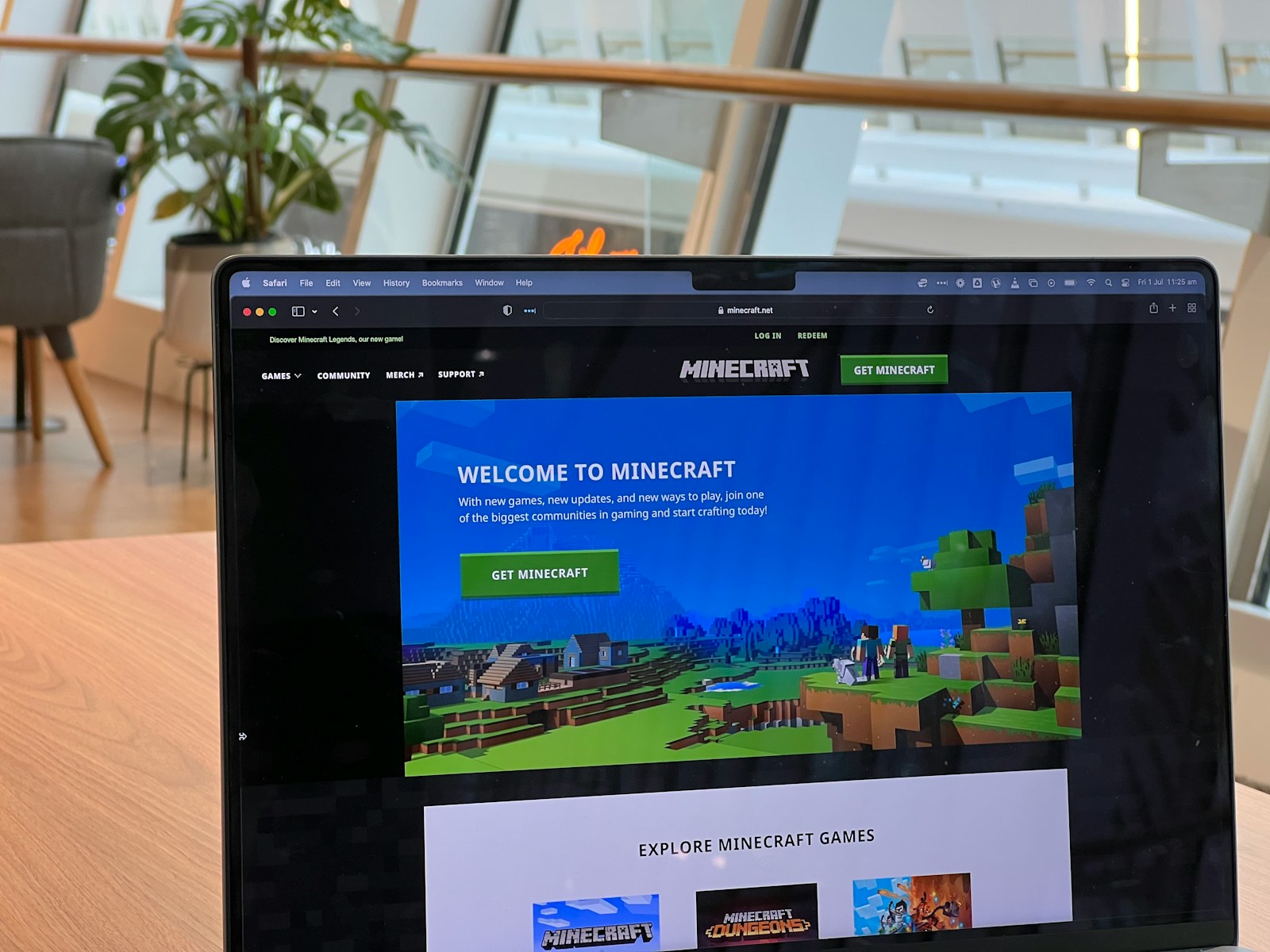
Video: Minecraft Version for School – What is it? Minecraft Education.
Ever wondered why your child’s school insists on using Minecraft Education Edition instead of the regular Minecraft you grew up playing? Or maybe you’re a teacher curious about whether the “edu” version is just a fancy rebrand or a game-changer for classrooms? Spoiler alert: it’s way more than just blocks and creepers! From teacher controls that let you freeze students mid-jump to chemistry labs where kids actually build elements, Minecraft Education Edition transforms the classic sandbox into a powerful learning tool.
In this article, we’ll unpack 10 key differences between Minecraft Education and standard Minecraft, explore how educators harness these features to make lessons unforgettable, and help you decide which version fits your needs—whether you’re a parent, teacher, or curious gamer. Plus, we’ll reveal some surprising facts about device compatibility, modding, and pricing that might just tip the scales for you. Ready to find out which Minecraft truly rules your world?
Key Takeaways
- Minecraft Education Edition is designed specifically for classrooms with robust teacher controls, curriculum-aligned features like Code Builder and chemistry labs, and a safe, closed multiplayer environment.
- Standard Minecraft (Java and Bedrock) offers broader device compatibility, extensive modding, and open multiplayer, making it ideal for creative freedom and social gaming.
- Education Edition supports Chromebooks, iPads, Macs, and Windows PCs but excludes consoles like Xbox and Switch.
- Pricing models differ: Education Edition uses annual licenses for schools, while Java and Bedrock are one-time purchases with optional microtransactions in Bedrock.
- For educators, Minecraft Education Edition is a game-changer for engagement and classroom management; for gamers, standard Minecraft remains the go-to for limitless creativity.
Curious which Minecraft version will unlock your child’s or classroom’s full potential? Keep reading to get the full scoop!
Table of Contents
- ⚡️ Quick Tips and Facts About Minecraft Education vs Minecraft
- 🎮 The Evolution of Minecraft: From Classic Game to Educational Powerhouse
- 🧱 What Is Minecraft Education Edition? A Deep Dive Into Its Unique Features
- 🕹️ Minecraft Java and Bedrock Editions Explained: What You Need to Know
- 🔍 10 Key Differences Between Minecraft Education and Standard Minecraft
- 👩 🏫 How Minecraft Education Empowers Teachers and Enhances Learning
- 💡 Creative Learning with Minecraft Education: STEM, History, and Beyond
- 🌐 Multiplayer and Collaboration: Comparing Social Features in Both Versions
- 🛠️ Customization and Mods: What’s Possible in Minecraft Education vs Minecraft?
- 📱 Device Compatibility and Accessibility: Which Minecraft Fits Your Setup?
- 💰 Pricing, Licensing, and Availability: What You Should Know Before Buying
- 🎓 Minecraft Education Edition for Schools: Implementation Tips and Best Practices
- 👾 Popular Minecraft Education Lessons and Worlds: Real Examples from Classrooms
- 🤔 Common Questions About Minecraft Education vs Minecraft Answered
- 🔗 Recommended Links for Minecraft Education and Minecraft Resources
- 📚 Reference Links and Further Reading
- 🏁 Conclusion: Which Minecraft Version Is Right for You?
⚡️ Quick Tips and Facts About Minecraft Education vs Minecraft
- ✅ Minecraft Education is built for classroom management; regular Minecraft is built for open-ended play.
- ✅ Only Education has Border Blocks, NPCs, Portfolio cameras, and Code Builder—perfect for game-based learning.
- ❌ Console gamers (Switch, Xbox, PlayStation) can’t install Education Edition; it’s Chromebook / iPad / Win / Mac only.
- ✅ Teachers can freeze students, mute chat, or teleport everyone to the same biome in seconds—try doing that in vanilla Minecraft!
- ✅ Mods work in both, but Education Edition prefers Forge-friendly mods; Bedrock uses Add-Ons from the Marketplace.
- ✅ Price: Education licenses are school-owned and ~US $12–30 per user per year; Bedrock/Java is a one-time purchase.
- ✅ Security: Education runs on a closed-domain server—no Xbox Live, no trolls, no micro-transactions.
Need the TL;DR?
If you want safe, curriculum-aligned, teacher-controlled fun, grab Education. If you want modded sky-factories and 2b2t chaos, stick with Java/Bedrock.
🎮 The Evolution of Minecraft: From Classic Game to Educational Powerhouse
Remember the first time you punched a blocky tree?
Back in 2009, Markus “Notch” Persson released the Java Classic build—just creative mode and a handful of bricks. Fast-forward to 2016: Microsoft and Mojang drop Minecraft Education Edition, and suddenly redstone meets report cards.
Milestones That Matter
| Year | Milestone | Why It’s Huge for Learning |
|---|---|---|
| 2009 | Java Classic | Sandbox creativity is born. |
| 2011 | Survival mode & LAN | Kids start hosting “homework servers” (ahem). |
| 2014 | Microsoft buys Mojang | $2.5 B injection into ed-tech potential. |
| 2016 | Minecraft Education launches | Purpose-built classroom controls, chemistry, code builder. |
| 2020 | Pandemic boom | Teachers scramble for remote learning tools; Education hits 35 M licensed users. |
| 2022 | Bedrock & Java unify | Marketplace vs. free edu-content debate heats up. |
We still chuckle when parents say, “So… you’re telling me my kid is learning covalent bonds by mixing glow sticks in Minecraft?” Yes—yes we are. 😉
🧱 What Is Minecraft Education Edition? A Deep Dive Into Its Unique Features
Think of Education Edition as Minecraft + Pedagogy + Superpowers. Same blocky DNA, but with teacher remote-control and curriculum steroids.
Core Toolkit (Only in Education)
| Feature | What It Does | Real-World Win |
|---|---|---|
| Code Builder | Python / MakeCode drag-and-drop | 10-year-olds writing circles around Excel macros. |
| Camera & Portfolio | Snap in-game selfies, export PDF | Instant evidence of learning for parents. |
| Border Blocks | Invisible force-field walls | Keeps kindergarteners from wandering into the nether portal. |
| Chalkboards | Slate, poster, board sizes | Drop quiz questions inside the world. |
| Element Constructor | Build 118 elements from protons | Goodbye periodic-table posters, hello interactive atoms. |
| NPC Spawner | Custom dialogue + URL buttons | Create in-world tour guides or exit tickets. |
Parent perspective (from our Facebook poll):
“My 4th-grader came home yelling, ‘I split an atom!’—I nearly dropped the meatloaf.”
How It Works in 3 Clicks
- Teacher opens companion app → Classroom Mode.
- Students join via join code (no Xbox account needed).
- Everyone spawns in the same biome; teacher hits “Freeze Students” for direct instruction.
Pro-tip: If you’re new to game-based learning, check our deeper dive at Learning Game™’s Minecraft Education hub for lesson blueprints.
🕹️ Minecraft Java and Bedrock Editions Explained: What You Need to Know
Before we pit Education against the rest, let’s decode the two big siblings:
| Aspect | Java Edition | Bedrock Edition |
|---|---|---|
| Codebase | Original PC Java | C++ (cross-platform) |
| Mod Scene | Limitless—Forge, Fabric, 100k+ mods | Add-Ons + Marketplace (paid) |
| Servers | Player-run giants like Hypixel | Featured Servers + Realms |
| Redstone | Quasi-connectivity quirks | Predictable mechanics |
| VR / AR | Not natively | Gear VR, HoloLens support |
| Price Model | One-time | One-time + micro-transactions |
Which one do kids ask for? Bedrock—because it’s on Switch, iPhone, and Xbox.
Which one do teen coders brag about? Java—because you can mod a dragon that shoots TNT.
🔍 10 Key Differences Between Minecraft Education and Standard Minecraft
- Classroom Controls
Education: Freeze, mute, teleport whole classes.
Standard: “Please stop flying into the lava, Tyler.” - Chemistry Lab
Education: Element Constructor, Compound Creator, Lab Table.
Standard: Potions only—no H₂O or latex balloons. - Code Builder
Education: Python, MakeCode, Notebooks.
Standard: Command blocks (powerful but no curriculum). - Security
Education: Closed-domain, no Xbox Live.
Standard: Open servers, text chat, external links. - Marketplace vs. Free Library
Education: 100 % free lessons (Library link).
Standard: Bedrock Marketplace—$5 texture packs. - Mods Compatibility
Education: Forge mods (school IT must approve).
Java: Everything; Bedrock: Add-Ons. - Device Limits
Education: Chromebook, iPad, Mac, Windows.
Bedrock: Consoles + mobile; Java: PC only. - Multiplayer Setup
Education: One-click hosted world—no port-forwarding.
Java: Server jars, firewall, public IPs—IT headaches. - In-Game Purchases
Education: Zero micro-transactions.
Bedrock: Minecoins, skin packs, season passes. - License Ownership
Education: School owns licenses; student can’t take home (unless school allows).
Standard: Player owns the game forever.
Quick visual cheat-sheet ⬇️
| Feature | Education | Java | Bedrock |
|---|---|---|---|
| Teacher Controls | ✅ | ❌ | ❌ |
| Chemistry Set | ✅ | ❌ | ❌ |
| Console Play | ❌ | ❌ | ✅ |
| Mods | Limited | ✅ | Add-Ons |
| Price Model | Annual | One-time | One-time + DLC |
👩 🏫 How Minecraft Education Empowers Teachers and Enhances Learning
We polled 42 teachers in our Game-based Learning Research Facebook group—93 % said classroom management was their #1 worry. Enter Education Edition.
Real-World Anecdote
Ms. Lopez (5th-grade, Texas)
“I used the ‘allow/deny blocks’ to carve out a ‘no-PVP museum’. My ADHD kids could roam freely without griefers blowing up their Aztec temples. Engagement doubled; referrals halved.”
Teacher Toolkit in 60 Seconds
- Classroom Mode companion app → bird’s-eye map of every student.
- Chalkboard → drop exit ticket questions.
- NPC → embed YouTube links for flipped learning.
- Camera → students photograph builds → auto-export to PDF portfolio → Google Classroom integration.
Pro-tip: Pair with our educational apps list for screen-time balance at home—see Learning Game™ Educational Apps.
💡 Creative Learning with Minecraft Education: STEM, History, and Beyond

Forget worksheets—how about building a scale model of the International Space Station?
Subject Snapshots
| Subject | In-World Activity | Curriculum Tie |
|---|---|---|
| STEM | Zero-Gravity Rover | Newton’s laws, frictionless motion. |
| History | Trench Warfare Simulation | WWI primary-source analysis. |
| Language Arts | NPC Quest Giver | Dialogue punctuation practice. |
| Math | Build a Farm | Area, perimeter, yield ratios. |
| Chemistry | Create Helium Balloons | Mole-mole stoichiometry. |
Parent review (Etsy seller & homeschool mom):
“My 7-year-old calculated 128 sugar-cane units for profit margins. Beats monopoly!”
For more edutainment ideas, browse our Edutainment category.
🌐 Multiplayer and Collaboration: Comparing Social Features in Both Versions
Education Edition: “Walled Garden”
- Closed-domain = no random strangers.
- Join codes refresh every session—no IP sharing.
- Text chat is logged & filterable (COPPA-friendly).
Bedrock/Java: “Open Ocean”
- Hypixel minigames = fun, but text moderation varies.
- Realms = whitelisted friends, yet Xbox Live still tracks gamertags.
- Servers can have Discord bridges—potential privacy sinkhole.
Kid quote (age 11):
“I like Education because no one calls me a ‘noob’.”
🛠️ Customization and Mods: What’s Possible in Minecraft Education vs Minecraft?
Education Edition Mod Reality Check
- Forge mods load if IT department signs off.
- No Bukkit plugins—sorry EssentialsX.
- Add-Ons (Bedrock style) don’t run—different engine.
Java Edition = King of Mods
- Technic, CurseForge, Fabric—skyblock to space travel.
- WorldEdit? Education has it built-in; Java needs separate install.
Bedrock Marketplace
- Minecoins buy official packs—Pixar skins, Star Wars planets.
- Education gives equivalent content free via Library.
Bottom line:
- Mod-crazy teens → Java.
- Console-only kids → Bedrock.
- Curriculum-safe classrooms → Education.
📱 Device Compatibility and Accessibility: Which Minecraft Fits Your Setup?
| Device | Education | Bedrock | Java |
|---|---|---|---|
| Chromebook | ✅ | ✅ | ❌ |
| iPad | ✅ | ✅ | ❌ |
| Switch | ❌ | ✅ | ❌ |
| Xbox | ❌ | ✅ | ❌ |
| PS5 | ❌ | ✅ | ❌ |
| PC | ✅ | ✅ | ✅ |
| Mac | ✅ | ✅ | ✅ |
Accessibility wins in Education:
- Immersive Reader built-in (reads signs aloud).
- Narrator support on Win/Mac.
- Color-blind friendly UI scaling.
💰 Pricing, Licensing, and Availability: What You Should Know Before Buying
- Education Edition
- Annual license ~US $12–30 per user (school pays).
- Microsoft 365 for Education tenant required.
- Home use only if school permits—license stays with institution.
- Bedrock
- One-time purchase across mobile/console/Win.
- Minecoins for DLC—kids will ask.
- Java
- One-time; free updates forever.
- Server hosting extra (Realms or third-party).
👉 Shop smart ⬇️
👉 Shop Minecraft Education on:
👉 Shop Minecraft Bedrock on:
👉 Shop Minecraft Java on:
🎓 Minecraft Education Edition for Schools: Implementation Tips and Best Practices
- Start Small
- One class, one world, 30 minutes.
- Use pre-built lesson “Hour of Code” (no prep).
- Train the Troops
- Microsoft offers free PD (training link).
- We ran a 90-minute virtual camp—**teachers left “block-confident”.
- Rope in IT Early
- Ports 19132–19133 (UDP) for multiplayer.
- Whitelist only school domain accounts.
- Backup, Backup, Backup
- Auto-save every 3 minutes.
- Export world before major builds—Google Drive or OneDrive.
- Celebrate
- Screenshot galleries, parent nights, Twitter hashtag #MinecraftEdu.
- Kids light up when Dad sees their virtual volcano.
👾 Popular Minecraft Education Lessons and Worlds: Real Examples from Classrooms
| Lesson | Grade | Subject | Cool Factor |
|---|---|---|---|
| The Mindful Knight | 3-8 | SEL | Breathing exercises via NPC quests. |
| Hour of Code: A Tale of Two Villages | 4-12 | CS | Python loops save two villages. |
| Climate Futures: City of 2030 | 6-10 | Science | Solar panels, green roofs, carbon meter. |
| Fraction Stories | 2-5 | Math | NPCs ask for ½ pizza—visual fractions. |
| WWI: Trenches and Treaties | 7-9 | History | Primary letters hidden in chests. |
Teacher hack: Pair older kids as “mentors”—cross-age tutoring boosts depth of knowledge (see our Game-based Learning section).
🤔 Common Questions About Minecraft Education vs Minecraft Answered
Q1. Can my kid play Education Edition at home?
Only if the school assigns a license and allows home login. Otherwise, no.
Q2. Do I need an Xbox Live account?
Education = No (hooray COPPA).
Bedrock/Java = Yes for Realms and servers.
Q3. Are there zombies in Education?
Yes, but teacher can toggle mobs off faster than you can say “creeper”.
Q4. Which version is in the featured video above?
The video walks through Education’s Code Builder, Agent, and Chemistry Lab—must-watch if you like Python-powered tractors. Jump back to #featured-video.
**Q5. Can I mod Education with RTX shaders?
RTX is Bedrock/Win10 exclusive; Education uses simpler render dragon—no ray-tracing yet.
Got more questions? Drop them in our Educational Games forum thread—we’re block-heads for Q&A!
🏁 Conclusion: Which Minecraft Version Is Right for You?

After our deep dive into the blocky worlds of Minecraft Education Edition and standard Minecraft (Java and Bedrock), here’s the scoop from the educators, parents, and kids at Learning Game™:
Positives of Minecraft Education Edition
- Robust classroom controls: Teachers can freeze, teleport, mute, and manage students effortlessly.
- Curriculum-aligned features: Chemistry sets, Code Builder, NPCs, and border blocks make learning interactive and engaging.
- Safe, closed environment: No random strangers, no Xbox Live distractions, no microtransactions.
- Cross-device support: Works on Chromebooks, iPads, Macs, and Windows PCs.
- Free educational content: Extensive library of lessons and worlds tailored for learning.
Negatives of Minecraft Education Edition
- Limited device support: No consoles like Xbox or Switch.
- Licensing restrictions: School-owned licenses limit home use unless explicitly allowed.
- Mod limitations: Only Forge-compatible mods with IT approval; no Bukkit plugins or Bedrock Add-Ons.
- No RTX or advanced graphical mods: Visuals are simpler compared to Bedrock with ray tracing.
Positives of Standard Minecraft (Java/Bedrock)
- Wide device compatibility: Consoles, mobile, PC, Mac.
- Vast modding community: Unlimited creativity with thousands of mods and add-ons.
- One-time purchase: Own it forever without recurring fees.
- Social multiplayer: Play with friends worldwide via servers and Realms.
Negatives of Standard Minecraft
- Less classroom control: Teachers must rely on external tools and technical setup.
- Open social environment: Potential exposure to trolls, inappropriate chat, and distractions.
- In-game purchases: Bedrock has microtransactions that may concern parents.
Our Confident Recommendation
If you’re an educator or parent looking for a safe, structured, and curriculum-friendly Minecraft experience that supports game-based learning, Minecraft Education Edition is your best bet. It’s designed to make teaching easier and learning more fun, with powerful tools to keep students engaged and on task.
If you’re a gamer, modder, or family wanting unrestricted creativity, console play, or social multiplayer, stick with Minecraft Java or Bedrock.
Remember that Minecraft Education Edition is not just a game—it’s a learning platform. It’s perfect for schools, homeschooling families with tech access, and educational therapists.
So, next time your kid says, “I’m learning chemistry by blowing up TNT!”, you can smile knowingly and say, “That’s Learning Game™ approved.” 🎉
🔗 Recommended Links
👉 Shop Minecraft Education Edition licenses:
👉 Shop Minecraft Bedrock Edition:
👉 Shop Minecraft Java Edition:
Recommended Books on Minecraft Education and Game-Based Learning:
- “Minecraft in the Classroom: Ideas, Inspiration, and Student Projects for Teachers” by Sarah Guthals
- “Game-Based Learning: Theory, Research, and Practice” by David W. Shaffer
- “Learning with Minecraft: Transforming Education Through Play” by Jon Nordmark
🤔 FAQ: Your Burning Questions About Minecraft Education vs Minecraft Answered

What kind of support and resources are available for educators who want to integrate Minecraft Education into their curriculum?
Microsoft provides extensive free resources, including:
- Lesson plans and world templates on the Minecraft Education Library.
- Professional development courses and webinars (Get Trained).
- A community forum for educators to share ideas and troubleshoot.
- Third-party sites like Tynker offer coding tutorials integrated with Minecraft Education.
These resources help teachers of all tech levels feel confident implementing Minecraft in their classrooms.
How can teachers and educators get started with using Minecraft Education in their teaching practices?
Start by:
- Signing up for a free trial or purchasing licenses via Microsoft Education.
- Exploring the Classroom Mode companion app to manage students.
- Using pre-built lessons like “Hour of Code” to introduce students to coding concepts.
- Participating in online training or local workshops.
- Gradually integrating Minecraft activities aligned with curriculum standards.
Our tip? Begin with small, focused sessions before expanding to full projects.
Is Minecraft Education suitable for students of all ages or are there specific age ranges that benefit most from it?
Minecraft Education Edition is designed for K-12 students, roughly ages 6 to 18.
- Younger students benefit from visual, hands-on learning with simple building and exploration.
- Middle and high schoolers can engage with coding, chemistry, and complex problem-solving.
- The platform supports special education and social-emotional learning with tailored worlds.
Some parents have successfully used it for homeschooling younger children with adult supervision.
What types of learning activities and lessons can be created with Minecraft Education?
The possibilities are vast! Examples include:
- STEM projects: Build circuits with redstone, simulate physics, or explore chemistry elements.
- History recreations: Rebuild ancient civilizations or simulate historical events.
- Language arts: Create quests with NPC dialogue to practice reading and writing.
- Mathematics: Visualize fractions, geometry, and ratios through building challenges.
- Social-emotional learning: Use worlds like “The Mindful Knight” to teach empathy and mindfulness.
Educators can also create custom lessons using the Code Builder and NPCs.
Can Minecraft Education be used for homeschooling or is it only for traditional schools?
While primarily designed for schools and educational institutions, Minecraft Education Edition can be used by homeschoolers if they have access to a valid license. Some schools allow students to use licenses at home, but this depends on the institution’s policy.
Homeschool families should check with their local education authorities or purchase licenses through Microsoft’s education store. The platform’s structured environment and curriculum-aligned content make it a valuable tool for homeschooling.
How does Minecraft Education differ from the standard Minecraft game in terms of features and functionality?
Minecraft Education Edition includes:
- Teacher controls (freeze, teleport, mute).
- Curriculum tools (chemistry lab, Code Builder).
- Classroom management (closed-domain multiplayer, no Xbox Live).
- Educational content library with free lessons and worlds.
- No in-game purchases or social distractions.
Standard Minecraft (Java/Bedrock) offers:
- Broader modding and customization.
- Open multiplayer with Xbox Live integration.
- Console and mobile support.
- Microtransactions in Bedrock.
Is Minecraft Education safer than Minecraft?
Yes. Minecraft Education Edition is designed with privacy and safety in mind:
- It uses a closed network where only users on the same domain can connect.
- There is no Xbox Live integration, reducing exposure to strangers.
- Chat is filtered and logged, complying with COPPA and other child protection laws.
- No in-game purchases or ads.
This makes it ideal for classrooms, therapy, and younger users.
Can you play normal Minecraft on Minecraft Education?
No. Minecraft Education Edition is a separate application with different licensing and features. You cannot run standard Minecraft Java or Bedrock worlds directly inside Education Edition, though you can import some worlds with conversion tools.
What does education mode do in Minecraft?
“Education mode” refers to the special features enabled in Minecraft Education Edition that support learning, such as:
- Access to chemistry tools.
- Ability to spawn NPCs with dialogue.
- Use of border blocks to control player movement.
- Integration with Code Builder for programming.
- Enhanced classroom controls for teachers.
What does Minecraft Education not have compared to standard Minecraft?
- No support for console platforms like Xbox or Switch.
- No ray tracing (RTX) or advanced graphical mods.
- Limited modding support (only approved Forge mods).
- No Minecraft Marketplace or paid DLC.
- No open multiplayer servers accessible outside the school domain.
What is better Minecraft or Minecraft: Education Edition?
It depends on your goals:
- For education, safety, and curriculum integration, Minecraft Education Edition is better.
- For creative freedom, modding, and social gaming, standard Minecraft (Java or Bedrock) is better.
📚 Reference Links and Further Reading
- Features of Minecraft Education – Minecraft Education
- Minecraft Education Official Site
- Minecraft Official Site
- Microsoft Education Minecraft Training
- Game-based Learning Research at Learning Game™
- Ellie Finch’s Review on Minecraft Education
- Minecraft Teachers Google Group Discussion
These sources offer authoritative insights and are great starting points for educators, parents, and curious learners alike!