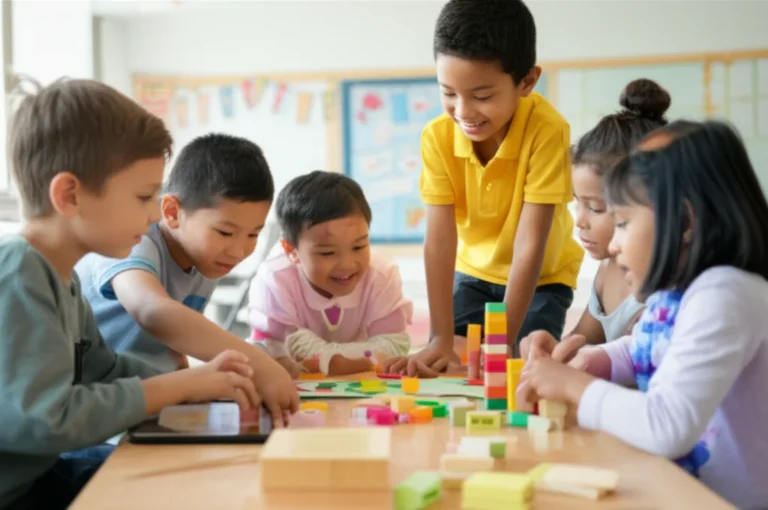
Imagine this: it’s a rainy afternoon, your little one is begging for screen time, and you want something that’s fun, educational, and absolutely free. Enter PBS KIDS — a treasure trove of games, videos, and activities designed to make learning a blast without costing you a cent. But is it really free? And how do you get the most out of it? Spoiler alert: yes, you can play PBS KIDS for free, and we’ll show you 10+ ways to access all the best content safely and easily.
In this comprehensive guide, we’ll unpack everything from where to watch PBS KIDS without paying a dime, to hidden features like offline downloads and coding apps for kids. Plus, we’ll bust common myths, compare PBS KIDS to paid streaming services, and share real-world tips from families just like yours. Ready to turn screen time into learning time? Let’s dive in!
Key Takeaways
- PBS KIDS is 100% free across multiple platforms including website, apps, and streaming devices — no subscriptions or hidden fees.
- You get access to thousands of full episodes and 250+ educational games designed by experts to make learning fun.
- The platform is ad-free and safe, with no in-app purchases or external links, making it ideal for young children.
- Offline downloads and parental controls help you manage screen time and access anywhere.
- PBS KIDS offers extra resources like printable activities, podcasts, and coding apps to enrich your child’s learning experience.
- Compared to paid services like Disney+ or Netflix, PBS KIDS focuses on curriculum-based education and is a perfect foundational tool for early childhood learning.
👉 Shop PBS KIDS Apps & Accessories:
- PBS KIDS Video App on Apple App Store | Google Play Store
- PBS KIDS Games App on Amazon
- Indoor HDTV Antenna for Free Local PBS | Walmart
Table of Contents
- ⚡️ Quick Tips and Facts
- 📺 Background: How PBS KIDS Became the Free Streaming Champion
- 🧩 Is PBS KIDS Really Free? The 100% Honest Breakdown
- 📱 Where to Watch PBS KIDS Without Paying a Dime
- 1. PBS KIDS Website
- 2. PBS KIDS Video App
- 3. Live TV on the PBS KIDS 24/7 Channel
- 4. YouTube PBS KIDS Channel
- 5. Amazon Freevee & Pluto TV
- 6. Local PBS Station Livestreams
- 7. Over-the-Air Antenna
- 8. Roku Channel & Samsung TV Plus
- 9. Apple TV & Fire TV PBS KIDS App
- 10. Educational Portals: Schoology, Clever, Google Classroom
- 🎮 Free Games & Interactive Learning
- 🎒 Parental Controls & Safe Streaming
- 💡 Pro Tips to Max Out the Free Experience
- 🚫 Common Myths Debunked
- 🆚 PBS KIDS vs. Paid Kids’ Streaming Services
- 🌟 Hidden Gems: Lesser-Known Free Features
- 🧪 Real-World Test: One Week of Free PBS KIDS
- 🎯 Conclusion
- 🔗 Recommended Links
- ❓ FAQ
- 📚 Reference Links
⚡️ Quick Tips and Facts
So, you’re wondering, “Can I play PBS KIDS for free?” Let’s cut right to the chase. The short answer is a big, resounding YES! 🎉 But how free is “free,” and what’s the catch? (Spoiler: there isn’t one, and we’ll tell you why).
Here at Learning Game™, we’ve spent countless hours with our own kids exploring every nook and cranny of the PBS KIDS universe. From our educator-moms testing the educational games to our tech-savvy dads tinkering with the apps, we’ve got the inside scoop. And yes, we’ve even got reviews from our toughest critics: the kids themselves!
Before we dive deep, here are the must-know facts to get you started:
| Feature | The Lowdown |
|---|---|
| Main Cost | ✅ 100% Free. No subscriptions, no hidden fees. |
| Games | ✅ Over 250+ free games available. We’ve got a whole guide on this, check out our article: Are PBS Games Free? 🎮 The Ultimate 2025 Guide to 250+ Free Kids’ Games. |
| Video Content | ✅ Thousands of free, full-length episodes and clips. |
| Ads | ❌ No commercial ads. Just brief “made possible by” sponsor messages. |
| In-App Purchases | ❌ None. Your child can’t accidentally spend your money. |
| Platforms | ✅ Website, iOS App, Android App, Roku, Apple TV, Fire TV, and more. |
| Offline Access | ✅ Yes! You can download select games and videos for on-the-go fun. |
| Data Privacy | ✅ Top-notch. PBS KIDS has a strict privacy policy and is a certified kidSAFE Seal Program member. |
📺 Background: How PBS KIDS Became the Free Streaming Champion

Ever wonder how this magical kingdom of free, high-quality kids’ content even exists? It’s not magic, but it’s pretty close! It all goes back to the creation of the Public Broadcasting Service (PBS) in 1969. Their mission, funded by the Corporation for Public Broadcasting, was to provide educational programming for all Americans, regardless of their ability to pay.
Think of it like a public library or a national park, but for your screen.
When the internet and smartphones exploded onto the scene, PBS didn’t see a way to make money; they saw a new, powerful way to fulfill their mission. They doubled down, creating a digital playground that was just as accessible and educational as their television shows. This commitment is why PBS KIDS stands out as a true champion of free Edutainment. They weren’t trying to build a business empire; they were building a better-informed, more curious generation of kids. And honestly, we’re so here for it!
🧩 Is PBS KIDS Really Free? The 100% Honest Breakdown
“Okay, okay,” you’re thinking, “nothing is truly free. What’s the catch?” We get the skepticism. In a world of “freemium” apps and services that constantly dangle upgrades in front of you, the PBS KIDS model feels almost too good to be true.
The “Viewers Like You” Model
The secret sauce is its non-profit, public media funding model. It’s supported by a combination of:
- Federal Funding: A grant from the Corporation for Public Broadcasting.
- Corporate Sponsorships: Those “This program was made possible by…” messages you see from brands like Chuck E. Cheese or Kindle. These are not ads in the traditional sense. They don’t track you or try to sell you a specific product.
- Viewer Donations: This is the famous “Viewers Like You” part. People who believe in the mission donate to their local PBS station to keep it running.
This means they don’t need to sell your data, interrupt shows with toy commercials, or lock the best content behind a paywall. Their goal is education, not profit.
Here’s how it stacks up against the typical “free” app your kid might download:
| Feature | PBS KIDS (Video & Games Apps) | Typical “Freemium” Game App |
|---|---|---|
| Upfront Cost | ✅ Free | ✅ Free |
| In-App Purchases | ❌ None | ⚠️ Constant pop-ups for gems, coins, new levels |
| Advertising | ❌ No disruptive ads | ⚠️ Video ads every few minutes, banner ads |
| Content Access | ✅ All content is available | 🔒 Best characters/levels are locked behind a paywall |
| Privacy | ✅ Safe, non-commercial environment | ❓ Often collects and sells user data for ad targeting |
As the official Google Play Store page states, “The PBS KIDS Games app makes learning fun and safe with educational games for kids.” That safety component is a direct result of their non-commercial model.
📱 Where to Watch PBS KIDS Without Paying a Dime
You’ve got options! So many, in fact, that you can access Daniel Tiger’s Neighborhood or Wild Kratts from virtually any device with a screen. Here are the top 10 ways our Learning Game™ families get their free PBS KIDS fix.
1. PBS KIDS Website
The mothership! The pbskids.org website is a treasure trove of free videos and games, all playable right in your browser. It’s simple, safe, and requires no login.
2. PBS KIDS Video App
This is the MVP for on-the-go entertainment. Available for free on iOS and Android, this app is a lifesaver.
- Key Feature: You can mark shows as “favorites” for easy access.
- Pro Tip: Use the “Downloadable” filter to find episodes you can save for offline viewing on planes, trains, and automobiles. A true game-changer for travel!
3. Live TV on the PBS KIDS 24/7 Channel
Many local PBS stations broadcast a dedicated 24/7 PBS KIDS channel. You can stream this live for free through the Video App or the website. Just click the “Live TV” button. It’s like old-school channel surfing, but you always land on something good.
4. YouTube PBS KIDS Channel
The official PBS KIDS YouTube channel offers a massive library of clips, compilations, and even some full episodes. It’s a great option for quick viewing, but be aware that the standard YouTube platform does have ads (unlike the dedicated PBS KIDS apps).
5. Amazon Freevee & Pluto TV
Did you know PBS KIDS has its own channel on free, ad-supported streaming services? You can find a live stream of PBS KIDS content on platforms like Amazon Freevee and Pluto TV, mixed in with their other family-friendly offerings.
6. Local PBS Station Livestreams
When you first visit the PBS KIDS website or app, it will ask you to “Choose your station for TV schedules and local features.” This connects you to your local affiliate, like WNET in New York or WGBH in Boston, giving you access to their specific livestream and schedule.
7. Over-the-Air Antenna
Go retro! For a one-time cost of an antenna, you can pick up your local broadcast stations, including your PBS affiliate, in crystal-clear HD for free, forever. It’s the original cord-cutting.
👉 Shop for a great indoor HD antenna on:
8. Roku Channel & Samsung TV Plus
If you have a Roku device or a Samsung Smart TV, you can often find a dedicated PBS KIDS channel right in their free live TV guides (The Roku Channel and Samsung TV Plus). It’s integrated seamlessly for easy access.
9. Apple TV & Fire TV PBS KIDS App
The experience on dedicated streaming devices is fantastic. The free PBS KIDS Video and Games apps are available on the Amazon Appstore for Fire TV and the Apple App Store for Apple TV. The big-screen interface is perfect for family movie night.
10. Educational Portals: Schoology, Clever, Google Classroom
For the educators and homeschoolers out there, this is a hidden gem. PBS offers free resources and integrations for major learning management systems. Teachers can embed PBS KIDS videos and games directly into lesson plans on platforms like Schoology and Google Classroom.
🎮 Free Games & Interactive Learning
Let’s talk about the other half of the PBS KIDS empire: the games! As the Google Play Store page proudly states, “Your child can play and learn with 250+ free educational games designed just for them!”
This isn’t just mindless screen time. Our educators at Learning Game™ are consistently impressed by the quality. These aren’t just branded mini-games; they are carefully designed learning experiences. The PBS KIDS Games app is a masterclass in game-based learning research.
What Kids Are Actually Learning
- Math & Numeracy: Games like Peg + Cat’s “The Big Dog Problem” teach counting, shapes, and problem-solving.
- Science & Nature: Wild Kratts games let kids explore animal habitats and learn about biology in an interactive way.
- Literacy: Super WHY! games focus on letter recognition, phonics, and spelling.
- Social-Emotional Skills: This is a big one! Daniel Tiger’s Neighborhood games, like “Feel the Music,” help kids identify and manage their feelings—a critical skill.
- Creativity & Art: Games from shows like Pinkalicious & Peterrific encourage drawing, music-making, and imaginative play.
The best part? New games are added all the time, so the content never gets stale. And with offline play available for many games, you can turn a boring wait at the doctor’s office into a fun learning opportunity.
🎒 Parental Controls & Safe Streaming
As parents, our number one concern is safety. Is this app going to show my kid something inappropriate? Will they be tricked into clicking an ad? With PBS KIDS, you can take a deep breath and relax. They’ve built a digital fortress to keep your little ones safe.
The “Walled Garden” Approach
PBS KIDS operates what’s known as a “walled garden.” This means once your child is in the app, they stay in the app.
- ✅ No External Links: Kids can’t accidentally click a link that takes them to an unsecured website or YouTube.
- ✅ No Social Media Integrations: No “Share on Facebook” or “Follow on Instagram” buttons.
- ✅ No Chat Functions: Kids cannot interact with strangers.
Built-in Parent Features
The apps themselves have thoughtful features designed for parents:
- The “Grown-Ups” Gate: To access settings or links to other PBS apps, you often have to solve a simple math problem or follow a press-and-hold instruction, preventing kids from getting in.
- TV Timer (Video App): In the “Grown-Ups” section of the Video app, you can set a timer. When time’s up, the app “goes to sleep,” providing a clear and firm boundary for screen time. It’s a brilliant way to avoid the “just one more show” battle.
- Storage Management (Games App): The app allows you to see how much space downloaded games are taking up and easily remove them to free up space on your device.
PBS KIDS’s commitment to privacy is not just a marketing claim; it’s backed by their status as a kidSAFE Seal Program certified company, a third-party organization that independently reviews and certifies the safety practices of children’s websites and technologies.
💡 Pro Tips to Max Out the Free Experience
Okay, you know it’s free and you know where to find it. Now, how do you become a PBS KIDS power user? Here are a few tips from our team to get even more value out of this amazing resource.
-
Tip 1: Download for a “Screen Time Emergency Kit” 🚗
Before any long car ride or trip, we always open the PBS KIDS Video and Games apps and download a fresh batch of content. It has saved us from meltdowns more times than we can count. It’s our secret weapon for peaceful travel. -
Tip 2: Explore the “PBS Parents” Universe 👨👩👧
The fun doesn’t stop with the kids’ content. The PBS Parents website is a phenomenal, free resource for you. It’s packed with articles on child development, activity ideas tied to your kid’s favorite shows, and parenting advice that is both practical and reassuring. -
Tip 3: Sign Up for the PBS KIDS Newsletter 💌
As mentioned on their site, you can subscribe to a newsletter. Do it! It’s not spam. It delivers amazing, age-appropriate activity ideas, printables, and news about upcoming shows right to your inbox. It’s like a weekly dose of parenting inspiration. -
Tip 4: Use the “Create a Profile” Feature 👤
On the website, you can create a simple profile for your child. They can pick an avatar of their favorite character, and the site will start to personalize the experience, suggesting games and videos based on what they love. -
Tip 5: Don’t Forget the Podcasts! 🎧
PBS KIDS has a growing number of amazing, free podcasts for kids. Search for shows like the Molly of Denali Podcast or the Pinkalicious & Peterrific Podcast wherever you get your audio. They are perfect for screen-free quiet time or long drives.
🚫 Common Myths Debunked
There’s a lot of confusion out there about streaming. Let’s clear up a few common myths we hear about PBS KIDS.
Myth 1: “You need a cable subscription or a PBS Passport donation to watch.”
- FACT: False. While PBS Passport is a fantastic member benefit that gives you access to a larger back-catalog of PBS dramas and documentaries, it is not required for the PBS KIDS content. The vast majority of shows and all the games are 100% free without any donation or subscription.
Myth 2: “The free stuff is just clips. You have to pay for full episodes.”
- FACT: False. The PBS KIDS Video app and website are loaded with thousands of free, full-length episodes. The library rotates, so what’s available changes over time, but there is always a deep selection of complete episodes from all the most popular shows.
Myth 3: “It’s full of annoying ads just like YouTube.”
- FACT: False. This is a big one. PBS KIDS does not have commercial advertising. The brief 15-30 second spots at the beginning and end of a show are from corporate or foundational sponsors. Unlike a commercial for a toy, these spots are not designed to sell a product to your child. They are simply acknowledging the funding source, and they don’t interrupt the show.
Myth 4: “There’s a ‘premium’ paid version of the PBS KIDS app with more games.”
- FACT: False. There is no “PBS KIDS Pro” or paid tier of the Games or Video app. When you download the free app, you get everything. The only paid option in the entire PBS ecosystem is the PBS KIDS channel on Amazon Prime Video. This is a subscription add-on that provides a larger, more stable library of older seasons. It’s a nice-to-have for super-fans, but absolutely not a need-to-have. The free apps provide more than enough content for most families.
🆚 PBS KIDS vs. Paid Kids’ Streaming Services
How does the free PBS KIDS offering stack up against the paid giants like Disney+ and Netflix? It’s an apples-and-oranges comparison, but one worth making. Each serves a different purpose in a family’s media diet.
| Feature | PBS KIDS | Disney+ | Netflix (Kids Profile) | Noggin |
|---|---|---|---|---|
| Cost | ✅ Free | 💰 Subscription | 💰 Subscription | 💰 Subscription |
| Core Focus | 🎯 Curriculum-Based Education | 🎬 Entertainment & Brand IP | 🎬 Broad Entertainment | 🧠 Early Childhood Learning |
| Content | Educational shows, games, podcasts | Blockbuster movies, series, nostalgia | Originals, licensed shows & movies | Nick Jr. preschool shows, games |
| Ads | ❌ No | ✅ Ad-free tier available | ✅ Ad-free tier available | ✅ Ad-free |
| Interactive | ✅ 250+ free educational games | ❌ Very limited | ❌ Some interactive shows | ✅ Learning games included |
| Vibe | Gentle, purposeful, community-focused | Magical, high-energy, cinematic | Diverse, global, trend-driven | Playful, character-led, simple |
Our Takeaway: You don’t have to choose! We see PBS KIDS as the foundational “vegetables” of a child’s media diet—it’s essential, educational, and always good for them. Paid services like Disney+ or Netflix are the “dessert”—a fun treat with big, exciting characters and movies. They can absolutely coexist. But if you had to pick only one platform that guarantees safe, high-quality, and truly educational content without costing a penny, PBS KIDS is the undisputed winner.
🌟 Hidden Gems: Lesser-Known Free Features
Think you know everything about PBS KIDS? Think again! Beyond the main video and game apps, there’s a whole world of amazing free resources that many parents overlook. Here are a few of our team’s favorite hidden gems.
PBS KIDS ScratchJr
This is, hands down, one of the coolest free educational apps out there. PBS KIDS ScratchJr is a free app (for iOS, Android, and Fire tablets) that teaches kids ages 5-8 the basics of coding. Using graphical blocks, kids can create their own interactive stories and games featuring their favorite characters like Alma, the Kratt brothers, and Peg + Cat. It’s a playful introduction to STEM and computational thinking.
The Massive Printable Library
Need a quick, screen-free activity? The PBS KIDS Parents website has a gigantic library of free printable resources. You can find coloring pages, connect-the-dots, craft instructions, and even full-blown activity books. You can filter by show or by skill (like “Literacy” or “Math”), making it easy to find the perfect activity for a rainy day.
The Read-Alongs Section
Tucked away on the website and in the Video app is a “Read-Alongs” category. These are special video storybooks where the words are highlighted on the screen as a narrator reads them aloud. It’s a fantastic tool for early literacy, helping kids make the connection between spoken and written words.
Seasonal & Topical Playlists
The PBS KIDS team is amazing at curating content around seasons, holidays, and important topics. Around Halloween, you’ll find spooky (but not too spooky) episodes and games. During Black History Month, they’ll feature episodes and resources celebrating Black characters and creators. It’s a thoughtful way to connect what your child is watching with what’s happening in the world.
🧪 Real-World Test: One Week of Free PBS KIDS
We can talk about features all day, but what’s it really like to rely solely on PBS KIDS? Our team member, Jen, a mom of a curious 4-year-old named Maya, took the challenge: one week, no other streaming services, just the free PBS KIDS ecosystem.
Here’s her daily diary:
-
Monday: “We started with the basics. Maya immediately found Alma’s Way on the PBS KIDS Video app on our Fire TV. The interface was so easy, she navigated it herself. I loved that the episode was about learning to be a good friend—a topic we’re working on! Parent Win.“
-
Tuesday: “Today was all about the PBS KIDS Games app on the iPad. Maya got hooked on a Donkey Hodie game about building a spaceship. She was problem-solving and giggling the whole time. I was secretly thrilled she was practicing her spatial reasoning skills.”
-
Wednesday: “We had a long car ride to Grandma’s. The night before, I downloaded three episodes of Daniel Tiger and a handful of games. No ‘Are we there yet?’, just happy, quiet humming from the back seat. The offline feature is a certified lifesaver. 10/10, would recommend.“
-
Thursday: “Rainy day. I was out of ideas. I remembered the Printables section on the PBS Parents site. Five minutes later, Maya was happily coloring a picture of the Kratt brothers. It felt like a classic, simple parenting win. No screens needed.”
-
Friday: “Family movie night! We used the 24/7 Live TV stream on the website and projected it onto the wall. We caught the Nature Cat movie. It was fun, free, and felt like a special event.”
-
Saturday & Sunday: “Over the weekend, we explored more. We listened to the Molly of Denali podcast while making breakfast and even tried the PBS KIDS ScratchJr app. I was blown away by how quickly Maya started to understand the coding blocks.”
Jen’s Final Verdict: “Honestly? We didn’t miss the other services at all. The variety was more than enough to keep Maya engaged, and I felt so much better about her screen time, knowing everything she did was helping her learn. It wasn’t just a ‘distraction’; it was an activity. We’re definitely keeping the PBS KIDS apps on the home screen.”
🎯 Conclusion

After our deep dive into the world of PBS KIDS, the verdict is crystal clear: PBS KIDS offers an unparalleled free educational entertainment experience for children. Whether you’re a parent, educator, or caregiver, you can confidently turn to PBS KIDS as a safe, ad-free, and truly enriching platform without spending a dime.
Positives:
- 100% free access across multiple devices and platforms.
- Extensive library of full-length episodes and 250+ educational games.
- No ads or in-app purchases, ensuring a safe environment.
- Offline downloads for on-the-go learning and entertainment.
- Robust parental controls and privacy protections.
- Additional resources like printables, podcasts, and coding apps.
- Supported by public funding and sponsors, not commercial interests.
Negatives:
- The content library, while broad, rotates and may not have every episode of every show at all times.
- Some parents might wish for a more centralized app experience combining games and videos (currently separate apps).
- Limited integration with other paid streaming services may require juggling multiple apps for some families.
Our Recommendation:
If you want safe, educational, and free digital content for kids aged 2-8, PBS KIDS is the gold standard. It’s perfect for everyday learning, travel entertainment, and supplementing classroom activities. Plus, it’s backed by decades of public media trust and expertise.
So, can you play PBS KIDS for free? Absolutely ✅. And it’s one of the best free resources out there for making learning fun with learning games and videos. Ready to jump in? Your kids will thank you!
🔗 Recommended Links
👉 CHECK PRICE on:
- PBS KIDS Video App: Apple App Store | Google Play Store | Amazon Appstore
- PBS KIDS Games App: Apple App Store | Google Play Store | Amazon Appstore
- Indoor HDTV Antenna: Amazon | Walmart
- PBS KIDS ScratchJr App: Apple App Store | Google Play Store | Amazon Appstore
Recommended Books for Kids Inspired by PBS KIDS Shows:
- Daniel Tiger’s Neighborhood: The Neighborhood Collection – Amazon
- Wild Kratts Creature Adventures – Amazon
- Peg + Cat: The Complete Collection – Amazon
❓ FAQ

Is PBS KIDS free on all devices?
Yes! PBS KIDS content is free across a wide range of devices including smartphones, tablets, computers, smart TVs, and streaming devices like Roku, Apple TV, and Amazon Fire TV. Whether you use the PBS KIDS Video app or watch directly on the website, you won’t encounter any subscription fees or paywalls. The apps are designed to work on iOS, Android, Fire OS, and many smart TV platforms, making it accessible for almost every household.
Read more about “Is PBS KIDS Still Free? 7 Must-Know Facts for 2025 🎉”
Can I watch PBS KIDS without a subscription or login?
Absolutely. You do not need to create an account, log in, or subscribe to anything to watch PBS KIDS videos or play games. The content is freely available to everyone. While creating a simple profile can personalize the experience, it’s entirely optional. This openness is part of PBS’s mission to provide educational content to all children regardless of socioeconomic status.
How do I access free PBS KIDS games and videos online?
You can access free PBS KIDS games and videos through several official channels:
- Website: Visit pbskids.org for instant access to hundreds of games and videos.
- Apps: Download the PBS KIDS Video and Games apps from the Apple App Store, Google Play Store, or Amazon Appstore.
- Streaming Devices: Use the PBS KIDS app on Roku, Apple TV, or Fire TV.
- Live TV: Stream the PBS KIDS 24/7 channel live via the app or website.
- YouTube: Watch curated PBS KIDS content on the official PBS KIDS YouTube channel.
No payment or subscription is required on any of these platforms.
Read more about “Are PBS Games Free? 🎮 The Ultimate 2025 Guide to 250+ Free Kids’ Games”
Are all PBS KIDS learning games and shows available for free streaming?
Nearly all PBS KIDS games and shows are available for free streaming and play. The PBS KIDS Video and Games apps offer a rotating but extensive library of full episodes and educational games. Some older or special content may be available through PBS Passport or paid services, but these are not necessary for the vast majority of content. The free offerings are robust and regularly updated, ensuring fresh, high-quality educational experiences.
How safe is PBS KIDS for my child’s online activity?
PBS KIDS is one of the safest platforms for children online. It operates with no commercial advertising, no in-app purchases, and no external links that could lead children away from the app. The apps have built-in parental controls and are certified by the kidSAFE Seal Program. PBS KIDS also follows strict privacy policies compliant with COPPA (Children’s Online Privacy Protection Act), ensuring your child’s data is protected.
Can I download PBS KIDS content for offline use?
Yes! Both the PBS KIDS Video and Games apps allow you to download select episodes and games for offline play. This feature is perfect for travel, places with limited internet, or screen time on the go. Simply look for the download icon next to the content and tap to save it to your device.
Read more about “Is Minecraft Education the Same as Normal Minecraft? 10 Key Differences! 🎮”
📚 Reference Links
- PBS KIDS Official Website
- PBS KIDS Privacy Policy
- PBS KIDS Games App on Google Play
- PBS KIDS Video App on Apple App Store
- Corporation for Public Broadcasting
- kidSAFE Seal Program – PBS KIDS Certification
- PBS Parents Website
- PBS Passport
- PBS KIDS YouTube Channel
- PBS KIDS ScratchJr
- Amazon Freevee
- Pluto TV